
Choosing the best CPU for GTX 960 is not simply about buying the most powerful processor you can afford. The GeForce GTX 960 is an older mid-range graphics card, so pairing it with an extremely high-end CPU can provide little additional gaming performance unless you also plan to upgrade the GPU later. Instead, the ideal CPU should provide enough processing power to keep the GTX 960 fed with data while maintaining stable frame rates, good frame-time consistency, and enough headroom for modern applications.
The GTX 960 remains capable of handling many older and lightweight games at 1080p, particularly when settings are adjusted appropriately. However, CPU requirements vary significantly between games. Competitive titles, simulation games, open-world games, and CPU-heavy multiplayer games can benefit from a stronger processor.
For a new build or platform upgrade, processors such as the AMD Ryzen 5 5600X, Intel Core i5-12400F, and AMD Ryzen 5 3600X offer excellent performance without being unnecessarily powerful for a GTX 960. The right choice ultimately depends on your budget, motherboard compatibility, future GPU upgrade plans, and whether you are upgrading an existing system or building from scratch.
Why It Matters to You
The CPU and GPU work together to produce every frame in a game. The GTX 960 handles most of the graphics workload, while the CPU manages game logic, physics, AI, background tasks, draw calls, and other calculations.
With a GTX 960, you generally do not need a flagship processor. In many GPU-limited games, a modest six-core CPU can deliver nearly the same gaming experience as a much more expensive processor.
However, going too old or too weak can create problems. A low-end dual-core or aging four-core CPU may cause frame-time spikes, stuttering, poor minimum FPS, and high CPU utilization. This can become particularly noticeable in newer games and multiplayer titles.
A good CPU for the GTX 960 should therefore provide:
- At least four strong CPU cores, preferably six.
- Good single-core performance.
- Adequate multi-core performance for modern software.
- Reasonable power consumption.
- A motherboard platform with upgrade potential.
- Enough performance for a future graphics-card upgrade.
Another important consideration is that the GTX 960 itself is usually going to be the limiting component in demanding games. That’s not necessarily bad. A GPU bottleneck means your graphics card is being fully utilized rather than your processor unnecessarily limiting performance.
In-Depth Reviews: The Best CPU for GTX 960
Choosing the best CPU for GTX 960 requires balancing gaming performance, affordability, compatibility, and future upgrade potential. The Ryzen 5 5600, Core i5-12400F, and Ryzen 5 3600 stand out as strong options, offering enough processing power to minimize CPU bottlenecks while complementing the GTX 960 effectively.
1. AMD Ryzen 5 5600X — Best Overall CPU for GTX 960
The AMD Ryzen 5 5600X is arguably the most balanced CPU for a GTX 960 system. It offers six cores and twelve threads based on AMD’s Zen 3 architecture, giving it substantially better overall responsiveness than many older quad-core processors.
For GTX 960 gaming, its biggest advantage is not necessarily higher average FPS. In many games, the graphics card will determine the maximum frame rate. Instead, the Ryzen 5 5600 provides excellent minimum-frame performance and enough CPU headroom for CPU-intensive games.
It is particularly attractive for users who already own an AM4 motherboard. Depending on the motherboard and BIOS support, upgrading from an older Ryzen processor to the 5600 can provide a significant improvement without requiring an entirely new platform.
The processor also works well for everyday multitasking. You can play games while running Discord, a browser, recording software, or other applications without placing excessive pressure on the CPU.
Another major advantage is efficiency. The Ryzen 5 5600 delivers strong performance without requiring an aggressive cooling solution.

Pros:
- Excellent gaming performance.
- Six cores and twelve threads.
- Strong single-core performance.
- Efficient power consumption.
- Excellent pairing with GTX 960.
- Compatible with a mature and affordable AM4 ecosystem.
- Good choice for a future mid-range GPU upgrade.
Cons:
- AM4 is an older platform.
- No integrated graphics.
- Less attractive for someone building a completely new high-end system.
Best for: Gamers who want the best balance between price, gaming performance, efficiency, and upgrade flexibility.
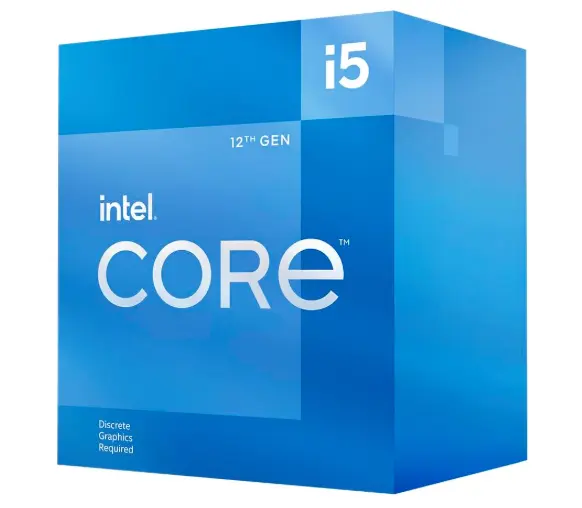
2. Intel Core i5-12400F — Best New-Build Choice
The Intel Core i5-12400F is another excellent processor for the GTX 960. Its six performance cores and twelve threads provide more than enough processing power for the graphics card while giving you substantial headroom for CPU-heavy games.
One reason to consider the 12400F is its platform. LGA1700 supports both DDR4 and DDR5 depending on the motherboard, allowing builders to select a memory configuration based on budget.
With a GTX 960 installed, you should not expect the 12400F to dramatically outperform the Ryzen 5 5600 in every game. The GPU is frequently the limiting factor. However, the 12400F provides excellent CPU performance and can become particularly attractive if you intend to replace the GTX 960 with a significantly faster graphics card later.
It is also a strong processor for general productivity. Video editing, file compression, multitasking, browser-heavy workloads, and other applications benefit from its modern architecture.
The major downside is platform cost. If you already own an AM4 motherboard, switching to Intel requires a new motherboard and potentially different memory depending on the configuration.
Pros:
- Excellent gaming performance.
- Six cores and twelve threads.
- Strong single-thread performance.
- Good multitasking capability.
- Modern LGA1700 platform.
- Excellent future GPU pairing.
- Available with DDR4 or DDR5 motherboard configurations.
Cons:
- New motherboard required for most older systems.
- The GTX 960 will often limit gaming performance before the CPU does.
- Not the cheapest option if you’re upgrading an existing AM4 system.
Best for: New PC builders who want a powerful CPU today and a flexible platform for a future graphics-card upgrade.
3. AMD Ryzen 5 3600X — Best Budget AM4 Choice
The Ryzen 5 3600 remains an interesting option for a budget GTX 960 build, especially if you can obtain it at a low cost or already have an AM4 motherboard.
It features six cores and twelve threads, making it significantly more capable than older four-core processors commonly paired with the GTX 960.
Although its Zen 2 architecture is older than the Ryzen 5 5600’s Zen 3 design, the 3600 is still sufficient for many GTX 960 gaming scenarios. At 1080p, the GPU will frequently be the primary performance limitation.
The biggest reason to choose the Ryzen 5 3600 today is value. If you already have an AM4 motherboard and find the CPU inexpensively, it can be a sensible upgrade without requiring a completely new platform.
However, if the price difference between a Ryzen 5 3600 and Ryzen 5 5600 is small, the 5600 is the better long-term choice.

Pros:
- Six cores and twelve threads.
- Good gaming performance for a GTX 960.
- Affordable AM4 platform.
- DDR4 memory support.
- Good multitasking performance.
- Suitable for budget builds.
Cons:
- Older architecture.
- Lower gaming performance than Ryzen 5 5600.
- Less attractive for a brand-new system.
- Limited long-term upgrade potential compared with newer platforms.
Best for: Budget-conscious users upgrading an existing AM4 PC or building an inexpensive GTX 960 system.
Feature-by-Feature Comparison Table
The following table compares three CPUs that make particularly good sense for a GTX 960 gaming system.

| Feature | AMD Ryzen 5 5600X | Intel Core i5-12400F | AMD Ryzen 5 3600X |
|---|---|---|---|
| Architecture | Zen 3 | Alder Lake | Zen 2 |
| CPU Cores | 6 | 6 | 6 |
| Threads | 12 | 12 | 12 |
| Integrated Graphics | No | No | No |
| Socket | AM4 | LGA1700 | AM4 |
| PCIe Support | PCIe 4.0 | PCIe 5.0/4.0 platform | PCIe 4.0 |
| Memory | DDR4 | DDR4/DDR5 depending on motherboard | DDR4 |
| GTX 960 Pairing | Excellent | Excellent | Very Good |
| Gaming Performance | Excellent | Excellent | Good |
| Multitasking | Excellent | Excellent | Good |
| Power Efficiency | Excellent | Excellent | Good |
| Upgrade Potential | Good | Excellent | Limited |
| Best For | Balanced gaming | Newer platform | Budget AM4 builds |
The three processors are all considerably faster than what the GTX 960 strictly requires. That is intentional. A stronger CPU prevents the processor from becoming a limitation in CPU-heavy games and gives the system more flexibility for future GPU upgrades.
Quick Highlights Table
If you want the answer quickly, these are the main recommendations:
| CPU | Best For | Main Advantage | Overall Rating |
|---|---|---|---|
| Ryzen 5 5600 | Best Overall | Excellent gaming performance and value | 9/10 |
| Core i5-12400F | Best Future Upgrade | Strong performance and newer platform | 9.5/10 |
| Ryzen 5 3600 | Best Budget | Affordable AM4 upgrade | 8/10 |
For most users, the Ryzen 5 5600 is the sweet spot. The Core i5-12400F is a stronger choice if you’re building a new PC and want a platform with more modern features. The Ryzen 5 3600 makes sense when you’re trying to keep the upgrade cost as low as possible.
Buying Guide: What to Look for
When buying a CPU for GTX 960, don’t focus exclusively on benchmark numbers. Instead, consider the entire system.
Core and Thread Count
Six cores and twelve threads are an excellent target. While the GTX 960 can operate with a quad-core CPU, six cores provide better headroom for modern games and background applications.
Single-Core Performance
Gaming engines often rely heavily on individual CPU cores. Strong single-core performance can improve responsiveness, minimum FPS, and frame-time consistency.
Motherboard Compatibility
This is one of the most important factors. A CPU must match the motherboard socket and chipset requirements.
For example:
- Ryzen 5 5600 → AM4.
- Ryzen 5 3600 → AM4.
- Core i5-12400F → LGA1700.
Never purchase a CPU without checking motherboard compatibility.
RAM Compatibility
The Ryzen 5 5600 and Ryzen 5 3600 use DDR4 memory platforms. The Core i5-12400F can be paired with either DDR4 or DDR5 depending on the motherboard.
For a GTX 960 system, expensive high-speed memory is usually unnecessary. A sensible dual-channel DDR4 configuration is generally enough.
Future GPU Upgrades
If you plan to replace the GTX 960 with a substantially faster graphics card later, buying a stronger CPU now can save you from upgrading the processor again.
Best Pick Based on Your Use Case
Best Overall: Ryzen 5 5600
Choose the Ryzen 5 5600 if you want an excellent balance of price, performance, efficiency, and compatibility.
Best for a New Build: Core i5-12400F
Choose the Core i5-12400F if you’re building a new system and want a modern CPU with plenty of performance for a future graphics-card upgrade.
Best Budget Upgrade: Ryzen 5 3600
Choose the Ryzen 5 3600 if you already have an AM4 motherboard and can get the processor at an attractive price.
Best for Future GPU Upgrade
The Core i5-12400F is the strongest choice among these three if the GTX 960 is only temporary. Its CPU performance gives you considerable headroom for a newer mid-range or high-end graphics card.
Best for an Existing AM4 PC
The Ryzen 5 5600 is the obvious choice if your current motherboard supports it. You can potentially upgrade the CPU without replacing the motherboard and memory.
Real-World Performance
The GTX 960 is usually the component that determines gaming performance when paired with any of these processors. This is especially true in visually demanding games.
At 1080p, older esports and competitive games can run at high frame rates when settings are optimized. In these scenarios, a stronger CPU can help maintain consistent frame delivery, particularly when many objects, players, or background calculations are present.
In GPU-heavy games, however, upgrading from a Ryzen 5 3600 to a Ryzen 5 5600 may not produce a dramatic increase in average FPS because the GTX 960 reaches its graphics-processing limit first.
This is an important distinction.
A CPU upgrade can improve:
- Minimum FPS.
- Frame-time consistency.
- Loading and application responsiveness.
- Multitasking.
- CPU-heavy games.
- Background task performance.
But it cannot overcome the fundamental graphics limitations of the GTX 960.
If your current CPU is an old dual-core or weak quad-core processor, moving to a modern six-core CPU can be a significant improvement. If you already have a reasonably capable six-core processor, putting money toward a GPU upgrade will usually produce a much larger gaming improvement.
Safety & Protection
CPU installation is generally straightforward, but proper handling is important.
Before installing a new processor, shut down the PC completely and disconnect the power supply. Avoid touching the CPU contacts or socket pins unnecessarily.
Use an appropriate amount of thermal paste. Too little can create poor contact, while excessive paste can make installation messy.
A few important safety practices include:
- Turn off and unplug the system before installation.
- Handle the CPU by its edges.
- Never force the processor into the socket.
- Confirm the CPU orientation marker before installation.
- Secure the cooler evenly.
- Make sure the CPU fan is connected to the correct motherboard header.
- Monitor CPU temperatures after installation.
- Keep dust away from the CPU cooler and case airflow paths.
A properly installed processor should operate reliably for many years.
Long-Term Reliability Tips
A good CPU can last for many years if the entire system is properly maintained.
Maintain Good Temperatures
Dust buildup can reduce cooler efficiency. Clean the CPU heatsink, case filters, and intake fans periodically.
Maintain Proper Airflow
Use a balanced airflow configuration with adequate intake and exhaust. Good airflow benefits both the CPU and GTX 960.
Monitor Temperatures
Occasionally monitor CPU temperatures during demanding workloads. Sudden temperature increases can indicate dust accumulation, cooler problems, or poor thermal contact.
Replace Thermal Paste When Necessary
Thermal paste does not need to be replaced constantly, but replacing it after several years or when cooler performance deteriorates can help restore thermal efficiency.
Avoid Unnecessary Overclocking
For a GTX 960 system, extreme CPU overclocking generally provides little gaming benefit. Running the processor within sensible voltage and temperature limits is better for long-term reliability.
Keep the System Clean
Dust is one of the simplest causes of rising temperatures. A clean case allows the cooling system to work more efficiently.
Buying Recommendations
The best CPU depends heavily on what hardware you already own.
If you’re starting with a completely new PC and want the best balance around the GTX 960, the Ryzen 5 5600 is an excellent choice. It offers enough CPU performance to avoid unnecessary bottlenecks while remaining sensible for an older graphics card.
If you are building a new platform and expect to upgrade the graphics card later, consider the Core i5-12400F. It provides excellent processing performance and is capable of supporting a significantly faster GPU than the GTX 960.
If you already have an AM4 motherboard and want to spend as little as possible, the Ryzen 5 3600 is still worth considering, particularly on the used market. However, compare its price carefully against the Ryzen 5 5600 before purchasing.
One important recommendation is to avoid spending too much on the CPU. A $300+ processor paired with a GTX 960 is usually an unbalanced gaming configuration unless you’re deliberately preparing for a future GPU upgrade.
For most GTX 960 owners, the smarter strategy is a capable six-core CPU combined with sufficient RAM and then saving money for a graphics-card upgrade.
Final Verdict
The AMD Ryzen 5 5600X is the best overall CPU for GTX 960 users because it strikes an excellent balance between gaming performance, efficiency, affordability, and platform compatibility.
The Intel Core i5-12400F is the better option for users building a new PC who want additional CPU headroom and plan to upgrade the GTX 960 later. It is powerful enough to remain useful with a much faster graphics card.
The Ryzen 5 3600 is the budget recommendation, especially for existing AM4 systems. It offers six cores and twelve threads and is still capable of providing a solid gaming experience with the GTX 960.
Ultimately, the GTX 960 is old enough that the graphics card will usually be the main gaming limitation. Therefore, you don’t need an extremely powerful processor. A modern six-core CPU is the sweet spot.
Overall ranking:
- AMD Ryzen 5 5600X — Best Overall
- Intel Core i5-12400F — Best for New Builds & Future GPU Upgrades
- AMD Ryzen 5 3600X — Best Budget AM4 Option
If your primary goal is gaming with the GTX 960 today, choose the Ryzen 5 5600 unless platform compatibility or pricing makes another option more attractive.
FAQs
Q1: What is the best CPU for GTX 960?
Ans: The AMD Ryzen 5 5600X is the best overall CPU for a GTX 960. Its six cores and twelve threads provide excellent gaming and multitasking performance without being unnecessarily expensive for the graphics card.
Q2: Is Ryzen 5 5600 good for GTX 960?
Ans: Yes. The Ryzen 5 5600 is an excellent match for the GTX 960. In most GPU-intensive games, the GTX 960 will be the limiting component, while the Ryzen 5 5600 provides plenty of CPU headroom.
Q3: Is Intel Core i5-12400F good for GTX 960?
Ans: Yes. The Core i5-12400F is more than powerful enough for the GTX 960. It is especially attractive if you plan to replace the GTX 960 with a faster graphics card in the future.
Q4: Does GTX 960 need a powerful CPU?
Ans: No. The GTX 960 does not require a high-end CPU. A good four-core processor can work, but a modern six-core processor such as the Ryzen 5 5600 or Core i5-12400F provides better long-term performance and multitasking capability.
Q5: Will a better CPU increase GTX 960 FPS?
Ans: It can, but the improvement depends on your current CPU and the game. If your existing processor is causing a CPU bottleneck, upgrading can substantially improve minimum FPS and frame-time consistency. If the GTX 960 is already the bottleneck, a faster CPU may provide only a small FPS increase.
Q6: Is Ryzen 5 3600 still good for GTX 960?
Ans: Yes. The Ryzen 5 3600 remains a capable six-core processor for a GTX 960. It is particularly worthwhile if you already have an AM4 motherboard or can purchase the CPU inexpensively.
Q7: Should I upgrade my CPU or GTX 960 first?
Ans: If your current CPU is an old dual-core or weak quad-core processor, upgrade the CPU first. If you already have a capable six-core CPU, upgrading the GTX 960 will generally provide a much larger gaming performance improvement.
Short Conclusion
The GTX 960 doesn’t need an expensive flagship processor to deliver a good gaming experience. A balanced six-core CPU is the ideal choice, with the Ryzen 5 5600 standing out as the best overall option. The Core i5-12400F is excellent for new builds and future GPU upgrades, while the Ryzen 5 3600 remains a sensible budget choice for AM4 users.
Rather than overspending on CPU power that the GTX 960 cannot fully utilize, prioritize a balanced system. Choose a capable processor, use adequate dual-channel memory, maintain good cooling, and save the remaining budget for a future graphics-card upgrade. That approach gives you the best combination of current gaming performance, system responsiveness, and long-term value.
If you have any questions about “Best CPU for GTX 960: Top 3 CPUs for Gaming & Performance”, feel free to let us know in the comments.


