
The Nothing Ear 2 vs Galaxy Buds 3 Pro comparison is interesting because these two premium wireless earbuds take noticeably different approaches. Nothing Ear 2 focuses on lightweight comfort, transparent styling, customizable sound, and broad device compatibility. Galaxy Buds 3 Pro is designed as a more feature-rich flagship option, particularly for Samsung Galaxy users who want advanced audio, adaptive noise control, spatial audio, and deeper ecosystem integration.
Nothing Ear 2 uses an 11.6mm dynamic driver and supports LHDC high-resolution Bluetooth audio, personalized sound profiles, active noise cancellation, wireless charging, and Dual Connection. Its 4.5g earbud weight also makes it attractive for long listening sessions.
Galaxy Buds 3 Pro uses a two-way speaker system, dual amplifiers, Adaptive ANC, 360 Audio, six microphones, Bluetooth 5.4, and IP57 protection. Compatible Galaxy devices can also unlock Samsung’s higher-resolution audio capabilities.
In this comparison, we’ll examine sound, ANC, comfort, battery, calls, connectivity, software, durability, and everyday usability to show how the two earbuds differ.
Feature-by-Feature Comparison Table
Before looking at individual categories, the specification table provides a useful snapshot of the hardware and features offered by each model.
| Feature | Nothing Ear 2 | Galaxy Buds 3 Pro |
| Earbud Type | In-ear TWS | In-ear TWS |
| Driver | 11.6mm dynamic | Two-way speaker |
| High-Resolution Audio | LHDC | Samsung Seamless Codec / up to 24-bit/96kHz on supported devices |
| ANC | Personalized ANC | Adaptive ANC |
| Transparency | Transparency Mode | Ambient Sound |
| Bluetooth | 5.3 | 5.4 |
| Multipoint | Dual Connection | Auto Switch |
| Earbud Weight | 4.5g | 5.4g |
| ANC-Off Battery | Up to 6.3 hours | Up to 7 hours |
| Total Battery, ANC Off | Up to 36 hours | Up to 30 hours |
| ANC-On Battery | Up to 4 hours | Up to 6 hours |
| Total Battery, ANC On | Up to 22.5 hours | Up to 26 hours |
| Spatial Audio | No dedicated 360 Audio | 360 Audio |
| Microphones | Three per earbud | Six total |
| Water/Dust Rating | IP54 earbuds | IP57 earbuds |
| Wireless Charging | Yes | Yes |
| App | Nothing X | Galaxy Wearable |
| Platform | Android/iOS | Android, strongest Galaxy integration |
| Find Feature | Find My Earbuds | Samsung Find |
Specifications and battery ratings are manufacturer figures and can vary depending on codec, volume, ANC, device, and environmental conditions.
Design and Build
Nothing Ear 2 is immediately recognizable because of its transparent design. The charging case and parts of the earbuds reveal internal components, creating a distinctive appearance that separates them from conventional black or white wireless earbuds.
The earbuds themselves weigh around 4.5g each, making them particularly light. That low weight can be beneficial if you wear earbuds for several hours at a time.
The Galaxy Buds 3 Pro follows a more modern stem-style design. Samsung added Blade Lights to the stems, giving the earbuds a recognizable visual element while also integrating touch and gesture controls into the stem area.
At approximately 5.4g per earbud, Galaxy Buds 3 Pro is slightly heavier than Nothing Ear 2. The difference is small enough that many users may not notice it, but people who strongly prioritize minimal weight may appreciate Nothing’s design.
Build quality is solid on both models, but their priorities are different. Nothing emphasizes visual identity and minimalism, while Samsung focuses more heavily on controls, sensors, microphones, and ecosystem functionality.
Comfort and Everyday Fit
Comfort is highly dependent on individual ear anatomy, so there isn’t one universal winner.
Nothing Ear 2 has an advantage in raw weight. At 4.5g, it is extremely light, which can reduce the sensation of having something in your ears during long listening sessions.
The Nothing X application also includes an ear-tip fit test. A properly sized ear tip helps create a seal, which can improve bass reproduction, passive isolation, and ANC effectiveness.
Galaxy Buds 3 Pro uses a stem design that may make controls easier to access. Instead of relying entirely on tapping the earbud housing, users can interact with the stem through pinch and swipe gestures.
For office work, commuting, podcasts, and casual music, both designs can work well. The better fit ultimately depends on the shape of your ears and which style of controls you prefer.
Sound Quality
Sound quality is one of the most important differences in this comparison.
Nothing Ear 2 uses an 11.6mm custom dynamic driver. The earbuds also support LHDC, allowing compatible devices to stream higher-quality Bluetooth audio. Nothing provides extensive customization through its Nothing X application, including EQ controls and Personal Sound Profile features.
This makes Ear 2 particularly interesting for listeners who like to adjust their sound. You can tune the presentation according to your preference rather than relying exclusively on the default profile.
Galaxy Buds 3 Pro uses an enhanced two-way speaker configuration with separate components handling different portions of the frequency range. Samsung also includes dual amplifiers.
This hardware approach gives Galaxy Buds 3 Pro a more sophisticated architecture than a conventional single-driver configuration.
Samsung’s high-resolution audio support is also more deeply connected to Galaxy smartphones. Compatible devices can access Samsung’s higher-quality audio modes, including support for up to 24-bit/96kHz through Samsung’s Seamless Codec.
For regular streaming services, both earbuds can provide an enjoyable listening experience. The bigger difference appears when you consider customization and ecosystem integration.
Nothing gives users a strong degree of control through its app, while Samsung combines advanced hardware with Galaxy-specific processing and audio features.
Bass and Music Performance
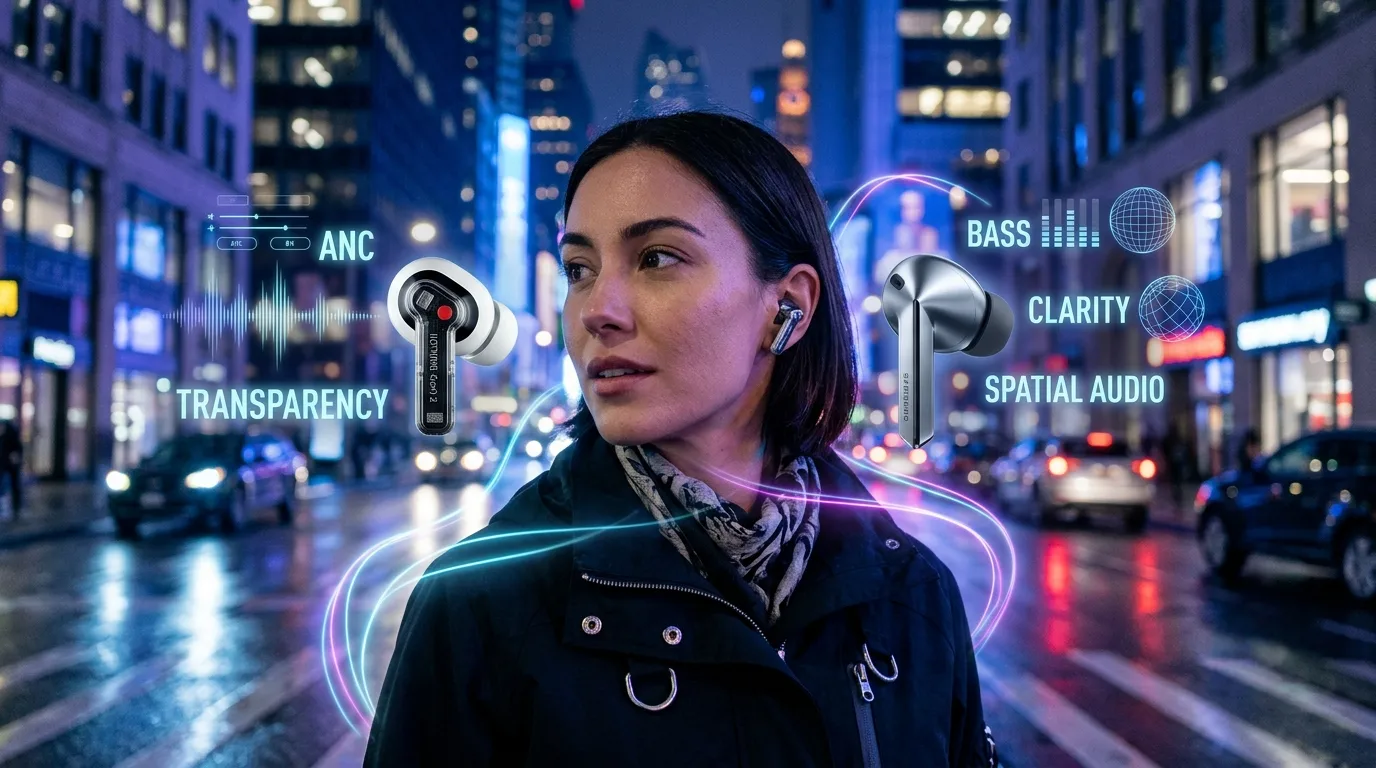
Nothing Ear 2’s larger 11.6mm driver provides a strong foundation for bass-heavy music. Electronic music, hip-hop, pop, and other genres that depend on low-frequency impact can benefit from the driver’s physical characteristics.
The EQ also allows listeners to alter the balance. If you prefer more bass, a more neutral presentation, or a different treble balance, the software gives you room to experiment.
Galaxy Buds 3 Pro’s two-way speaker design is intended to provide a broader and more controlled frequency response. The separate speaker components allow Samsung to approach bass and high frequencies differently.
For listeners who frequently play detailed recordings, the Buds 3 Pro’s hardware and high-resolution capabilities can be useful.
However, codec support alone doesn’t automatically make one earbud sound better. The quality of the recording, source device, ear-tip seal, tuning, and listener preference all influence the final result.
Active Noise Cancellation
Both earbuds offer active noise cancellation, but Samsung gives the Buds 3 Pro a more extensive adaptive system.
Nothing Ear 2 supports ANC with Personalized ANC and Environment Adaptive ANC. The system can be adjusted through the Nothing X application.
This makes Ear 2 capable of reducing common low-frequency background sounds such as air-conditioning, buses, trains, and office noise.
Galaxy Buds 3 Pro adds Adaptive ANC, which is designed to adjust the noise-control experience according to the environment. Samsung also provides Ambient Sound and other adaptive listening functions.
The practical performance of ANC depends on more than a manufacturer’s advertised decibel figure. The physical seal created by the ear tips, the frequency of the surrounding noise, microphone quality, and processing all affect how much noise reaches your ears.
If adaptive environmental processing is important to you, Galaxy Buds 3 Pro provides a broader set of related features. Nothing Ear 2 remains competitive for everyday ANC use, particularly given its smaller and lighter design.
Transparency and Environmental Awareness
There are situations where completely blocking outside sound isn’t desirable.
Nothing Ear 2 includes Transparency Mode, which uses its microphones to allow environmental sound through. This is convenient when talking to someone, listening for announcements, or walking around a busy area.
Galaxy Buds 3 Pro goes further with Ambient Sound and adaptive environmental features. Samsung also includes features such as Voice Detect and Siren Detect on supported configurations.
These features can reduce the need to manually remove your earbuds whenever you need environmental awareness.
For users who frequently move between music and real-world conversations, Samsung’s larger collection of ambient features is worth considering.
Microphone and Call Performance
Nothing Ear 2 includes three microphones per earbud and uses voice-processing technology to help improve call quality.
For everyday phone calls, video meetings, and messaging apps, this provides the hardware required for clear voice communication.
Galaxy Buds 3 Pro uses six microphones in total. Samsung also supports Super Wideband calling on compatible devices and includes voice-focused processing features.
The additional microphones provide Samsung with more hardware for environmental analysis and voice processing.
If you frequently use earbuds for business calls or online meetings, microphone performance should be considered alongside the quality of your phone’s Bluetooth implementation and the surrounding environment.
Battery Life
Battery performance is an area where the two earbuds produce different results depending on how you use them.
Nothing Ear 2 is rated for up to 6.3 hours of listening from the earbuds with ANC disabled. Including the charging case, the advertised total reaches up to 36 hours.
When ANC is enabled, the earbud figure drops to approximately 4 hours, with up to 22.5 hours including the case.
Galaxy Buds 3 Pro is rated for up to 7 hours from the earbuds with ANC disabled and up to 30 hours with the charging case.
With ANC enabled, Samsung lists up to 6 hours from the earbuds and up to 26 hours total.
This creates two different battery advantages.
Nothing Ear 2 has the higher advertised total capacity with ANC off, while Galaxy Buds 3 Pro has the longer individual earbud runtime and the higher advertised total runtime when ANC is enabled.
For people who frequently use ANC throughout the day, the Samsung figures may be particularly relevant.
Charging
Both models support wireless charging, which is useful if you already use a Qi-compatible charging pad.
Nothing Ear 2 also supports fast charging through USB-C and wireless charging through compatible chargers.
Galaxy Buds 3 Pro similarly supports wireless charging and USB-C charging. Samsung users may find the charging experience particularly convenient when the earbuds are used alongside other Galaxy accessories.
Neither model requires a proprietary charging connector, making replacement charging cables and accessories relatively straightforward.
Connectivity
Nothing Ear 2 uses Bluetooth 5.3 and supports AAC, SBC, and LHDC.
One of its strongest practical features is Dual Connection. This allows the earbuds to remain connected to two devices and switch between them.
For example, you might connect Ear 2 to a laptop and smartphone without repeatedly opening Bluetooth settings.
Galaxy Buds 3 Pro uses Bluetooth 5.4 and offers Samsung’s Auto Switch functionality across supported Galaxy devices.
The distinction is important.
Nothing’s approach is designed around broader multi-device flexibility. Samsung’s approach is designed around a connected Galaxy ecosystem.
If you regularly switch between a Windows laptop and smartphone, Nothing’s Dual Connection can be useful. If you use a Galaxy phone, tablet, and other compatible Samsung devices, Auto Switch may fit your workflow better.
Software and App Experience
Nothing X is one of Ear 2’s important advantages.
The application provides access to ANC settings, EQ customization, Personal Sound Profile, ear-tip fit testing, gesture controls, Dual Connection, firmware updates, and other settings.
Because Nothing supports Android and iOS, Ear 2 is not restricted to a single smartphone ecosystem.
Galaxy Buds 3 Pro relies on Samsung’s Galaxy Wearable ecosystem. Users can access settings and features such as ANC, ambient sound, EQ, 360 Audio, device management, and other controls.
Samsung’s application experience becomes particularly useful if you already own Galaxy hardware because additional ecosystem features can work together.
This gives the two products different identities: Nothing is more cross-platform oriented, while Samsung is more ecosystem oriented.
High-Resolution Audio
Nothing Ear 2 supports LHDC and 24-bit high-resolution audio on compatible devices.
LHDC can deliver higher-quality Bluetooth transmission than traditional SBC or AAC under supported conditions. However, your smartphone must support the codec for you to take advantage of it.
Galaxy Buds 3 Pro supports Samsung’s Seamless Codec and can reach up to 24-bit/96kHz with compatible Galaxy devices.
Therefore, the actual high-resolution experience depends heavily on the source phone.
If you have a non-Samsung Android phone, some of the Buds 3 Pro’s headline audio capabilities may not be available in exactly the same way.
Nothing Ear 2 therefore offers an interesting alternative for Android users who specifically want LHDC support without committing to Samsung’s ecosystem.
Spatial Audio
Samsung has a clear feature distinction with 360 Audio.
Galaxy Buds 3 Pro supports 360 Audio, which is designed to create a more immersive listening experience with compatible Galaxy hardware and content.
This can be particularly interesting for movies, television, and compatible spatial-audio music.
Nothing Ear 2 does not offer a directly equivalent Samsung 360 Audio ecosystem.
If spatial audio is a major part of your listening habits, this difference deserves attention.
Durability and Water Resistance
Nothing Ear 2 has an IP54 rating for the earbuds, with the charging case carrying an IP55 rating.
This provides protection against dust and water splashes but doesn’t make the earbuds suitable for swimming or prolonged water exposure.
Galaxy Buds 3 Pro has an IP57 rating for the earbuds.
That is a stronger published protection rating and provides additional reassurance for workouts and outdoor use.
However, water-resistance ratings should not be interpreted as permission to deliberately submerge or abuse the earbuds. Charging cases also have their own limitations and should be kept dry.
Controls
Nothing Ear 2 uses pressure-sensitive controls on the stem. This allows users to control playback and other functions without repeatedly touching the earbud housing.
Galaxy Buds 3 Pro uses pinch and swipe gestures integrated into its stems.
The difference may seem minor, but it changes the interaction experience.
Pinching a stem can provide a more deliberate physical action than tapping a small touch-sensitive surface. Swiping can also provide a convenient way to adjust volume.
Users who frequently control music without touching their smartphone may appreciate Samsung’s stem-based interaction system.
Quick Highlights Table
Here’s a condensed view of where the two models differ most.

| Category | Nothing Ear 2 | Galaxy Buds 3 Pro |
| Best Design Trait | Transparent and lightweight | Stem design and Blade Lights |
| Weight | 4.5g | 5.4g |
| Main Audio Hardware | 11.6mm driver | Two-way speaker |
| Audio Customization | Strong | Strong |
| ANC | Personalized/Adaptive | Adaptive |
| Battery Focus | 36h total ANC off | 6h earbuds ANC on |
| Connectivity | Dual Connection | Galaxy Auto Switch |
| Spatial Audio | — | 360 Audio |
| Durability | IP54 | IP57 |
| Cross-Platform Use | Android + iOS | Strongest with Galaxy |
| High-Res Focus | LHDC | Samsung Seamless Codec |
| Calling Hardware | 3 mics per earbud | 6 microphones |
| Wireless Charging | Yes | Yes |
Key Takeaways
The two earbuds aren’t simply competing on specifications. They target somewhat different users.
- Nothing Ear 2 prioritizes low weight and customization.
- Galaxy Buds 3 Pro prioritizes advanced hardware and ecosystem features.
- Nothing Ear 2 weighs less per earbud.
- Galaxy Buds 3 Pro has the more advanced two-way speaker architecture.
- Nothing provides Dual Connection for two-device use.
- Samsung provides deeper switching between compatible Galaxy devices.
- Galaxy Buds 3 Pro supports 360 Audio.
- Nothing Ear 2 supports LHDC.
- Samsung offers up to 24-bit/96kHz audio on compatible Galaxy hardware.
- Galaxy Buds 3 Pro has the stronger IP rating.
- Nothing Ear 2 offers a higher advertised total battery figure with ANC disabled.
- Galaxy Buds 3 Pro offers longer advertised earbud playback when ANC is enabled.
Pros & Cons
The Nothing Ear 2 vs Galaxy Buds 3 Pro comparison becomes easier when their advantages and limitations are separated.
Nothing Ear 2 Pros
- Lightweight 4.5g construction
- Unique transparent appearance
- 11.6mm dynamic driver
- LHDC support
- Personalized sound profile
- Customizable EQ
- Personalized ANC
- Dual Connection
- Android and iOS support
- Wireless charging
- Good total battery capacity with ANC off
- Compact charging case
Nothing Ear 2 Cons
- ANC-on battery life is relatively limited
- No dedicated 360 Audio feature
- Lower IP rating than Galaxy Buds 3 Pro
- Some advanced audio functions require compatible devices
- Fewer ecosystem-specific smart features
Galaxy Buds 3 Pro Pros
- Two-way speaker design
- Dual amplifiers
- Adaptive ANC
- 360 Audio
- Up to 24-bit/96kHz audio on compatible Galaxy devices
- Six microphones
- Bluetooth 5.4
- IP57 protection
- Samsung Find
- Auto Switch
- Strong Galaxy integration
- Longer advertised ANC-on earbud battery life
Galaxy Buds 3 Pro Cons
- Some of its most advanced features are tied to Galaxy devices
- Slightly heavier than Nothing Ear 2
- Lower total advertised battery figure with ANC disabled
- May offer more features than some users actually need
- Less platform-neutral than Nothing Ear 2
Buying Recommendations
For Android Users
Both earbuds can work well with Android smartphones, but your phone should influence the decision.
Nothing Ear 2 is attractive if you want LHDC, Dual Connection, customization, and broad compatibility.
Galaxy Buds 3 Pro becomes more interesting if you own a compatible Samsung Galaxy smartphone because several of its advanced features depend on Samsung hardware.
For Samsung Galaxy Owners
Galaxy Buds 3 Pro is built around Samsung’s ecosystem.
Features such as Samsung Seamless Codec, 360 Audio, Auto Switch, Samsung Find, and additional adaptive functions can become more useful when paired with compatible Galaxy devices.
The earbuds can therefore be considered as part of a broader Galaxy setup rather than simply as an independent Bluetooth accessory.
For iPhone Users
Nothing Ear 2 is the more natural choice between these two if iPhone compatibility is important.
Nothing provides an iOS-compatible application and does not require you to own a particular Android manufacturer’s smartphone to access the basic earbud experience.
Galaxy Buds 3 Pro can connect to devices outside the Samsung ecosystem, but its feature set is most compelling when paired with compatible Galaxy hardware.
For Frequent Travelers
Consider both ANC performance and battery behavior.
Nothing Ear 2 offers a compact and lightweight design, while Galaxy Buds 3 Pro offers a broader adaptive noise-control system and a longer advertised ANC-on battery figure.
The better fit will depend on whether you prioritize weight and portability or adaptive features and longer ANC-enabled runtime.
For Fitness Users
Galaxy Buds 3 Pro’s IP57 rating provides a higher level of published protection than Nothing Ear 2’s IP54 earbud rating.
Nothing Ear 2 is still designed for everyday use and exercise-related situations, but neither model should be treated as a swimming earbud.
For Music Enthusiasts
The decision depends on your source device and preferred sound.
Nothing Ear 2 offers LHDC and substantial EQ customization.
Galaxy Buds 3 Pro combines two-way speakers, dual amplification, Samsung’s high-resolution codec support, and spatial-audio functionality.
If you own compatible Samsung hardware, more of the Buds 3 Pro’s advanced audio ecosystem becomes available.
Final Verdict
The Nothing Ear 2 vs Galaxy Buds 3 Pro comparison reveals two premium earbuds with different priorities.
Nothing Ear 2 is built around a lightweight form factor, transparent design, customizable sound, LHDC, personalized ANC, and Dual Connection. It is also more platform-flexible, making it suitable for people who use different types of smartphones and computers.
Galaxy Buds 3 Pro focuses on a more comprehensive flagship feature set. Its two-way speaker design, adaptive noise control, 360 Audio, six microphones, Bluetooth 5.4, IP57 rating, and Galaxy-specific features give it a distinct identity.
The most important factor is therefore your existing setup.
Someone who values lightweight hardware, customization, and cross-platform flexibility will find Nothing Ear 2’s feature set particularly relevant. Someone using compatible Galaxy hardware can access a wider range of Samsung-specific capabilities with Galaxy Buds 3 Pro.
Rather than looking at one specification in isolation, consider the phone you use, your preferred sound profile, how frequently you use ANC, whether you need multipoint connectivity, and whether spatial audio matters to you.
FAQ
Q1: What is the main difference between Nothing Ear 2 and Galaxy Buds 3 Pro?
Ans: Nothing Ear 2 focuses on lightweight design, customization, LHDC, personalized ANC, and Dual Connection. Galaxy Buds 3 Pro focuses on advanced two-way audio hardware, Adaptive ANC, 360 Audio, high-resolution Samsung audio, and Galaxy ecosystem integration.
Q2: Does Nothing Ear 2 have better battery life than Galaxy Buds 3 Pro?
Ans: It depends on the usage mode. Nothing Ear 2 is rated for up to 36 hours with its case and ANC disabled, while Galaxy Buds 3 Pro is rated for up to 30 hours. With ANC enabled, Galaxy Buds 3 Pro is rated for up to 26 hours total compared with up to 22.5 hours for Nothing Ear 2.
Q3: Which earbuds have better noise cancellation?
Ans: Both offer active noise cancellation. Nothing Ear 2 includes Personalized ANC and Environment Adaptive ANC, while Galaxy Buds 3 Pro adds Adaptive ANC and additional environmental listening features. Real-world ANC performance can vary depending on ear fit, ear tips, surroundings, and device processing.
Q4: Does Nothing Ear 2 support high-resolution audio?
Ans: Yes. Nothing Ear 2 supports LHDC and 24-bit high-resolution audio when used with compatible devices. The source smartphone must support the appropriate codec for those capabilities to be used.
Q5: Do Galaxy Buds 3 Pro work with non-Samsung phones?
Ans: Galaxy Buds 3 Pro can connect to compatible Bluetooth devices outside Samsung’s ecosystem, but some of its advanced features are designed specifically around compatible Galaxy smartphones and tablets.
Q6: Which earbuds are more durable?
Ans: Galaxy Buds 3 Pro has the higher published protection rating, with IP57 protection for the earbuds. Nothing Ear 2 has an IP54 rating for its earbuds. Both should still be protected from unnecessary water exposure and should not be treated as swimming earbuds.
Q7: Which earbuds are better for calls?
Ans: Both include dedicated microphone hardware and voice-processing features. Nothing Ear 2 has three microphones per earbud, while Galaxy Buds 3 Pro has six microphones in total and supports additional Samsung voice features. Actual call quality depends on the phone, connection, environment, and software.
Short Conclusion
Nothing Ear 2 and Galaxy Buds 3 Pro offer different interpretations of premium wireless earbuds. Nothing emphasizes a lightweight design, transparent styling, customizable sound, LHDC, ANC, and multi-device flexibility. Galaxy Buds 3 Pro focuses on two-way audio hardware, adaptive ANC, spatial audio, stronger water resistance, and deeper Galaxy integration. The right model depends largely on your smartphone ecosystem, listening habits, desired features, and whether you value flexibility or ecosystem-specific functionality.


