
Finding the best LGA 2011 CPU for gaming can be surprisingly difficult because Intel’s LGA 2011 platform covers several generations of high-end desktop and workstation processors. Although these CPUs are much older than modern gaming processors, some models can still provide a capable gaming experience when paired with a suitable graphics card.
The original LGA 2011 platform supports Intel’s Sandy Bridge-E and Ivy Bridge-E processors, including enthusiast-focused Core i7 chips and several Xeon models. These CPUs introduced features that were impressive for their time, including quad-channel DDR3 memory, multiple CPU cores, large caches, and substantial PCIe connectivity.
For gamers using an existing X79 motherboard, upgrading the processor can be considerably cheaper than replacing the entire platform. The key is choosing a CPU that offers enough single-threaded performance while also providing sufficient cores and threads for modern games, background applications, streaming, and multitasking.
In this guide, we focus specifically on original LGA 2011, rather than LGA 2011-3. The Intel Core i7-4930K, Core i7-4960X, and Xeon E5-1650 v2 stand out as three particularly interesting choices. We’ll compare their specifications, gaming characteristics, value, upgrade potential, thermals, and long-term reliability so you can decide which processor makes the most sense for your system.
Why it Matters to You
Choosing the right CPU matters because an older gaming platform can become CPU-limited long before the graphics card reaches its full potential. This is especially noticeable when playing competitive games at high refresh rates or when using a relatively powerful GPU.
LGA 2011 processors also differ considerably in core count, clock speed, cache, and overclocking potential. Simply choosing the processor with the highest model number does not automatically guarantee the best gaming experience.
For example, the Core i7-4960X offers six cores and twelve threads, but the less expensive Core i7-4930K can provide a very similar gaming experience. Meanwhile, the Xeon E5-1650 v2 can be an attractive alternative for buyers who want six cores and twelve threads without necessarily paying enthusiast-platform prices.
The motherboard is another important consideration. Original LGA 2011 CPUs require an X79 motherboard, and BIOS support can vary depending on the specific board and processor generation. Before purchasing a used CPU, verify that your motherboard supports the particular chip you intend to install.
For most gamers upgrading an existing X79 computer, the goal should be maximum gaming performance per dollar, rather than simply purchasing the most expensive processor available.
In-Depth Reviews: Best LGA 2011 CPU for Gaming

The Best LGA 2011 CPU for Gaming can still deliver solid performance for budget-conscious gamers using an X79 motherboard. Six-core processors such as the Core i7-4930K, i7-4960X, and Xeon E5-1650 v2 offer strong multitasking, respectable gaming performance, and overclocking potential, making them worthwhile upgrades for older gaming systems.
1. Intel Core i7-4930K — Best Overall LGA 2011 CPU for Gaming
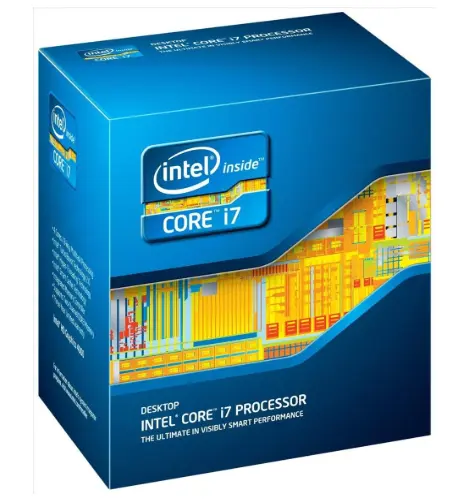
The Intel Core i7-4930K is arguably the sweet spot for gamers who want to get the most out of the original LGA 2011 platform. Based on Intel’s Ivy Bridge-E architecture, this six-core enthusiast processor offers twelve threads, a relatively high clock speed, and an unlocked multiplier.
The processor operates at a 3.4 GHz base frequency and can reach up to 3.9 GHz with Turbo Boost. Its six physical cores make it particularly useful for modern games that can distribute workloads across multiple CPU threads.
One of its biggest advantages is its unlocked multiplier. With a capable X79 motherboard and adequate cooling, enthusiasts can overclock the 4930K to extract additional performance. However, overclocking results vary between individual processors and motherboards, so users should not assume a particular frequency is guaranteed.
For gaming, the 4930K strikes a strong balance. It has enough cores for gaming, streaming, voice chat, browser applications, and other background workloads while maintaining good single-threaded performance for its generation.
It also supports quad-channel DDR3 memory, which gives the LGA 2011 platform considerably more memory bandwidth than mainstream platforms of the same era. While modern games don’t necessarily require enormous memory bandwidth, it remains useful for heavily threaded workloads.
Another advantage is availability. Because the 4930K was sold in relatively large quantities, used examples can often be easier to find than flagship Extreme Edition models.
Gaming Performance
The 4930K remains particularly interesting for budget-focused enthusiasts who already own an X79 motherboard. Paired with a sensible mid-range or older high-end GPU, it can still deliver respectable 1080p gaming performance.
However, it is important to manage expectations. Modern CPUs have substantially better instructions-per-clock performance, lower platform latency, and more efficient architectures. A heavily overclocked 4930K can improve an older system, but it will not transform it into a modern gaming platform.
For older AAA games, esports titles, and many GPU-limited configurations, the 4930K remains perfectly usable. It becomes more limiting in CPU-heavy games, simulation titles, large multiplayer environments, and high-refresh-rate gaming.
2. Intel Core i7-4960X — Best High-End LGA 2011 CPU
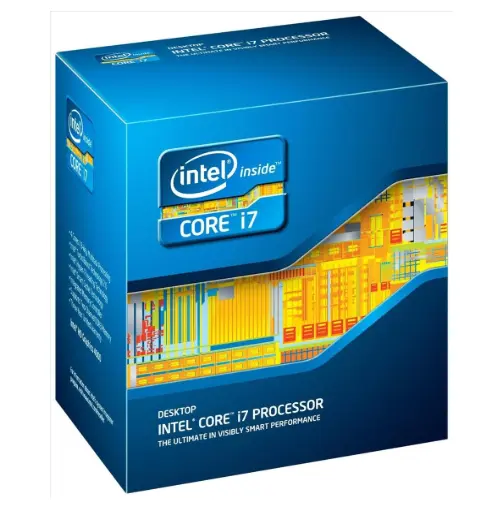
The Intel Core i7-4960X represents the flagship enthusiast option for the original LGA 2011 platform. It uses Ivy Bridge-E and provides six cores, twelve threads, and a large 15 MB cache.
It has a 3.6 GHz base frequency and can reach up to 4.0 GHz using Turbo Boost. Like the 4930K, it features an unlocked multiplier, making it suitable for enthusiasts interested in overclocking.
The 4960X’s main appeal is that it combines the highest-end specifications available in the original Ivy Bridge-E Core i7 lineup with strong clock speeds.
For gaming, however, its advantage over the 4930K is smaller than its original flagship status might suggest. Both processors feature six cores and twelve threads, and their architectures are essentially the same.
The 4960X’s higher stock clocks and additional cache can provide some performance improvements depending on the workload, but the difference is generally not large enough to justify a substantial price premium in a used market.
That’s why the 4960X is best viewed as a premium choice for an existing LGA 2011 enthusiast system, rather than the obvious value winner.
Gaming Performance
The 4960X can still handle modern gaming when paired with an appropriate graphics card, particularly if it is running at a healthy clock speed. Its six-core configuration is useful for games that scale across multiple threads.
At 1080p with a powerful GPU, the age of the architecture becomes more obvious. CPU-heavy games can expose its weaker per-core performance compared with modern processors.
At higher resolutions, however, the graphics card generally becomes the dominant limitation. In such configurations, the difference between the 4960X and 4930K can become relatively small.
3. Intel Xeon E5-1650 v2 — Best Alternative for Value
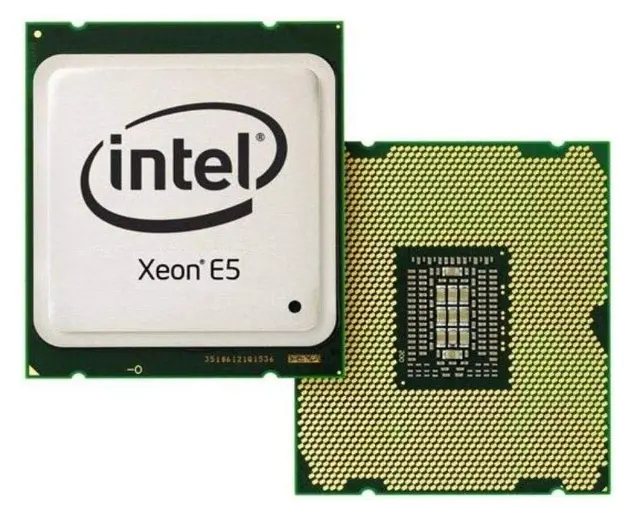
The Intel Xeon E5-1650 v2 is one of the most interesting alternatives for LGA 2011 users. It is an Ivy Bridge-EP processor with six cores and twelve threads, making it well suited to multitasking and gaming workloads.
It operates at around 3.5 GHz base with Turbo frequencies reaching up to 3.9 GHz, depending on workload conditions. Importantly for enthusiasts, the E5-1650 v2 belongs to the Xeon models that offer an unlocked multiplier.
That combination makes it unusually attractive for an older workstation-oriented platform. You can potentially obtain six cores and twelve threads without paying the premium associated with the original Extreme Edition Core i7 processors.
The Xeon is particularly interesting for people who use their computer for more than gaming. Video encoding, rendering, virtualization, streaming, compression, and other threaded applications can benefit from its six-core configuration.
The major limitation is motherboard compatibility. Although the processor uses the LGA 2011 socket, not every X79 motherboard officially supports every Xeon. BIOS compatibility should therefore be checked before buying.
Gaming Performance
In gaming, the E5-1650 v2 can perform similarly to the Core i7-4930K when operating at comparable frequencies. The exact results depend heavily on motherboard settings, memory configuration, cooling, and whether the CPU is overclocked.
It is especially attractive when purchased cheaply as part of a used X79 upgrade. If your motherboard supports it and the price is significantly lower than an equivalent Core i7, the Xeon can be an excellent budget option.
Feature-by-Feature Comparison Table
The following table provides a quick look at the three recommended processors.
| Feature | Core i7-4930K | Core i7-4960X | Xeon E5-1650 v2 |
|---|---|---|---|
| Platform | LGA 2011 | LGA 2011 | LGA 2011 |
| Architecture | Ivy Bridge-E | Ivy Bridge-E | Ivy Bridge-EP |
| Cores | 6 | 6 | 6 |
| Threads | 12 | 12 | 12 |
| Base Clock | 3.4 GHz | 3.6 GHz | 3.5 GHz |
| Max Turbo | Up to 3.9 GHz | Up to 4.0 GHz | Up to 3.9 GHz |
| L3 Cache | 12 MB | 15 MB | 12 MB |
| Memory | DDR3 | DDR3 | DDR3 |
| Memory Channels | Quad | Quad | Quad |
| Multiplier | Unlocked | Unlocked | Unlocked |
| Integrated Graphics | No | No | No |
| Socket | LGA 2011 | LGA 2011 | LGA 2011 |
| Gaming Position | Best overall | Best high-end | Best value alternative |
| Overclocking | Yes | Yes | Yes, platform-dependent |
| Ideal User | Gamers | Enthusiasts | Budget upgraders |
The biggest takeaway is that all three processors offer six cores and twelve threads. The most important differences are clock speeds, cache capacity, pricing, motherboard compatibility, and overclocking characteristics.
Quick Highlights Table
Here is a simplified summary for readers who want to make a decision quickly.
| CPU | Best For | Main Strength | Main Weakness |
|---|---|---|---|
| Core i7-4930K | Most gamers | Excellent balance | Older architecture |
| Core i7-4960X | Enthusiasts | Highest-end specifications | Usually poor value at a high used price |
| Xeon E5-1650 v2 | Budget builds | Six cores at low cost | Compatibility can vary |
Quick winner: Core i7-4930K
Premium option: Core i7-4960X
Budget alternative: Xeon E5-1650 v2
Buying Guide: What to Look for When Choosing the Best LGA 2011 CPU for Gaming
1. Confirm Your Exact Socket
The first step is confirming that you actually have LGA 2011/X79. Do not confuse original LGA 2011 with LGA 2011-3.
Although their physical socket names are similar, LGA 2011 and LGA 2011-3 use different processors and platforms. An LGA 2011 CPU cannot simply be installed into an LGA 2011-3 motherboard.
2. Check Motherboard BIOS Support
This is particularly important when purchasing Ivy Bridge-E processors for an older X79 motherboard.
Some early X79 boards were designed around Sandy Bridge-E and may require a BIOS update for Ivy Bridge-E compatibility. Check your motherboard manufacturer’s CPU support list before purchasing.
3. Consider Used-CPU Condition
Most LGA 2011 processors available today are used. A used CPU can be perfectly reliable, but condition still matters.
Look for processors with clean contact pads, no obvious physical damage, and a seller with a reasonable return policy.
Avoid CPUs showing signs of severe physical damage, burned contacts, or excessive corrosion.
4. Prioritize Clock Speed for Gaming
For gaming, clock speed and per-core performance remain important. More cores are useful, but adding cores does not automatically compensate for significantly lower single-thread performance.
This is one reason the six-core Core i7 models are attractive compared with many lower-clocked Xeon alternatives.
5. Consider Overclocking
If you have an enthusiast X79 motherboard and capable cooling, an unlocked CPU can provide additional performance.
The 4930K and 4960X are particularly straightforward choices for enthusiasts because they were designed for overclocking.
6. Check Your Cooling System
These processors can produce substantial heat, particularly when overclocked. A quality tower air cooler or compatible liquid cooling solution is recommended for serious overclocking.
Do not choose a cooler based solely on socket compatibility. Check its actual thermal capacity, mounting hardware, case clearance, and airflow requirements.
7. Don’t Overspend on the CPU
Because LGA 2011 is an old platform, it is easy to spend too much money upgrading it.
If a used 4960X costs close to the price of a significantly newer CPU and motherboard combination, the newer platform may provide substantially better gaming performance.
The goal should be to maximize the value of the existing system, not to spend modern-platform money on outdated hardware.
Best Pick Based on Your Use Case
Best Overall: Core i7-4930K
For most people already using an X79 motherboard, the Core i7-4930K is the best overall choice.
It provides six cores, twelve threads, strong clocks for its generation, and an unlocked multiplier. Its balance of performance and availability makes it more practical than the flagship 4960X.
Best Premium Choice: Core i7-4960X
Choose the Core i7-4960X if you want the highest-end original LGA 2011 Core i7 and can find one at a sensible used price.
Its additional cache and higher stock clocks make it the strongest of these three on paper, but its gaming advantage over the 4930K is relatively modest.
Best Budget Alternative: Xeon E5-1650 v2
The Xeon E5-1650 v2 is an excellent choice when the priority is obtaining six cores and twelve threads at a low used-market price.
It is particularly appealing to users who also perform productivity or workstation tasks.
Real-World Performance
Real-world gaming performance from an LGA 2011 processor depends on much more than the CPU itself.
The graphics card is one of the biggest factors. Pairing a 4930K with an older mid-range GPU can produce a balanced gaming system where the GPU is usually the limiting component. Pairing the same processor with a much faster modern GPU can expose the CPU’s architectural limitations.
1080p Gaming
At 1080p, CPU performance becomes more important because the graphics card may be capable of rendering frames quickly.
Competitive games running at high frame rates can therefore expose the age of LGA 2011 processors more clearly than visually demanding games running at 60 FPS.
A six-core Ivy Bridge-E CPU can still be usable for many games, but modern processors will generally provide better minimum frame rates, lower latency, and stronger performance consistency.
1440p Gaming
1440p is generally more GPU-intensive. If your graphics card is the primary bottleneck, the difference between the 4930K and 4960X may be difficult to notice in many games.
This makes the 4930K particularly attractive for gamers using a moderate graphics card.
4K Gaming
At 4K, the GPU typically becomes the dominant performance limitation. However, CPU requirements do not disappear.
A heavily CPU-dependent game can still expose an old processor, particularly in minimum frame rates and simulation-heavy workloads.
Gaming and Streaming
The six-core, twelve-thread configuration gives these CPUs an advantage over older quad-core processors when gaming while running background applications.
However, modern hardware-accelerated encoding technologies can reduce CPU streaming requirements considerably. If streaming is a major priority, a modern platform may be a better long-term investment.
Safety & Protection
Installing an old CPU safely is relatively straightforward, but there are several things worth checking.
Always shut down the computer completely and disconnect the power before removing the CPU cooler. Give the processor and motherboard enough time to cool before handling them.
When installing an LGA 2011 CPU, carefully align the processor with the socket markings. Do not force the processor into position.
The socket’s contact pins are located on the motherboard, so they can be damaged easily. Avoid touching or dragging objects across them.
Fresh thermal paste should normally be applied when installing a used processor. Old thermal compound can become dry and reduce heat transfer.
Cooling is especially important if you plan to overclock. Excessive voltage and temperature can reduce component lifespan, so enthusiasts should use conservative settings and monitor CPU temperatures under sustained loads.
A reliable power supply is also important. Even though the CPU itself is old, the system may contain a relatively powerful GPU that places much greater demands on the PSU.
Long-Term Reliability Tips
Keep Temperatures Under Control
Heat is one of the biggest enemies of long-term component reliability. Keep the cooler clean and make sure the case has adequate airflow.
Clean Dust Regularly
Dust buildup can reduce cooler performance and increase temperatures. Periodically clean the CPU heatsink, case filters, fans, and graphics card.
Avoid Excessive Voltage
Overclocking can provide useful performance improvements, but unnecessarily high voltage can increase heat and potentially reduce long-term reliability.
A modest, stable overclock is generally preferable to chasing the highest possible benchmark frequency.
Replace Old Thermal Paste
If you’re buying a CPU that has already been used for many years, replacing the thermal compound is a sensible first step.
Monitor System Stability
After installing or overclocking the CPU, test the system with sustained workloads and monitor temperatures, clock speeds, and stability.
Unexpected crashes, freezes, or calculation errors can indicate unstable settings.
Maintain BIOS and System Settings
If your motherboard has a newer stable BIOS that improves CPU compatibility or memory support, consider updating it before installing a newer-generation LGA 2011 processor.
However, BIOS updates should be performed carefully and according to the motherboard manufacturer’s instructions.
Buying Recommendations
If you’re building or upgrading an LGA 2011 gaming system today, the most important factor is used-market pricing.
The Core i7-4930K is the processor I would prioritize for most gamers. Its six-core design, twelve threads, relatively high clocks, and unlocked multiplier make it a strong all-rounder.
The Core i7-4960X makes sense only when the price difference is reasonable. It is technically the more prestigious option, but gaming performance doesn’t increase enough to justify a large premium.
The Xeon E5-1650 v2 is worth considering when it is significantly cheaper than the Core i7 models and your motherboard supports it.
Before buying, check these points:
- Confirm your motherboard uses original LGA 2011.
- Verify X79 BIOS compatibility.
- Check the CPU’s physical condition.
- Compare used prices rather than original launch prices.
- Make sure your CPU cooler supports the socket.
- Check your power supply if you’re also upgrading the GPU.
- Consider the GPU you already own.
- Don’t overspend on an obsolete platform.
- Consider a newer CPU and motherboard if the upgrade cost becomes too high.
For a budget-oriented upgrade, the ideal strategy is usually to find a reasonably priced six-core processor and invest the remaining budget in the graphics card, SSD, cooling, or memory.
Final Verdict
The Intel Core i7-4930K is the best overall LGA 2011 CPU for gaming when focusing on the original X79 platform.
Its six cores and twelve threads provide a useful amount of processing capacity, while the 3.4 GHz base clock, up to 3.9 GHz Turbo frequency, and unlocked multiplier make it well suited to gaming and enthusiast use.
The Core i7-4960X is the premium choice. It offers slightly higher stock clocks and a larger cache, but the gaming improvement over the 4930K is usually not dramatic enough to justify a large price difference.
The Xeon E5-1650 v2 is the value-oriented alternative. It provides six cores and twelve threads with competitive clocks and can be especially attractive for used X79 systems when priced aggressively.
Ultimately, the best LGA CPU is not necessarily the most expensive one. The 4930K provides the strongest balance of gaming performance, features, and practical value.
If you already own a compatible X79 motherboard, upgrading to one of these CPUs can extend the useful life of the system. But if you need to purchase the motherboard, CPU, RAM, and other components from scratch, a modern platform will generally deliver much stronger gaming performance and a better upgrade path.
FAQ Section
Q1: What is the best LGA 2011 CPU for gaming?
Ans: The Intel Core i7-4930K is the best overall LGA 2011 CPU for gaming. It offers six cores, twelve threads, strong Ivy Bridge-E performance, and an unlocked multiplier, making it an excellent balance of gaming performance and value for an existing X79 system.
Q2: Is the Intel Core i7-4960X still good for gaming?
Ans: Yes, the Core i7-4960X can still handle gaming reasonably well, especially when paired with a suitable GPU. However, its performance is limited by its older architecture, and it is generally not worth paying a large premium over the i7-4930K.
Q3: Is the Xeon E5-1650 v2 good for gaming?
Ans: Yes. The Xeon E5-1650 v2 has six cores and twelve threads and can provide gaming performance comparable to other high-end Ivy Bridge-E processors when properly configured. Its biggest advantage is its potential value on the used market.
Q4: Can LGA 2011 CPUs run modern games?
Ans: LGA 2011 CPUs can run many modern games, but performance varies considerably. Older or less CPU-intensive games can run well, while newer CPU-heavy titles may show lower minimum frame rates and reduced performance compared with modern processors.
Q5: Can I overclock an LGA 2011 CPU?
Ans: Some LGA 2011 processors can be overclocked. The Core i7-4930K and Core i7-4960X have unlocked multipliers, while the E5-1650 v2 can also be attractive for enthusiast tuning depending on the motherboard and platform configuration. Adequate cooling and conservative voltage settings are essential.
Q6: Does LGA 2011 support DDR4 RAM?
Ans: Original LGA 2011/X79 systems use DDR3 memory. DDR4 belongs to newer platforms, including LGA 2011-3. You should not purchase DDR4 for an original X79 LGA 2011 motherboard.
Q7: Is it worth buying an LGA 2011 CPU in 2026?
Ans: It can be worthwhile if you already own a compatible X79 motherboard and can find a six-core processor at a very low price. It is generally not recommended to build an entirely new gaming PC around LGA 2011 because modern platforms provide substantially better CPU performance, efficiency, connectivity, and upgrade options.
Short Conclusion
The best LGA 2011 CPU for gaming remains the Intel Core i7-4930K for most existing X79 users. Its six cores, twelve threads, strong clock speeds, and unlocked multiplier make it a balanced upgrade for an aging enthusiast system. The i7-4960X is the premium alternative, while the Xeon E5-1650 v2 can deliver excellent value when found cheaply. Just remember that LGA 2011 is an older platform, so pricing is critical. If the cost of upgrading becomes too high, moving to a newer CPU platform will usually provide considerably better gaming performance and longevity.
If you have any questions about “Best LGA 2011 CPU for Gaming: Top 3 Value Picks”, feel free to let us know in the comments.


