
Finding the best LGA 1200 CPU for gaming can be surprisingly difficult because Intel’s LGA 1200 platform includes processors from both the 10th-generation Comet Lake and 11th-generation Rocket Lake families. Although these CPUs are no longer Intel’s newest offerings, they can still deliver excellent gaming performance when paired with a capable graphics card and fast DDR4 memory.
For gamers who already own an LGA 1200 motherboard, upgrading the processor can be much cheaper than replacing the entire platform. A strong LGA 1200 CPU can continue to handle competitive games, AAA titles, streaming, and everyday workloads without becoming an immediate bottleneck.
Among the available choices, the Intel Core i9-10900K stands out as one of the strongest all-around gaming CPUs for the socket. Its 10 cores, 20 threads, high clock speeds, and 20 MB cache give it excellent headroom for modern gaming and multitasking. The Core i9-10850K offers a very similar design at a potentially better used-market value, while the Core i7-10700K remains an attractive option for gamers who want strong performance without moving into i9 pricing.
Because LGA 1200 is an older platform, however, price matters enormously. The right CPU is not necessarily the most expensive one—it is the processor that provides the best balance between gaming performance, motherboard compatibility, cooling requirements, and purchase price.
Why It Matters to You
Choosing the right processor matters because your CPU and GPU must work together to produce consistent gaming performance. A powerful graphics card can deliver high frame rates, but a weak or heavily loaded CPU can limit minimum FPS, increase frame-time spikes, and reduce performance in CPU-intensive games.
This is particularly important at 1080p, where the processor often has a larger influence on frame rates than at higher resolutions. Competitive gamers using high-refresh-rate monitors can therefore benefit significantly from a faster LGA 1200 CPU.
The CPU also matters beyond average FPS. Modern games increasingly use multiple CPU threads for artificial intelligence, physics, background calculations, asset streaming, and other tasks. A processor with more cores and threads can provide additional headroom when gaming while Discord, recording software, browsers, launchers, or streaming applications are running.
The LGA 1200 platform also gives existing PC owners an important advantage: you may be able to upgrade the CPU without replacing your motherboard, RAM, storage, case, or graphics card.
That makes a good LGA 1200 processor particularly useful for users who want to extend the life of an existing gaming PC rather than build an entirely new system.
Feature-by-Feature Comparison Table
Before choosing a processor, it helps to compare the specifications that directly affect gaming, multitasking, cooling, and platform compatibility.
| Feature | Core i9-10900K | Core i9-10850K | Core i7-10700K |
|---|---|---|---|
| Architecture | Comet Lake | Comet Lake | Comet Lake |
| Generation | 10th Gen | 10th Gen | 10th Gen |
| Socket | LGA 1200 | LGA 1200 | LGA 1200 |
| Cores | 10 | 10 | 8 |
| Threads | 20 | 20 | 16 |
| Base Clock | 3.70 GHz | 3.60 GHz | 3.80 GHz |
| Max Turbo | Up to 5.30 GHz | Up to 5.20 GHz | Up to 5.10 GHz |
| Cache | 20 MB | 20 MB | 16 MB |
| Memory | DDR4-2933 | DDR4-2933 | DDR4-2933 |
| PCIe | PCIe 3.0 | PCIe 3.0 | PCIe 3.0 |
| TDP | 125 W | 125 W | 125 W |
| Integrated Graphics | UHD 630 | UHD 630 | UHD 630 |
| Best For | Maximum LGA 1200 gaming | Value-focused high-end gaming | Balanced gaming |
| Overclocking | Yes | Yes | Yes |

Intel lists the Core i9-10900K with 10 cores, 20 threads, 20 MB cache, a maximum turbo frequency of up to 5.30 GHz, and a 125 W TDP. The i9-10850K has the same 10-core/20-thread configuration and 20 MB cache but tops out at 5.20 GHz. The i7-10700K provides 8 cores, 16 threads, 16 MB cache, and up to 5.10 GHz.
Quick Highlights Table
The following table provides a quick way to determine which processor fits your needs without going through every specification.
| CPU | Gaming | Multitasking | Value | Cooling | Recommended User |
|---|---|---|---|---|---|
| Core i9-10900K | Excellent | Excellent | Good | High | Enthusiast gamers |
| Core i9-10850K | Excellent | Excellent | Very Good | High | Value-focused enthusiasts |
| Core i7-10700K | Very Good | Very Good | Excellent | Moderate-High | Mainstream gamers |
If you already own a Z490 or Z590-compatible LGA 1200 system and can find a reasonably priced i9-10900K, it is the strongest overall recommendation here. If the 10900K commands a substantial premium, the 10850K becomes particularly attractive because it retains the same 10-core/20-thread layout.
For gamers working with a tighter budget, the i7-10700K offers an excellent balance of high clock speeds and 8-core/16-thread performance.
In-Depth Reviews of the LGA 1200 CPU for Gaming
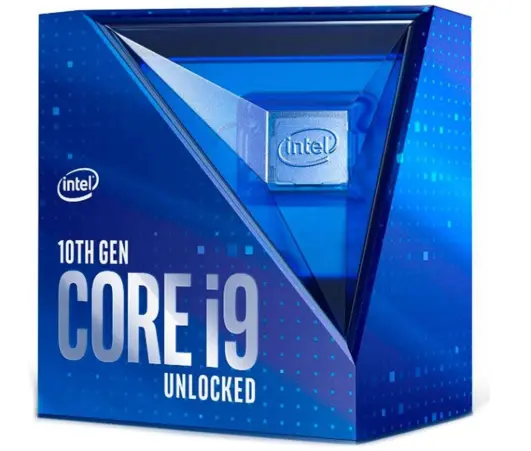
Intel Core i9-10900K
The Core i9-10900K is the processor to beat if your priority is getting the maximum practical gaming performance from an LGA 1200 platform.
Its biggest advantage is the combination of 10 cores and 20 threads with very high clock speeds. Intel specifies a 3.70 GHz base frequency and up to 5.30 GHz maximum turbo frequency, along with 20 MB of Smart Cache.
For gaming, those specifications provide plenty of CPU resources. The processor is particularly attractive for users with high-end GPUs who play at 1080p or high-refresh-rate 1440p.
The additional cores are also useful for multitasking. You can run a game while keeping a browser, voice chat, music, recording software, or other background applications active without placing the CPU under as much pressure as a lower-core-count processor.
The downside is heat and power consumption. The 10900K has a 125 W rated TDP, and sustained heavy workloads can require a substantial cooler and a motherboard with a capable VRM design.
It is therefore not the ideal choice for a small system with limited cooling.
For an enthusiast LGA 1200 gaming build, however, the 10900K remains an extremely capable processor.
Best for: High-refresh-rate gaming, enthusiast builds, streaming, multitasking, and users who want the strongest all-around 10th-generation LGA 1200 option.
Intel Core i9-10850K
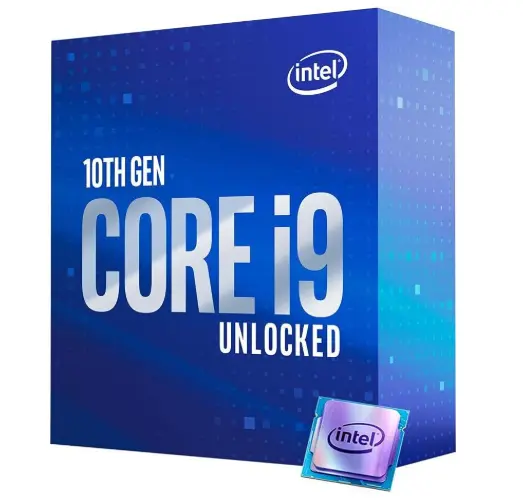
The Core i9-10850K is arguably the most interesting value alternative to the 10900K.
It uses the same basic 10-core/20-thread Comet Lake design and includes 20 MB of Smart Cache. Its maximum turbo frequency reaches 5.20 GHz, only slightly below the 10900K’s maximum turbo specification.
That small clock-speed difference means gaming performance is generally very close when both processors are operating under comparable conditions.
The 10850K is therefore particularly appealing when its purchase price is noticeably lower than the 10900K. On an older platform, saving money on the processor can be more sensible than paying a large premium for a relatively small performance difference.
It also supports DDR4-2933 officially and uses the LGA 1200 socket. Like the other unlocked K-series chips, it is designed for enthusiasts who want the option of CPU tuning.
The main disadvantage remains power and heat. This is still a 125 W unlocked i9 processor, so a decent air cooler or liquid cooler is recommended.
For someone upgrading an existing LGA 1200 gaming PC, the 10850K can be the smartest purchase if the price is right.
Best for: Gamers who want near-10900K-class performance while prioritizing value.
Intel Core i7-10700K
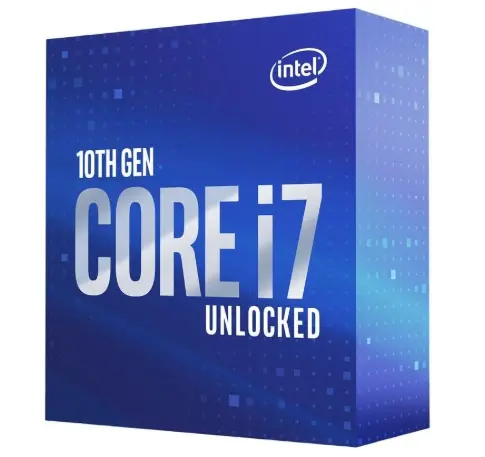
The Core i7-10700K is the balanced choice in this group.
It provides 8 cores and 16 threads, a 3.80 GHz base frequency, and up to 5.10 GHz turbo frequency. Intel also lists 16 MB of Smart Cache and a 125 W TDP.
For gaming, eight fast cores remain highly capable. The 10700K can pair well with GPUs ranging from mainstream to high-end, especially when gaming at 1440p or 4K where the graphics card typically becomes a larger performance factor.
Its lower core count compared with the i9 models can become more relevant in heavily threaded workloads, but most gamers do not need 20 CPU threads simply to play games.
The 10700K is also a strong choice for users who want to build around an existing Z490 motherboard without spending heavily on an i9.
Its main weakness is that it lacks the extra core and cache capacity of the i9 models. For users who stream, record, edit videos, and game simultaneously, the i9 processors offer more headroom.
Still, if gaming is the primary purpose, the 10700K can deliver an excellent experience.
Best for: Mainstream gaming PCs, 1080p/1440p gaming, value-focused upgrades, and users who want strong performance without paying i9-level prices.
What to Look for When Choosing the Best LGA 1200 CPU for Gaming
Core and Thread Count
Core count is important for modern gaming, but more is not automatically better.
An 8-core/16-thread processor such as the 10700K already provides substantial CPU resources. Moving to a 10-core/20-thread i9 gives additional multitasking and productivity headroom.
Clock Speed
High clock speeds are particularly useful for gaming because many games still benefit strongly from fast individual CPU cores.
The processors in this comparison all offer high turbo frequencies, with the 10900K reaching up to 5.30 GHz according to Intel’s specifications.
Cache
Cache helps the CPU keep frequently accessed data close to the processing cores.
The i9-10900K and i9-10850K each provide 20 MB of Smart Cache, while the i7-10700K has 16 MB.
Motherboard Quality
A powerful CPU needs a motherboard capable of delivering stable power.
For an i9 processor, a quality Z490 or compatible Z590 board with a capable VRM and adequate cooling is preferable.
Cooling
Do not underestimate cooling.
A high-end LGA 1200 K-series processor can generate substantial heat under sustained loads. A quality tower air cooler or capable liquid cooler is a better choice than a basic low-profile solution.
Used-CPU Condition
Because LGA 1200 processors are discontinued, many purchases will involve used hardware.
Check for bent or damaged contact pads, physical damage, excessive corrosion, missing packaging, and signs of aggressive overclocking.
Best Pick Based on Your Use Case
| Use Case | Best CPU | Reason |
|---|---|---|
| Overall gaming | Core i9-10900K | Excellent clocks and 10C/20T design |
| Best value high-end | Core i9-10850K | Very close to 10900K performance |
| Budget gaming upgrade | Core i7-10700K | Strong 8C/16T gaming performance |
| Streaming | Core i9-10900K | Extra cores and threads |
| Gaming + productivity | Core i9-10900K | Strong multitasking capability |
| 1440p gaming | Core i7-10700K / i9-10850K | Excellent balance |
| High-refresh 1080p | Core i9-10900K | Maximum CPU headroom |
| Existing Z490 upgrade | 10900K / 10850K | Excellent fit for many compatible systems |
| Best budget choice | 10700K | Strong performance without i9 cost |
If you already have a capable LGA 1200 motherboard, the Core i9-10900K is the best overall pick when priced reasonably.
If the 10850K is substantially cheaper, it becomes the better value recommendation.
Real-World Performance
In real gaming, the difference between these three processors is often smaller than their names suggest.
At 1080p with a very powerful graphics card, the CPU becomes more important. This is where the 10900K’s combination of high frequencies and additional cores can provide an advantage.
Competitive games that target very high frame rates can also benefit from a strong processor. If you are using a 240 Hz or 360 Hz monitor, CPU performance becomes particularly important because the system has to generate frames extremely quickly.
At 1440p, the graphics card generally becomes a larger factor. The difference between an i7-10700K and i9-10900K can therefore become less noticeable depending on the GPU and game.
At 4K, the GPU usually dominates performance even further. In that situation, spending significantly more on an i9 may not produce a proportional increase in average FPS.
However, CPU performance still matters for frame-time consistency, minimum FPS, simulation-heavy games, strategy titles, and games with large numbers of AI-controlled characters or complex world simulations.
The i9 models also have an advantage when gaming is combined with other workloads. Streaming, recording, browser tabs, voice communication, and background applications can consume additional CPU resources.
The key takeaway is that there is no single FPS difference that applies to every game. Your GPU, memory configuration, game engine, resolution, graphics settings, and background workload all influence the final result.
Safety & Protection
An older high-performance processor can remain reliable for many years when operated within sensible thermal and electrical limits.
The first priority should be temperature.
Intel lists a 100°C junction temperature for the i7-10700K, and the high-end LGA 1200 K-series processors are designed to operate with thermal protection mechanisms.
However, regularly running a CPU near its thermal ceiling is not ideal for a quiet and comfortable gaming PC.
Use a properly mounted cooler and replace thermal paste when necessary.
Power delivery is equally important. A high-end i9 should be installed on a motherboard with a sufficiently strong VRM rather than an inexpensive board designed primarily for lower-power CPUs.
If you overclock, increase settings gradually and monitor temperatures, stability, and voltage.
Avoid copying aggressive voltage settings from another system because every CPU is different.
You should also keep BIOS and chipset software reasonably up to date, provided the update is appropriate for your exact motherboard.
Long-Term Reliability Tips
The age of an LGA 1200 CPU makes maintenance more important.
First, keep the CPU cooler clean. Dust accumulation can reduce airflow and increase operating temperatures.
Second, make sure the CPU cooler is mounted correctly. Uneven mounting pressure or insufficient thermal paste can lead to unnecessary temperature increases.
Third, avoid excessive overclocking voltage. A modest performance improvement is rarely worth dramatically increasing heat and electrical stress.
Fourth, keep your case airflow balanced. Ideally, cool air should enter the case while warm air is efficiently exhausted.
Fifth, monitor temperatures occasionally. You do not need to watch temperatures constantly, but checking them after installing a new cooler, changing BIOS settings, or cleaning the PC is useful.
Sixth, use a reliable power supply. An unstable or poor-quality PSU can create problems throughout the system.
Finally, if purchasing used hardware, test the CPU before relying on it for an important gaming or productivity system.
Buying Recommendations
If you already own an LGA 1200 motherboard, upgrading the processor can still make sense.
The first CPU I would look for is the Core i9-10900K. Its 10-core/20-thread configuration and high boost frequency make it the most attractive overall option among the three processors covered here. Intel specifies up to 5.30 GHz turbo and 20 MB cache.
However, do not automatically pay a premium for it.
If the Core i9-10850K is significantly cheaper, it can be the smarter purchase. It has the same 10-core/20-thread configuration and 20 MB cache, with a maximum turbo frequency of 5.20 GHz.
For most gaming scenarios, that small frequency difference is unlikely to justify a large price gap.
The Core i7-10700K is the value choice. Its 8-core/16-thread design and up-to-5.10 GHz turbo frequency remain strong for gaming, particularly when paired with a good GPU.
If you are building a completely new PC from scratch, however, the calculation changes. LGA 1200 is a discontinued platform, so buying an entire new system around it generally makes less sense than moving to a newer socket with a longer upgrade path.
In other words, these processors are most compelling as LGA 1200 upgrades, not as the foundation of a brand-new high-end PC.
Final Verdict
The Intel Core i9-10900K is the best LGA 1200 CPU for gaming overall.
Its combination of 10 cores, 20 threads, high clock speeds, and 20 MB cache gives it excellent gaming and multitasking capability. It is particularly well suited to gamers using powerful graphics cards, high-refresh-rate monitors, and demanding background workloads.
The Core i9-10850K is the best alternative when its price is meaningfully lower. It offers almost the same fundamental hardware configuration as the 10900K and can deliver an excellent high-end gaming experience.
The Core i7-10700K is the best value-oriented option. With 8 cores, 16 threads, and up to 5.10 GHz turbo, it has enough performance for a wide range of gaming systems.
For an existing LGA 1200 PC, the decision should ultimately come down to price.
Best Overall: Core i9-10900K
Best High-End Value: Core i9-10850K
Best Budget/Value: Core i7-10700K
If your current LGA 1200 CPU is holding back a powerful GPU, upgrading to one of these processors can give your system a meaningful second life without requiring a complete platform replacement.
FAQ Section
Q1: What is the best LGA 1200 CPU for gaming?
Ans: The Intel Core i9-10900K is the best overall LGA 1200 CPU for gaming because it combines 10 cores, 20 threads, high clock speeds, and 20 MB of cache. It is especially attractive for high-refresh-rate gaming and powerful GPUs.
Q2: Is the Core i9-10900K still good for gaming?
Ans: Yes. Although it is an older processor, the i9-10900K still provides strong gaming performance, particularly when paired with an appropriate graphics card. Its high clock speeds and 10-core/20-thread design also make it useful for streaming and multitasking.
Q3: Is the i9-10850K better than the i7-10700K for gaming?
Ans: Generally, the i9-10850K is the stronger processor. It provides 10 cores and 20 threads compared with the 10700K’s 8 cores and 16 threads, along with 20 MB versus 16 MB of cache. The 10850K can therefore provide more headroom for gaming combined with multitasking.
Q4: Is the i7-10700K still worth buying?
Ans: It can be worth buying if you already have an LGA 1200 motherboard and find the processor at a good price. Its 8-core/16-thread configuration and high clock speeds remain suitable for modern gaming, although a new platform may offer better long-term upgrade potential.
Q5: What motherboard is best for an LGA 1200 gaming CPU?
Ans: A quality Z490 motherboard is an excellent match for unlocked 10th-generation K-series processors. A compatible Z590 motherboard can also be considered, particularly for users interested in Rocket Lake CPUs and newer connectivity features. Always check the motherboard manufacturer’s CPU support list and BIOS requirements before upgrading.
Q6: Does LGA 1200 support DDR4 RAM?
Ans: Yes. LGA 1200 desktop processors from the generations discussed here use DDR4 memory. Intel officially lists DDR4-2933 support for the Core i9-10900K, i9-10850K, and i7-10700K.
Q7: Should I buy an LGA 1200 CPU for a new gaming PC?
Ans: Generally, no. LGA 1200 makes the most sense as an upgrade platform for an existing compatible PC. If you are building an entirely new gaming computer, a newer CPU platform will normally provide better performance, features, efficiency, and future upgrade options.
Short Conclusion
The best LGA 1200 CPU for gaming depends heavily on your existing hardware and budget, but the Core i9-10900K is the strongest overall choice. Its 10 cores, 20 threads, high boost frequency, and 20 MB cache make it an excellent match for high-end gaming and multitasking.
For better value, the Core i9-10850K is an excellent alternative, while the Core i7-10700K remains the sensible choice for budget-conscious LGA 1200 upgrades.
If you already own an LGA 1200 motherboard, these CPUs can still provide plenty of gaming performance. Just remember to consider motherboard compatibility, cooling, GPU pairing, and—most importantly—the current price before making your final decision.
If you have any questions about “Best LGA 1200 CPU for Gaming: Top 3 Picks Compared”, feel free to let us know through your comments.


