
Choosing the best CPU for Intel Arc B580 is important if you want to get the most out of Intel’s Battlemage-based graphics card without spending unnecessarily on processor performance you may never use. The Arc B580 is designed as a strong 1080p and 1440p graphics card, featuring 12GB of GDDR6 memory, a 192-bit memory interface, 456 GB/s of bandwidth, 20 Xe2 cores, and a 190W total board power rating.
Because the B580 is capable of high frame rates in many games, the processor can become increasingly important at 1080p, particularly when using a high-refresh-rate monitor. At 1440p, however, the GPU generally carries more of the workload, meaning a sensible mid-range CPU can deliver excellent results.
For most buyers, the ideal pairing is not necessarily the most expensive CPU available. Instead, you want a processor with strong single-core performance, enough cores for modern games, good minimum-frame-rate performance, reasonable power consumption, and a platform that leaves room for future upgrades.
In this guide, we’ll compare three excellent options: the AMD Ryzen 5 7600, AMD Ryzen 7 7800X3D, and Intel Core i5-14600K. We’ll also explain which CPU makes the most sense for budget gaming, competitive gaming, productivity, and long-term PC builds.
Why it Matters to You
The CPU and GPU work together to produce every frame in a game. The Arc B580 handles rendering, textures, lighting, ray tracing, and other graphics workloads, while the CPU handles game logic, physics, AI, draw calls, background processes, and other tasks.
If the CPU is too slow, the B580 may sit underutilized while waiting for the processor. This is particularly noticeable at 1080p and high refresh rates.
A powerful CPU can therefore improve:
- Average FPS
- 1% lows
- Frame-time consistency
- High-refresh-rate gaming
- CPU-heavy games
- Streaming
- Background multitasking
- Video editing
- Long-term upgrade flexibility
The good news is that you don’t need an extreme flagship processor to pair with the B580.
Intel officially lists a wide range of supported platforms for Arc B-Series graphics, including Intel 12th-, 13th-, and 14th-generation Core processors, Core Ultra platforms, and AMD Ryzen 5000, 7000, 8000, and 9000-series platforms when paired with compatible motherboards and properly configured Resizable BAR or Smart Access Memory.
That gives buyers considerable flexibility.
In-Depth Reviews: The Best CPU for Intel Arc B580

The best CPU for Intel Arc B580 depends on your gaming goals and budget. For most users, the Ryzen 5 7600 offers the ideal balance of gaming performance, efficiency, value, and upgradeability. The Ryzen 7 7800X3D is better for high-refresh-rate gaming, while the Core i5-14600K suits gamers who also prioritize streaming, editing, and productivity.
1. AMD Ryzen 5 7600 — Best Overall CPU for Intel Arc B580
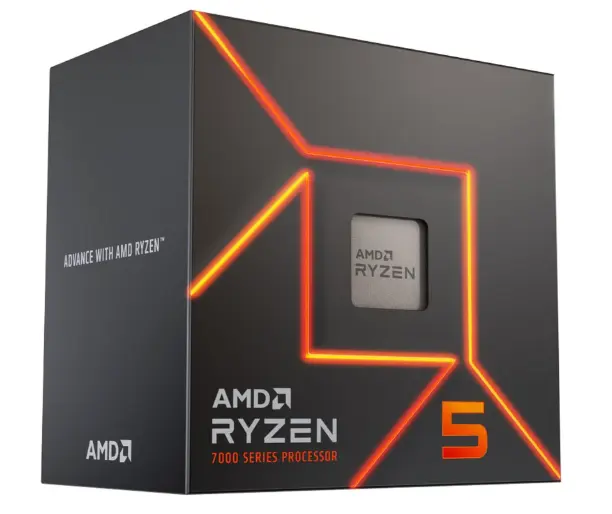
The Ryzen 5 7600 is arguably the sweet spot for an Arc B580 gaming build.
It offers six cores and twelve threads, strong single-thread performance, and an AM5 platform that supports a wide range of modern AMD processors. For a gaming PC centered around the B580, this combination makes a lot of sense.
The biggest advantage is balance. The B580 is a mid-range GPU with enough performance to benefit from a capable CPU, but pairing it with an expensive high-end processor can quickly push the total system cost upward without producing a proportional improvement in GPU-limited games.
The Ryzen 5 7600 is particularly attractive for 1440p gaming. At this resolution, the B580 typically becomes the primary performance limitation, allowing the six-core Ryzen to comfortably handle game logic and background tasks.
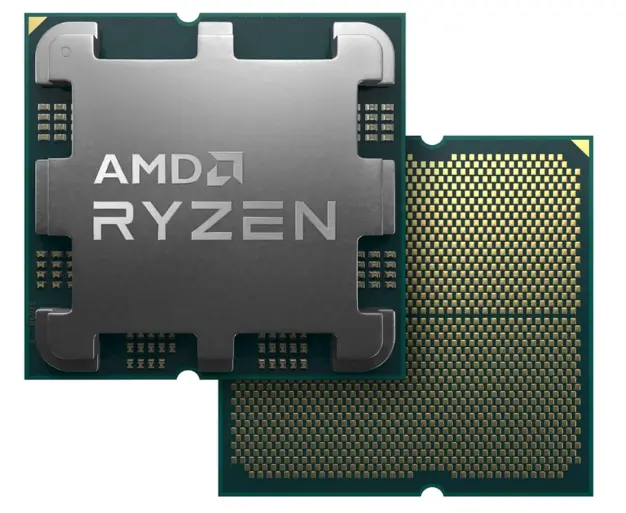
It is also a strong choice for users who want an upgrade path. An AM5 system can potentially be upgraded later to a higher-end Ryzen processor without replacing the entire motherboard and memory platform.
Best for: Mainstream gaming, 1440p gaming, balanced builds, upgrade-friendly systems.
Why we recommend it: It provides an excellent combination of CPU performance, efficiency, platform longevity, and price-to-performance balance.
2. AMD Ryzen 7 7800X3D — Best High-End Gaming CPU
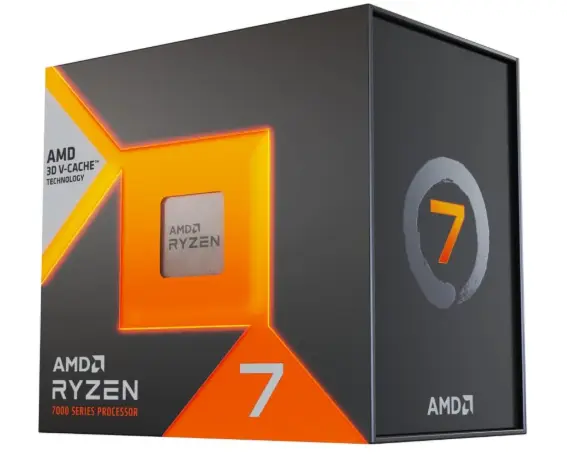
If your priority is gaming performance rather than minimizing system cost, the Ryzen 7 7800X3D is a compelling choice.
Its major advantage is AMD’s 3D V-Cache technology, which provides a large amount of additional cache designed to improve gaming performance. This can be especially useful in CPU-limited scenarios.
With eight cores and sixteen threads, it also has plenty of processing capacity for gaming while running applications in the background.
However, there is an important consideration: the B580 itself will frequently become the limiting component, especially at 1440p. That means the 7800X3D can be more CPU than you actually need if your only goal is maximizing value.

Where it makes more sense is for enthusiasts who use a high-refresh-rate 1080p monitor, play CPU-heavy games, stream while gaming, or plan to upgrade the graphics card later.
The B580’s performance can vary depending on game and CPU workload. Independent testing has found that CPU-demanding games can expose differences between processors, while other titles show little difference even between considerably different CPUs.
Best for: High-refresh-rate gaming, competitive gaming, CPU-heavy games, enthusiast builds, future GPU upgrades.
Why we recommend it: It gives you substantial CPU headroom and excellent gaming capability without requiring an ultra-high-end flagship platform.
3. Intel Core i5-14600K — Best Intel CPU Option

For users who prefer Intel, the Core i5-14600K is a strong pairing for the Arc B580.
Its hybrid architecture combines performance cores and efficiency cores, providing substantial multi-threaded performance for gaming, streaming, content creation, and productivity.
This makes the 14600K particularly interesting if your PC will be doing more than gaming.
For example, someone who plays games while recording footage, streams to an audience, edits videos, runs several applications simultaneously, or performs CPU-heavy workloads may benefit from the additional processing resources.
It is also a natural choice for users already building around an Intel platform with a compatible motherboard.
The main disadvantage is that it can consume more power and generate more heat than a straightforward mid-range gaming CPU. You’ll therefore want a capable CPU cooler and motherboard.
Intel’s Arc B-Series guidance specifically supports 12th-, 13th-, and 14th-generation Core platforms when paired with appropriate motherboards and Resizable BAR enabled.
Best for: Intel-based systems, gaming plus productivity, streaming, video editing, multitasking.
Why we recommend it: It delivers strong gaming and multi-core performance while fitting naturally into an Intel-based Arc B580 system.
Feature-by-Feature Comparison Table
Before choosing a processor, it helps to compare the three candidates by the features that actually matter when building an Arc B580 PC.
| Feature | Ryzen 5 7600 | Ryzen 7 7800X3D | Core i5-14600K |
|---|---|---|---|
| CPU Class | Mid-range | High-end gaming | Upper mid-range |
| Cores / Threads | 6 / 12 | 8 / 16 | 14 / 20 |
| Architecture | Zen 4 | Zen 4 + 3D V-Cache | Raptor Lake Refresh |
| Platform | AM5 | AM5 | LGA1700 |
| Gaming Performance | Excellent | Excellent+ | Excellent |
| 1440p B580 Pairing | Excellent | Excellent | Excellent |
| 1080p High-FPS | Very good | Outstanding | Outstanding |
| Productivity | Good | Very good | Excellent |
| Power Efficiency | Very good | Very good | Moderate |
| Upgrade Potential | Excellent | Excellent | Limited |
| Best Use | Balanced gaming | Enthusiast gaming | Gaming + productivity |
| Overall Match | 9/10 | 9.5/10 | 8.5/10 |
The exact gaming advantage between CPUs depends heavily on the game, resolution, settings, memory configuration, and frame-rate target. For a B580 system, buying a significantly more powerful CPU than necessary can result in diminishing returns.
Quick Highlights Table
Here is a quick way to identify the right processor before diving into the buying guide.
| CPU | Best For | B580 Match | Value |
|---|---|---|---|
| Ryzen 5 7600 | Overall gaming | ⭐⭐⭐⭐⭐ | ⭐⭐⭐⭐⭐ |
| Ryzen 7 7800X3D | High-FPS gaming | ⭐⭐⭐⭐⭐ | ⭐⭐⭐⭐ |
| Core i5-14600K | Gaming + productivity | ⭐⭐⭐⭐⭐ | ⭐⭐⭐⭐ |
Quick recommendation: If you’re building a new gaming PC primarily for the Arc B580, start with the Ryzen 5 7600. Move up to the Ryzen 7 7800X3D if you’re targeting extremely high FPS or plan to install a much faster GPU later.
Buying Guide: What to Look for when choosing the Best CPU for Intel Arc B580
1. Don’t Overspend on the CPU
The most common mistake is spending too much on the processor while leaving too little budget for the graphics card.
The Arc B580 is already a capable GPU, so the goal should be balance.
A six-core modern processor is sufficient for most B580 gaming systems. Spending significantly more on the CPU only makes sense if your workloads justify it.
2. Prioritize Strong Single-Core Performance
Gaming engines continue to benefit from strong per-core performance.
A processor with excellent single-thread performance can help maintain high FPS and good frame-time consistency, particularly in games that don’t efficiently distribute workloads across many cores.
3. Consider Core and Thread Count
Six cores and twelve threads are still an excellent starting point for a gaming PC.
Eight cores and sixteen threads become more attractive for heavy multitasking, streaming, content creation, and future-proofing.
More cores aren’t automatically better for gaming, but they can make a system more versatile.
4. Check Motherboard Compatibility
CPU selection also determines your motherboard platform.
The Ryzen 5 7600 and Ryzen 7 7800X3D use AM5 motherboards, while the Core i5-14600K uses LGA1700.
Choose the motherboard based on features you actually need rather than paying extra for unnecessary premium features.
5. Resizable BAR Is Essential
This is one of the most important considerations when building an Arc B580 system.
Intel states that Resizable BAR or Smart Access Memory should be enabled for optimal performance with Arc B-Series graphics. Intel’s current B-Series quick-start guidance lists Resizable BAR as a requirement for optimal performance and recommends UEFI mode with CSM disabled.
Before buying a motherboard, verify that it supports:
- Resizable BAR
- Above 4G Decoding
- UEFI boot
- Compatible BIOS firmware
6. Buy Enough RAM
For a modern B580 gaming system, 32GB of RAM is an excellent target.
A 16GB configuration can still work for gaming, but 32GB gives you more room for modern games, browsers, launchers, Discord, recording software, and other background applications.
7. Don’t Ignore Cooling
The CPU needs adequate cooling to maintain consistent boost behavior.
The Ryzen 5 7600 is relatively easy to cool, while the Core i5-14600K deserves more attention to cooler capacity, particularly under sustained multi-core workloads.
The 7800X3D also benefits from a quality air cooler or appropriately sized liquid cooler.
Best Pick Based on Your Use Case
Best Overall: Ryzen 5 7600
For the majority of Arc B580 buyers, the Ryzen 5 7600 is the best choice.
It gives you enough processing power to keep the B580 busy while preserving budget for other components.
Best for Competitive Gaming: Ryzen 7 7800X3D
If you’re using a 240Hz or faster monitor and primarily play competitive games, the 7800X3D becomes much more attractive.
Its extra cache and eight-core design provide additional CPU headroom.
Best for Streaming and Productivity: Core i5-14600K
For users who combine gaming with video editing, streaming, encoding, rendering, and heavy multitasking, the Core i5-14600K is an excellent option.
Its large core/thread configuration gives it a clear advantage for workloads that can use multiple CPU cores.
Best for Future GPU Upgrades: Ryzen 7 7800X3D
If the B580 is only the starting point and you expect to upgrade to a considerably faster GPU later, the 7800X3D makes more sense.
You can retain the CPU while moving to a more powerful graphics card.
Real-World Performance
The Arc B580 is fundamentally a 1080p-to-1440p graphics card. Intel’s own B-Series material positions the family for modern gaming from 1080p through 1440p, while the B580 includes 12GB of GDDR6 memory and a 456 GB/s memory bandwidth.
That matters when choosing a CPU because resolution changes the balance between processor and graphics card.
At 1080p, CPU performance can have a larger impact. If you’re chasing very high frame rates, a faster processor can improve average FPS and, in some games, minimum FPS.
At 1440p, the GPU generally becomes more important. This is where the Ryzen 5 7600 becomes especially attractive because you can spend less on the CPU without sacrificing the overall gaming experience.
Independent B580 testing also shows that performance varies significantly by game. For example, testing found the B580 capable of strong results at both 1080p and 1440p, with some games showing substantial advantages over competing GPUs and others being more demanding.
The important takeaway is that there isn’t a single CPU that produces the same advantage in every game.
A high-end processor matters most when the game is CPU-limited. If the B580 is already running at close to full utilization, upgrading from a Ryzen 5 7600 to a much faster gaming CPU may have little visible impact.
Gaming
For typical AAA games at 1440p, the Ryzen 5 7600 is an excellent match.
For competitive games at 1080p, the 7800X3D has greater headroom.
The 14600K sits between the two as a versatile option, especially if you also perform productivity tasks.
Streaming
Streaming adds additional CPU workload depending on the encoding method and software configuration.
The 14600K’s high thread count makes it attractive for users who want one PC to handle gaming, streaming, browser tabs, recording, and other applications simultaneously.
Video Editing
For video editing and rendering, core count and sustained multi-core performance become more important.
The 14600K is therefore a strong all-purpose option, while the 7800X3D remains more focused on gaming.
1440p Gaming
For 1440p, the Ryzen 5 7600 is difficult to beat from a value perspective.
The GPU is usually the primary performance bottleneck, so an extremely expensive processor often doesn’t translate into a proportional increase in FPS.
Safety & Protection
A reliable B580 system requires more than just choosing a fast CPU.
Use a Quality Power Supply
Intel lists a 600W minimum PSU rating for the B580 reference configuration and specifies an 8-pin power connector.
A quality 650W or 750W power supply can be a sensible choice depending on the rest of the system and future upgrade plans.
Don’t choose a PSU based purely on wattage. Build quality, protections, efficiency, warranty, and appropriate connectors also matter.
Maintain Good Airflow
A well-ventilated case helps both the CPU and GPU maintain stable temperatures.
Use a sensible intake-and-exhaust airflow configuration and avoid blocking the graphics card’s ventilation.
Intel recommends additional clearance around the B580 reference card to improve airflow.
Update the BIOS
Before troubleshooting strange performance or compatibility issues, check the motherboard BIOS.
This is particularly important for newer CPU platforms and systems where Resizable BAR settings are not initially visible.
Enable Resizable BAR Correctly
Intel recommends enabling Above 4G Decoding and Re-Size BAR, while using UEFI mode and disabling CSM for optimal Arc B-Series operation.
This should be one of the first BIOS settings you verify after installing the B580.
Long-Term Reliability Tips
Keep Drivers Updated
Intel regularly improves Arc graphics support through driver updates. Keeping the graphics driver current can help with game compatibility, performance optimizations, and bug fixes.
Monitor Temperatures
Occasionally check CPU and GPU temperatures, particularly after changing cooling hardware or overclocking settings.
Unexpected temperature increases can indicate dust buildup, poor airflow, a failing fan, or degraded thermal interface material.
Clean Dust Regularly
Dust can restrict airflow and cause components to operate at higher temperatures.
Clean case filters and fans periodically, especially if your PC operates in a dusty environment.
Avoid Unnecessary Overclocking
Modern CPUs already provide sophisticated boost algorithms.
Manual overclocking can increase heat, power consumption, and component stress. For most B580 gaming builds, tuning for efficiency is more useful than chasing a small benchmark improvement.
Keep Firmware Updated
Motherboard firmware can improve compatibility and system stability.
Because Intel specifically emphasizes appropriate BIOS and Resizable BAR configuration for Arc B-Series graphics, keeping the motherboard firmware current can be particularly worthwhile.
Buying Recommendations
If you’re building a new PC around the Intel Arc B580, use the following approach.
For a budget-conscious gaming PC: Choose the Ryzen 5 7600. Put the money saved toward 32GB RAM, a quality SSD, a better PSU, or a stronger motherboard.
For a balanced 1440p gaming PC: Choose the Ryzen 5 7600. It provides plenty of CPU performance while allowing the B580 to remain the focus of the build.
For competitive 1080p gaming: Choose the Ryzen 7 7800X3D if your budget allows it and you’re targeting very high refresh rates.
For gaming plus productivity: Choose the Core i5-14600K. Its hybrid core configuration makes it a versatile processor for mixed workloads.
For future graphics-card upgrades: Choose the Ryzen 7 7800X3D if gaming is your primary goal.
For an Intel-only platform: Choose the Core i5-14600K, assuming you already have or intend to purchase a suitable LGA1700 motherboard.
One important point is that you should not automatically choose the most expensive processor. The B580 is a mid-range graphics card, and many games will become GPU-limited before a Ryzen 5 7600 becomes a serious bottleneck.
Final Verdict
The AMD Ryzen 5 7600 is the best CPU for Intel Arc B580 for most gamers.
It hits the sweet spot between CPU performance, cost, efficiency, and platform longevity. Its six cores and twelve threads are enough for modern gaming, and its AM5 platform gives you an attractive upgrade path.
The Ryzen 7 7800X3D is the premium gaming choice. It makes sense for competitive gamers, high-refresh-rate displays, CPU-heavy games, and people planning a future GPU upgrade.
The Core i5-14600K is the best choice for users who want an Intel-based system and need strong performance for gaming plus productivity.
Overall, the choice is simple:
Best overall: Ryzen 5 7600
Best high-end gaming: Ryzen 7 7800X3D
Best Intel option: Core i5-14600K
Regardless of which processor you choose, make sure your motherboard supports and properly enables Resizable BAR, because Intel identifies Re-Size BAR/Smart Access Memory as important for optimal Arc B-Series performance.
FAQ Section
Q1: What is the best CPU for Intel Arc B580?
Ans: The AMD Ryzen 5 7600 is the best overall CPU for the Intel Arc B580 for most gamers. It offers enough gaming performance to pair well with the B580 without unnecessarily increasing the total system cost.
Q2: Is Ryzen 5 7600 enough for Intel Arc B580?
Ans: Yes. The Ryzen 5 7600 is more than capable of handling the Arc B580 for mainstream 1080p and 1440p gaming. It is especially attractive for balanced gaming builds.
Q3: Is Ryzen 7 7800X3D overkill for the Arc B580?
Ans: It can be. The 7800X3D is significantly more gaming-focused than the B580 requires in many GPU-limited scenarios. However, it makes sense for high-refresh-rate gaming or future GPU upgrades.
Q4: Is Intel Core i5-14600K good for Arc B580?
Ans: Yes. The Core i5-14600K is an excellent pairing, particularly for users who game, stream, edit videos, and multitask. Its high core and thread count gives it strong productivity performance.
Q5: How much RAM should I use with Intel Arc B580?
Ans: 32GB is the recommended target for a modern B580 gaming PC. While 16GB can still work, 32GB provides more headroom for demanding games and multitasking.
Q6: Does Intel Arc B580 need Resizable BAR?
Ans: The B580 can function on systems without ideal Resizable BAR configuration, but Intel specifically recommends Resizable BAR or Smart Access Memory for optimal B-Series performance. Intel also recommends UEFI mode, disabling CSM, and enabling Above 4G Decoding.
Q7: Is the Arc B580 better for 1080p or 1440p gaming?
Ans: The B580 is suitable for both, but it is particularly attractive as a 1440p gaming GPU because its 12GB memory and 456 GB/s bandwidth provide useful headroom for modern games. Actual performance depends heavily on the game and graphics settings.
Short Conclusion
The best CPU for Intel Arc B580 doesn’t have to be the most expensive processor you can buy. For most gamers, the Ryzen 5 7600 offers the ideal balance of performance, value, efficiency, and upgrade potential. The Ryzen 7 7800X3D is the better premium gaming choice for high-refresh-rate users, while the Core i5-14600K is an excellent option for Intel fans and productivity-heavy systems. Pair your chosen CPU with 32GB RAM, a quality power supply, good cooling, updated firmware, and properly configured Resizable BAR, and you’ll have a well-balanced Arc B580 gaming platform.
If you have any questions about “Best CPU for Intel Arc B580: Top 3 CPUs for Gaming”, feel free to let us know in the comments.


