
When it comes to portable SSDs, Samsung has long been the brand to beat. The Samsung T7 vs T9 debate is especially relevant for creators, gamers, and professionals who want fast, reliable, and durable external storage. While the Samsung T7 has been a fan favorite for years, the newer Samsung T9 promises massive speed upgrades and tougher durability.
But do you really need the T9, or is the T7 still good enough? Let’s break everything down so you can make the right buying decision.
Feature-by-Feature Comparison Table
Before diving into real-world usage, here’s a side-by-side comparison of the key specs that matter most in the Samsung T7 vs T9 showdown.
| Feature | Samsung T7 | Samsung T9 |
|---|---|---|
| Interface | USB 3.2 Gen 2 | USB 3.2 Gen 2×2 |
| Max Read Speed | Up to 1,050 MB/s | Up to 2,000 MB/s |
| Max Write Speed | Up to 1,000 MB/s | Up to 2,000 MB/s |
| NVMe Support | Yes | Yes |
| Durability | Shock resistant | Shock + drop resistant |
| Drop Protection | Up to 2 meters | Up to 3 meters |
| Security | AES 256-bit encryption | AES 256-bit encryption |
| Compatibility | Windows, macOS, Android, consoles | Windows, macOS, consoles |
| Available Capacities | 500GB, 1TB, 2TB | 1TB, 2TB, 4TB |
Quick Highlights Table
Here’s a faster snapshot if you just want the essentials from the Samsung T7 vs T9 comparison.
| Category | Winner |
|---|---|
| Best Overall Performance | Samsung T9 |
| Best Value for Money | Samsung T7 |
| Fastest Transfer Speeds | Samsung T9 |
| More Rugged Design | Samsung T9 |
| Casual & Everyday Use | Samsung T7 |
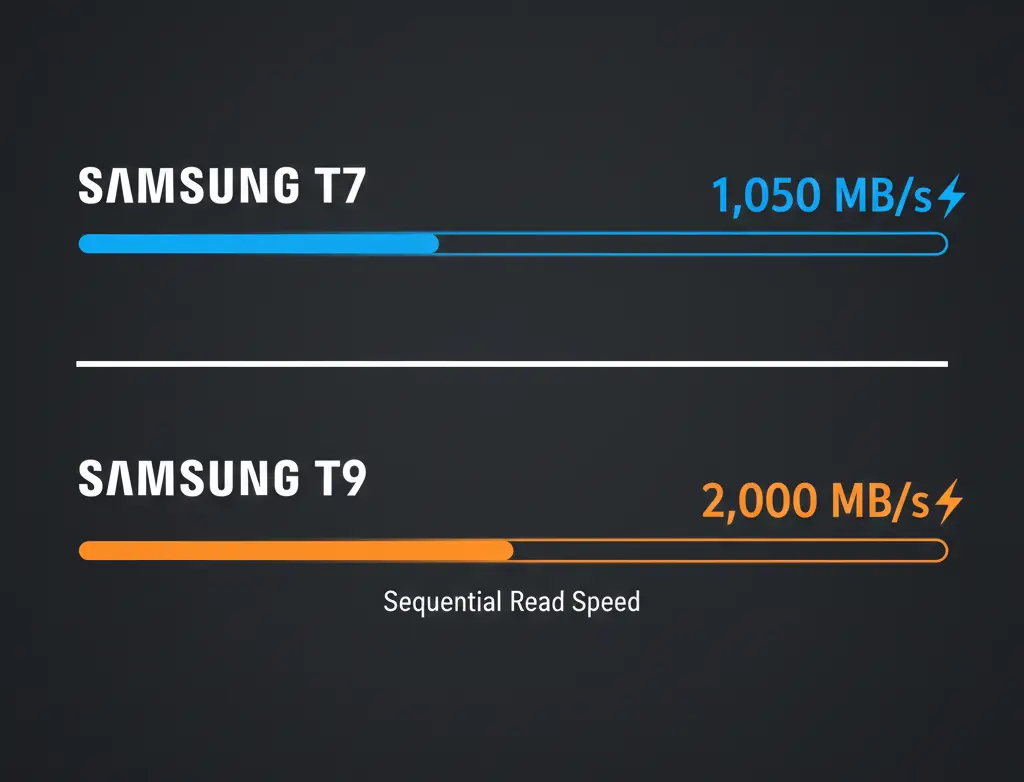
If you are in a hurry, here are the high-level takeaways for the Samsung T7 and T9.
| Benchmark | Winner | Why? |
| Pure Speed | Samsung T9 | Doubles the sequential throughput of the T7. |
| Portability | Samsung T7 | Significantly thinner and half the weight. |
| Thermal Control | Samsung T9 | Superior heat dissipation for long transfers. |
| Value for Money | Samsung T7 | Lower price per GB for most casual users. |
Key Takeaways
If you’re short on time, these are the most important points from the Samsung T7 vs T9 comparison:
- The Interface Gap: The T9 uses USB 3.2 Gen 2×2. If your computer only supports Gen 2 (like most MacBooks), the T9 will perform at the same speed as the T7.
- Sustained Performance: The T9 features improved thermal management, meaning it won’t “throttle” (slow down) as quickly as the T7 during 100GB+ transfers.
- Ruggedness: While the T7 is sleek and metallic, the T9 features a rubberized, textured finish that offers better grip and higher drop resistance (up to 3 meters).
- Warranty: The T9 offers a more professional-grade 5-year warranty compared to the T7’s 3-year plan.
Real-World Performance: Samsung T7 vs T9
On paper, the speed difference between the Samsung T7 vs T9 looks massive, but real-world usage tells the full story.
In everyday tasks like transferring photos, documents, or game files under 20–30GB, both drives feel fast and responsive. However, once file sizes increase, the gap becomes obvious.
- Large file transfers (100GB+):
The Samsung T9 completes transfers almost twice as fast on systems that support USB 3.2 Gen 2×2. This is a huge advantage for video editors and content creators. - Sustained workloads:
During long transfers, the T9 maintains more consistent speeds thanks to improved thermal management, while the T7 may slow down slightly after extended use. - Video editing & creative work:
Scrubbing 4K and 8K footage directly from the drive is noticeably smoother on the T9.
Bottom line:
For light and moderate usage, the T7 performs excellently. For heavy workloads, the T9 clearly wins in real-world performance.
Compatibility & Port Requirements Explained
Compatibility plays a major role in the Samsung T7 vs T9 decision.
- Samsung T7:
Uses USB 3.2 Gen 2, which is widely supported on most laptops, desktops, and even smartphones. You’ll get close to its maximum speed on almost any modern system. - Samsung T9:
Uses USB 3.2 Gen 2×2. To reach its full 2,000 MB/s speed, your system must support Gen 2×2.
If not, it will still work perfectly—but at Gen 2 speeds similar to the T7.
Device Compatibility
- Windows & macOS: Fully supported on both models
- Gaming Consoles (PS5, Xbox): Both work well for storage and game transfers
- Older PCs: T7 is the safer plug-and-play option
Tip: If your system doesn’t support USB 3.2 Gen 2×2, the T9 won’t show its full advantage.
Price & Value: Is Samsung T9 Worth the Extra Cost?
Price is often the deciding factor in the Samsung T7 vs T9 comparison.
- Samsung T7:
Lower price per GB, especially in the 1TB and 2TB variants. It delivers excellent value for everyday users. - Samsung T9:
Costs more, but justifies the price with higher speeds, better durability, and a 4TB option.
Value Breakdown
- Casual users → Better value: Samsung T7
- Professionals & creators → Better long-term value: Samsung T9
If your workflow saves time with faster transfers, the T9’s higher price can quickly pay for itself.
Samsung T7 vs T9: Who Should Buy Which?
This section helps readers make a fast decision.
Choose Samsung T7 if you are:
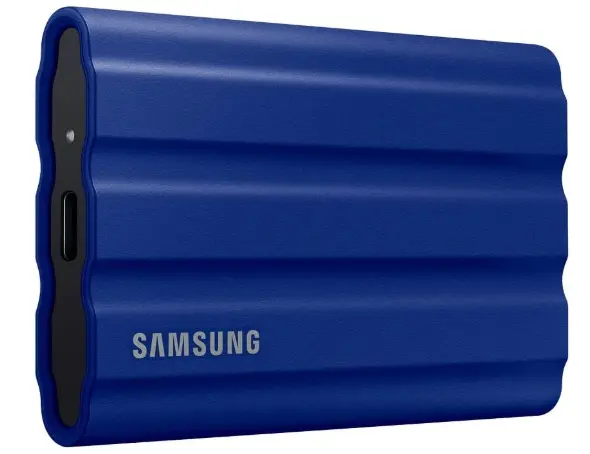
- A student or everyday user
- Backing up photos, documents, or games
- Using older laptops or standard USB ports
- Looking for the best value portable SSD
Choose Samsung T9 if you are:
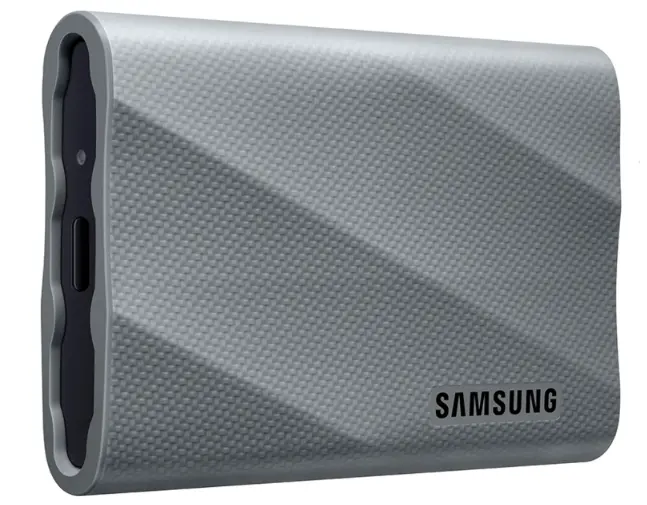
- A video editor or content creator
- Working with large RAW, 4K, or 8K files
- Needing faster sustained performance
- Wanting higher durability and up to 4TB storage
Thermal Management & Sustained Speeds
Thermal performance is often overlooked, but it matters in the Samsung T7 vs T9 debate.
- Samsung T7:
Uses a slim aluminum body for heat dissipation. It handles short bursts well but may throttle slightly during long write sessions. - Samsung T9:
Features a rubberized exterior with improved internal heat control. This allows it to sustain high speeds for longer periods without noticeable throttling.
Result:
For long, demanding transfers, the T9 delivers more stable performance.
Pros & Cons
Choosing between the Samsung T7 vs T9 requires balancing your need for speed against your budget.
Samsung T7
- Pros: Ultra-slim profile; very affordable in 2026; works at max speed on almost any modern USB-C port.
- Cons: Gets warm during long sessions; lacks a 4TB option.
Samsung T9
- Pros: Blazing 2,000 MB/s speeds; rugged exterior; 4TB capacity available for large libraries.
- Cons: Heavier and bulkier; requires specific USB 3.2 Gen 2×2 ports to hit top speeds.
Buying Recommendations
Still unsure which one to buy? Here’s a simple guide based on use cases:
- Buy the Samsung T7 if:
You are a student, office professional, or casual photographer. It is plenty fast for moving documents, 1080p video, and photo backups without the premium price tag.
- You want a reliable portable SSD at a lower price
- You mainly transfer photos, documents, or games
- Your system doesn’t support USB 3.2 Gen 2×2
- Buy the Samsung T9 if:
You are a professional video editor, a gamer looking to run titles directly from the drive, or a power user who frequently moves files over 50GB.
- You work with large video files or RAW photos
- Speed is a top priority
- You want better durability and higher capacities
Final Verdict
In the Samsung T7 vs T9 comparison, there’s no bad choice—only different priorities. The Samsung T7 remains one of the best portable SSDs for everyday users, offering solid speed, portability, and value. However, if you need cutting-edge performance and tougher durability, the Samsung T9 is clearly the superior option.
Your decision ultimately comes down to budget vs performance needs.
FAQ Section
Q1: Does the Samsung T9 work on MacBooks at full speed?
Ans: No. Most current MacBooks support Thunderbolt or USB 4, but they typically do not support the specific USB 3.2 Gen 2×2 (20Gbps) standard. On a Mac, the T9 will usually run at T7 speeds (around 1,000 MB/s).
Q2: Is the T9 more durable than the T7?
Ans: Yes. The T9 is rated for 3-meter drops and has a rubberized outer shell, whereas the standard T7 has a smooth aluminum finish and is rated for 2-meter drops.
Q3: Can I play PS5 or Xbox games directly from these drives?
Ans: You can store and play PS4/Xbox One games directly. However, for current-gen games (PS5/Series X), you can only store them on these SSDs; you must move them to the internal storage to play.
Q4: Which drive is better for heat management?
Ans: The T9. It is physically larger and uses a “Dynamic Thermal Guard” to keep temperatures lower during heavy workloads compared to the slimmer T7.
Q5: Does the T7 come in different versions?
Ans: Yes. There is the standard T7, the T7 Touch (with a fingerprint scanner), and the T7 Shield (rugged and water-resistant).
Q6: What cables come in the box?
Ans: Both the T7 and T9 include both a USB-C to USB-C cable and a USB-C to USB-A cable.
Q7: Is there a 4TB version of the T7?
Ans: Only the T7 Shield variant offers a 4TB model. The standard T7 and T7 Touch max out at 2TB.
Short Conclusion
The Samsung T7 vs T9 decision is simple: choose the T7 for value and everyday reliability, or step up to the T9 for blazing-fast performance and rugged durability. Either way, Samsung delivers one of the best portable SSD experiences on the market.
Whether you choose the portable T7 or the professional-grade T9, you are getting one of the best external SSDs on the market. Check your device’s port compatibility first—if you can’t hit 20Gbps, the T7 is likely the smarter buy.
If you have any questions about this post, “Samsung T7 vs T9: Which Portable SSD Should You Buy,” please let us know by your valuable comment.


