
The RTX 4080 Super remains one of the most formidable graphics cards in the market, capable of crushing 4K ultra settings and driving high-refresh-rate 1440p displays. However, a GPU this powerful is only as good as the processor feeding it data. In 2026, the landscape has shifted with the arrival of AMD’s Zen 5 X3D chips and Intel’s Arrow Lake architecture. Choosing the best CPU for 4080 Super isn’t just about raw speed; it’s about ensuring your system is balanced to avoid performance-killing bottlenecks.
Whether you’re a competitive gamer, content creator, or power user, this guide breaks down which CPUs pair best with the RTX 4080 Super, what specs truly matter, and how to choose the right processor for your specific workload.
Why it Matters to You
Investing in a high-end GPU like the 4080 Super without a matching CPU is like putting a Ferrari engine in a lawnmower frame. A weak CPU will result in “stuttering” and lower minimum frame rates, especially in CPU-intensive titles like Cyberpunk 2077 or Microsoft Flight Simulator. By selecting a recommended processor, you ensure:
- Maximized FPS: Get every frame you paid for in your GPU.
- Future-Proofing: A strong CPU will last through your next GPU upgrade.
- Versatility: Seamlessly switch between gaming, streaming, and professional video editing.
Feature-by-Feature Comparison Table
To help you narrow down the field, here is how the top contenders for the best CPU for RTX 4080 Super stack up against one another.
| Feature | AMD Ryzen 7 9800X3D | Intel Core Ultra 7 265K | AMD Ryzen 9 9950X3D |
| Cores/Threads | 8 / 16 | 20 / 28 | 16 / 32 |
| L3 Cache | 96MB (3D V-Cache) | 30MB | 128MB (3D V-Cache) |
| Max Boost | 5.2 GHz | 5.5 GHz | 5.7 GHz |
| Socket | AM5 | LGA 1851 | AM5 |
| TDP (Power) | 120W | 125W | 170W |
What to Look for When Choosing the Product
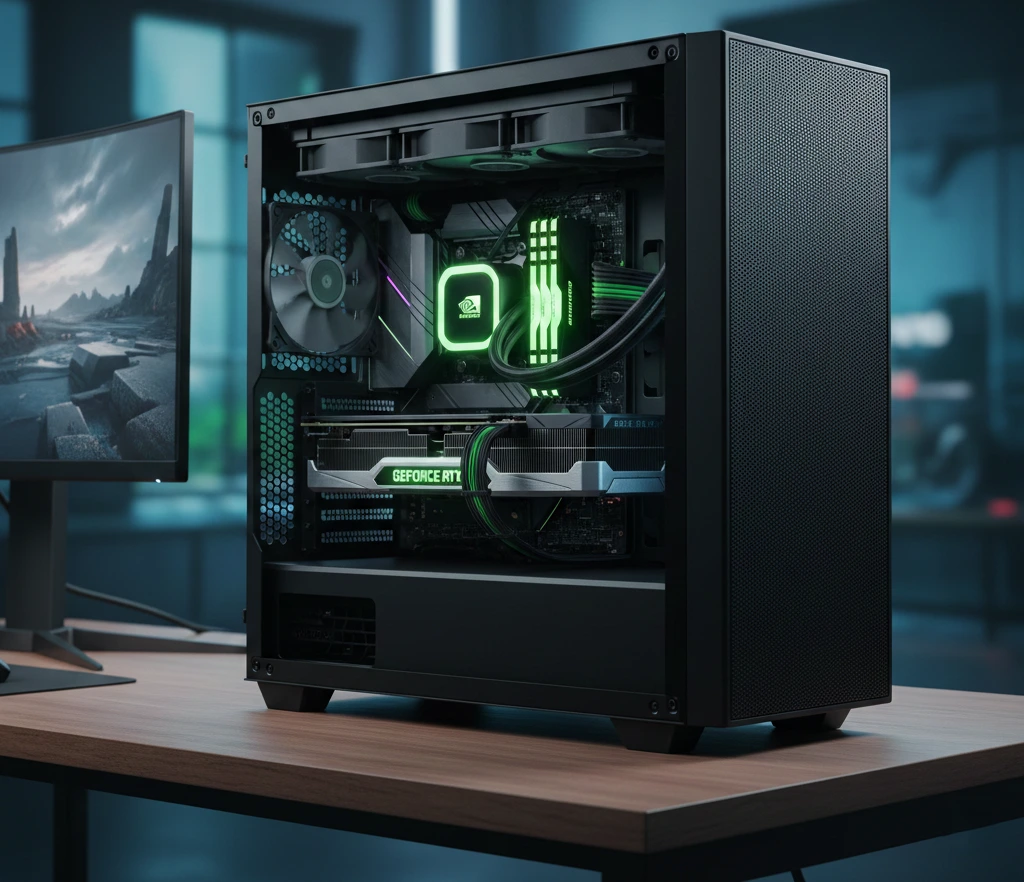
When selecting the best CPU for RTX 4080 Super, prioritize these factors:
- Single-core performance – Critical for gaming FPS
- Cache size – Especially important in modern game engines
- Core count – Matters for streaming, editing, and multitasking
- Platform longevity – AM5 offers better future upgrade paths
- Thermal and power requirements – Some CPUs demand premium cooling
Quick Highlights Table
If you’re in a hurry, here are the key takeaways for our top recommendations.
| Pick Type | Model | Key Takeaway |
| The Gaming King | AMD Ryzen 7 9800X3D | Absolute best FPS for pure gamers. |
| The Productivity Beast | AMD Ryzen 9 9950X3D | Flagship power for creators and gamers alike. |
| Best Intel Value | Intel Core Ultra 7 265K | Balanced performance on the new LGA 1851 platform. |
| The Budget Friendly | AMD Ryzen 5 9600X | Great 4K gaming value without overspending. |
Reviews the Best CPUs for 4080 Super
1. AMD Ryzen 7 9800X3D: The Gaming King
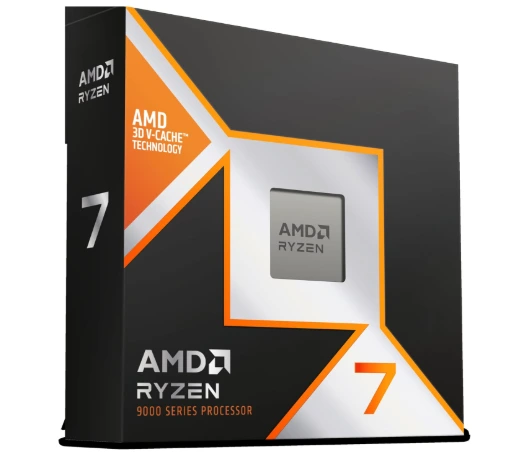
The Ryzen 7 9800X3D is widely considered the best CPU for 4080 Super if your primary goal is gaming. Thanks to the 2nd Gen 3D V-Cache, it provides incredibly stable 1% lows, meaning your games feel smoother even during intense action.
The AMD Ryzen 7 9800X3D is the gold standard for gaming in 2026. By placing its 3D V-Cache underneath the cores, AMD has solved previous thermal issues, allowing for higher clock speeds and full overclocking support. It is designed specifically to eliminate bottlenecks for high-end GPUs like the RTX 4080 Super.
Pros & Cons
Pros
- Best-in-Class Gaming: Highest FPS and smoothest frame times currently available.
- Improved Thermals: New design allows for much better cooling than previous X3D chips.
- Fully Overclockable: First 3D V-Cache chip that is completely unlocked for tuning.
- Efficient: High performance-per-watt compared to Intel’s flagship models.
Cons
- Premium Price: More expensive than standard 8-core processors.
- Mid-Range Productivity: 8 cores are great for gaming but lag behind Ryzen 9 for heavy video editing.
- No Cooler Included: Requires an additional investment in a high-quality cooling solution.
Best For: Competitive gamers and enthusiasts.
Why we love it: It runs cooler than its predecessors and dominates benchmarks in nearly every modern AAA title.
It is the first X3D chip to be fully overclockable, making it a favorite for enthusiasts who want to squeeze every last frame out of their system.
2. AMD Ryzen 9 9950X3D – The Professional’s Choice
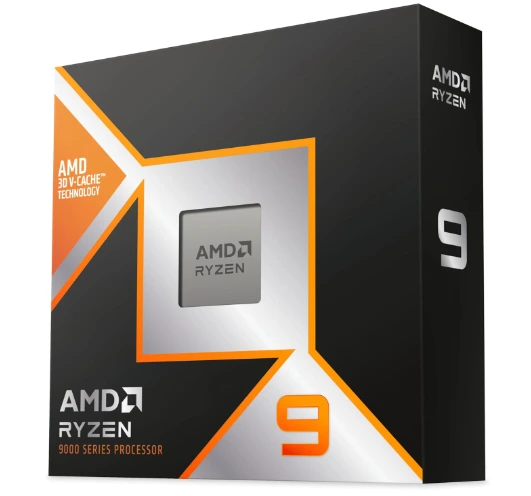
The AMD Ryzen 9 9950X3D is the ultimate hybrid processor for 2026, combining 16 high-performance Zen 5 cores with 128MB of 3D V-Cache. By flipping the cache underneath the cores, AMD has enabled massive 5.7 GHz clock speeds and full overclocking support, making it the top choice for users who want zero compromises between gaming and heavy creative work.
Pros & Cons
Pros
- Dual-Threat Performance: Matches the 9800X3D in gaming while rivaling the standard 9950X in heavy multitasking (rendering/encoding).
- Unlocked for Tuning: The first Ryzen 9 X3D chip that allows for full manual overclocking and Precision Boost Overdrive.
- Excellent Efficiency: Delivers chart-topping performance with much lower power consumption and heat than Intel’s flagship competitors.
- Platform Longevity: Built for the AM5 socket, ensuring compatibility with future CPU upgrades through at least 2027.
Cons
- Premium Price: At $699 MSRP, it is significantly more expensive than the 9800X3D for similar gaming results.
- Software Dependency: Relies on Windows game-mode scheduling to ensure games use the specific 8 cores that have the 3D V-Cache.
- Cooling Requirements: Needs a high-end 360mm AIO liquid cooler to manage its 170W TDP under full load.
3. Intel Core Ultra 7 265K – The Modern All-Rounder
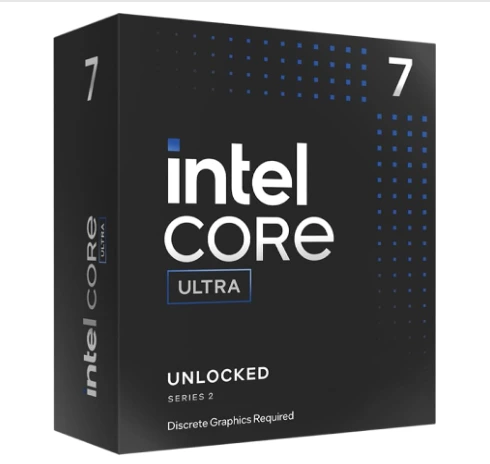
The Intel Core Ultra 7 265K is the “Goldilocks” chip of Intel’s 2026 Arrow Lake lineup. It trades high power draw for extreme efficiency, running cooler than any previous i7. With 20 cores and a built-in AI NPU, it is a stable, professional-grade foundation for an RTX 4080 Super build, especially for users who prioritize work and multitasking over pure gaming frame rates.
Pros & Cons
Pros
- Cool & Quiet: Massive thermal improvement; runs significantly cooler and uses less power than the 14700K.
- Productivity King: Superior multi-core performance for video editing and 3D rendering compared to 8-core gaming chips.
- AI Ready: Includes a dedicated NPU to accelerate upcoming AI-driven software and background tasks.
- Excellent Value: Often priced lower than the 9800X3D while offering more cores for non-gaming workloads.
Cons
- Gaming Gap: Trails AMD’s X3D series in pure gaming FPS, particularly in CPU-heavy titles.
- New Socket: Requires a move to the LGA 1851 platform (Z890 motherboards), so no easy upgrades from older Intel boards.
- No Hyper-Threading: The removal of hyper-threading can lead to lower performance in specific legacy apps that rely on it.
Buying Guide: What to Look for
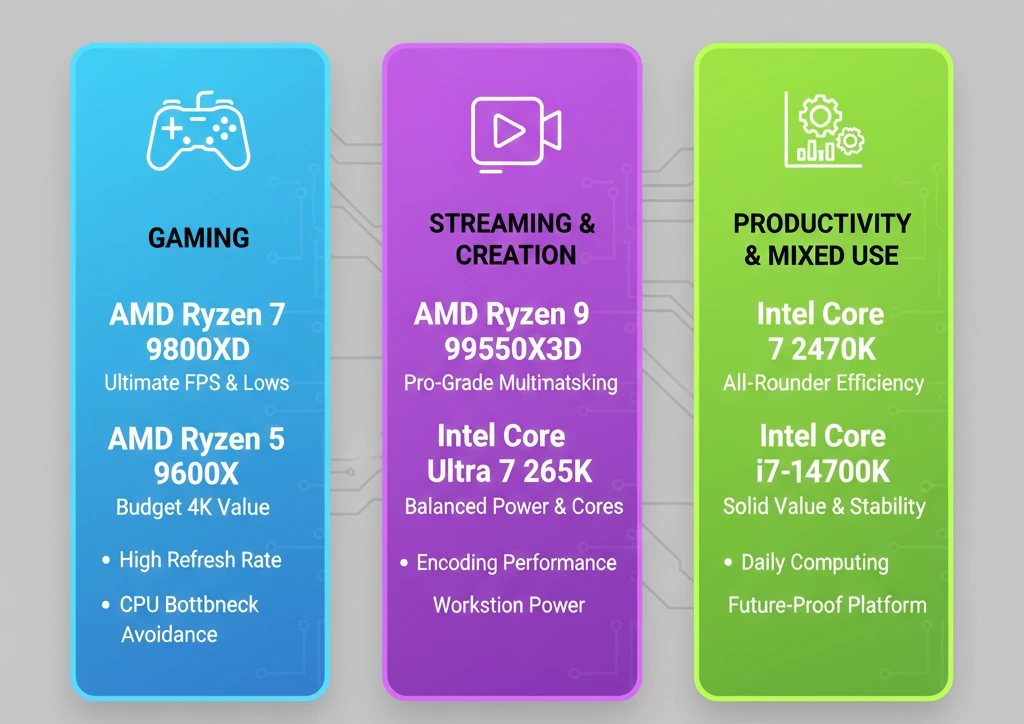
When hunting for the best CPU for RTX 4080 Super, consider the resolution. At 4K, the GPU does most of the heavy lifting, making the CPU less critical. However, at 1440p, the CPU becomes a major factor. If you plan to play at high refresh rates (240Hz+), do not skimp on the processor.
When shopping, just ask yourself:
- Do I prioritize gaming FPS or productivity?
- Will I stream or edit content regularly?
- Can my cooling and PSU handle high-end CPUs?
- Do I want a future-proof platform?
Pros & Cons Choosing the Best CPU for 4080 Super
Overview of Best CPU for RTX 4080 Super
Choosing the right chip involves balancing price, thermals, and raw speed.
- Pros:
- Eliminates GPU bottlenecks in CPU-heavy games.
- Supports high-speed DDR5 memory (up to 8000MT/s+ on some platforms).
- Enhanced AI processing capabilities in 2026 models.
- Cons:
- High-end CPUs require expensive cooling solutions (AIOs).
- Top-tier chips can be power-hungry.
Best Pick Based on Your Use
- Pure Gaming: AMD Ryzen 7 9800X3D.
- Content Creation & Gaming: AMD Ryzen 9 9950X3D.
- Budget 4K Build: AMD Ryzen 5 9600X or Intel Core i5-14600K.
- Workstation/Stability: Intel Core Ultra 7 265K.
Real-World Performance
In real-world gaming scenarios, pairing the RTX 4080 Super with a high-end CPU significantly improves 1% lows and frame pacing, especially in CPU-heavy games like simulation, open-world, and esports titles. At 4K resolution, GPU load dominates, but a strong CPU still ensures smoother gameplay.
In real-world testing with the RTX 4080 Super at 1440p Ultra settings:
- Cyberpunk 2077: The Ryzen 7 9800X3D consistently averages 15–20% higher FPS than mid-range alternatives.
- E-Sports (Valorant/CS2): These CPUs easily push 500+ FPS, perfect for 360Hz monitors.
CPU Bottleneck Analysis (RTX 4080 Super Focused)
One of the most common concerns when choosing the best CPU for RTX 4080 Super is bottlenecking. In real-world use, bottlenecks depend heavily on resolution, game engine, and background workloads.
- 1080p Gaming: CPU-limited in many titles. Faster single-core CPUs and large cache (like X3D chips) matter most.
- 1440p Gaming: Balanced workload. A strong modern CPU eliminates most bottlenecks.
- 4K Gaming: GPU-limited. Even mid-to-high tier CPUs perform similarly with the RTX 4080 Super.
Key takeaway:
For 1440p and 4K, investing in a high-quality CPU ensures smooth frame pacing and strong 1% lows rather than raw FPS gains alone.
Power Supply & Cooling Pairing Guide
A powerful CPU + RTX 4080 Super combo requires proper power and cooling.
Recommended PSU
- Minimum: 850W (high quality)
- Ideal: 1000W for flagship CPUs or future upgrades
Cooling Recommendations
- Mid-range CPUs: High-end air cooler
- High-end CPUs: 240mm–360mm AIO liquid cooler
- Creators & overclockers: Prioritize airflow + AIO cooling
Proper cooling ensures stable boost clocks and long-term reliability.
Common Mistakes to Avoid
Avoid these frequent build mistakes:
- Overspending on CPU for 4K-only gaming
- Pairing flagship CPUs with weak cooling
- Ignoring motherboard VRM quality
- Using slow RAM with high-end CPUs
- Choosing PSU wattage too close to system limits
Avoiding these mistakes protects both performance and hardware longevity.
Who Should NOT Buy a High-End CPU?
Not everyone needs a top-tier processor.
You may not need a premium CPU if:
- You only play casual or older games
- You game exclusively at 4K Ultra
- You never stream or multitask
- You’re on a tight budget
In these cases, a well-balanced mid-range CPU can still pair effectively with the RTX 4080 Super.
Mac vs Windows vs other os Compatibility
The RTX 4080 Super and these CPUs are primarily designed for Windows 11, which features optimized thread scheduling for hybrid processors.
- Linux: Excellent support for AMD CPUs; Intel requires newer kernels for proper E-core management.
- Mac: Not compatible (macOS does not support modern NVIDIA GPUs or x86 DIY CPUs).
Safety & Protection
Modern CPUs feature Thermal Throttling, which automatically lowers speeds if the chip gets too hot (usually above 95°C-100°C), preventing hardware damage. Always ensure your BIOS is updated to the latest version to include the latest microcode safety patches.
- Use quality power supplies (850W+ recommended)
- Ensure proper airflow and thermal paste application
- Monitor CPU temperatures under load
Internal vs External Performance
Internal performance refers to how the CPU handles on-chip tasks like AI logic and physics calculations. External performance involves the “feeding” of the GPU via the PCIe 5.0 lanes. To get the most out of your 4080 Super, ensure your motherboard supports at least PCIe 4.0 x16 (though PCIe 5.0 is now standard for the best CPU for RTX 4080 Super pairings).
- Internal (CPU-centric): Cache size, clock speed, core layout
- External (System-wide): RAM speed, motherboard quality, cooling
Both work together to prevent throttling and performance loss.
Long-Term Reliability Tips
- Quality Cooling: Use a 360mm AIO for i9 or Ryzen 9 chips.
- Clean Power: Use an 80+ Gold or Platinum PSU (850W minimum for a 4080 Super build).
- Dust Maintenance: Clean your PC every 3-6 months to prevent thermal creep.
Buying Recommendations
If you are building a new PC today, go with the AMD AM5 platform. It offers the best path for future upgrades. If you are already on the Intel LGA 1700 platform, a 14700K is still a fantastic value-buy that won’t bottleneck your 4080 Super.
Best gaming value → Ryzen 7 7800X3D
Best hybrid workload → Ryzen 9 7950X3D
Best Intel value → Intel Core Ultra 7 265K.
Final Verdict
For 90% of users, the AMD Ryzen 7 9800X3D is the best CPU for RTX 4080 Super. It provides the perfect balance of price, leading-edge gaming performance, and efficiency. However, if your work depends on multi-threaded power, the Intel Core Ultra 7 265K or Ryzen 9 9950X3D are superior alternatives.
Best AMD CPU for 4080 Super
The RTX 4080 Super remains a high-end titan capable of elite 1440p and 4K performance. To avoid leaving frames on the table, you need an AMD CPU with high single-core speeds or AMD’s specialized 3D V-Cache. While the Ryzen 7 9800X3D is currently the undisputed gaming king, users with heavy productivity needs might look toward the Ryzen 9 series.
Matching Power
The NVIDIA RTX 4080 Super is a high-end enthusiast card designed for high-refresh 1440p and cinematic 4K gaming. To unlock its full potential, you need a processor that can keep up with its rapid frame delivery. In 2026, AMD’s AM5 platform offers the most efficient and powerful options for this pairing.
The 3D V-Cache Factor
The “Best” AMD CPU for this card isn’t necessarily the one with the most cores; it’s the one with the most L3 Cache. AMD’s X3D chips (like the Ryzen 7 9800X3D) use stacked cache technology to drastically reduce latency. This is crucial for the 4080 Super because:
- Minimum Frame Rates: It prevents “stuttering” in CPU-heavy open-world games.
- High Refresh Gaming: It allows the 4080 Super to push past 240+ FPS in competitive titles without being held back by the CPU’s memory speed.
Zen 5: Efficiency and Longevity
With the 2026 lineup, AMD has transitioned fully to the Zen 5 architecture. These chips offer significantly better power efficiency and lower operating temperatures than their predecessors. For a 4080 Super build, choosing a Zen 5 processor ensures your system remains relevant for years and supports modern standards like PCIe 5.0 and DDR5-6000+ memory.
Buying Recommendations
- For the Competitive Gamer: Go with the Ryzen 7 9800X3D. It maximizes high-refresh-rate monitors in titles like Valorant or Warzone.
- For the 4K Cinematic Gamer: Save some cash and get the Ryzen 7 7800X3D. The performance difference at 4K is negligible.
- For the Streamer/Creator: The Ryzen 9 9950X3D is the only choice that won’t stutter while encoding high-bitrate streams.
Ultimately, the Ryzen 7 9800X3D is the Best AMD CPU for 4080 Super. It balances price, power efficiency, and world-class gaming performance, ensuring your high-end GPU is never held back.
FAQ Section
Q1: Will a Ryzen 5 7600 bottleneck an RTX 4080 Super?
Ans: At 4K, the bottleneck is minimal, but at 1080p or 1440p, you will see significantly lower performance compared to a Ryzen 7 or 9.
Q2: Do I need a new motherboard for the Core Ultra 7 265K?
Ans: Yes, it requires the new LGA 1851 socket motherboards (Z890 series).
Q3: Is the 14900K still good in 2026?
Ans: Yes, it is very powerful, but it consumes much more power and runs hotter than the newer 2026 models.
Q4: Does 3D V-Cache help in video editing?
Ans: Generally, no. It is specifically beneficial for gaming. For editing, raw clock speed and core count matter more.
Q5: What PSU is recommended for these combos?
Ans: We recommend a high-quality 850W or 1000W power supply to handle the transient spikes of the 4080 Super.
Q6: Can I use DDR4 memory with the best CPUs for 4080 Super?
Ans: No, almost all high-end 2025 and 2026 platforms (AM5 and LGA 1851) require DDR5 memory.
Q7: Is liquid cooling mandatory?
Ans: For the Ryzen 9 and Intel i7/i9 models, it is highly recommended. The Ryzen 7 9800X3D can be managed with a high-end air cooler, but an AIO is still better.
Conclusion
Pairing your RTX 4080 Super with the right CPU is the difference between a good gaming experience and a legendary one. Whether you choose the gaming dominance of the Ryzen 7 9800X3D or the versatile power of the Core Ultra 7, you’ll be well-equipped for years of high-fidelity gaming.
If you have any questions about this post, “Best CPU for 4080 Super: Buyer’s Guide,” please let us know by your valuable comment.


