In the world of NVMe storage, “bigger” usually means more NAND flash chips and better heat dissipation. However, as handheld gaming consoles and ultra-thin ultrabooks dominate the market, the focus has shifted to the miniatures: the M.2 2242 and the M.2 2230.
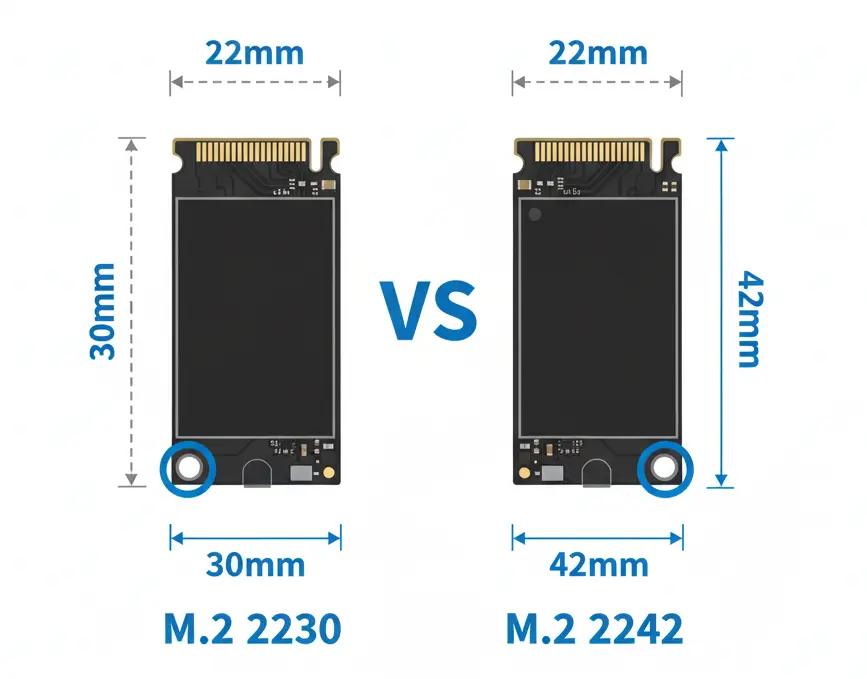
The names themselves are a giveaway of their physical footprint: the first two digits represent the width (22mm), and the last two represent the length (42mm vs 30mm). While the 12mm difference might seem negligible, it determines whether a drive will fit into your Steam Deck, ROG Ally, or Lenovo Legion Go. This guide breaks down the 2242 vs 2230 debate to help you find the perfect fit for your hardware.
Feature-by-Feature Comparison Table
When comparing 2242 vs 2230, you’re not choosing between performance tiers — you’re choosing between physical sizes of M.2 SSDs. These numbers refer to the dimensions of the drive: both are 22mm wide, but they differ in length.
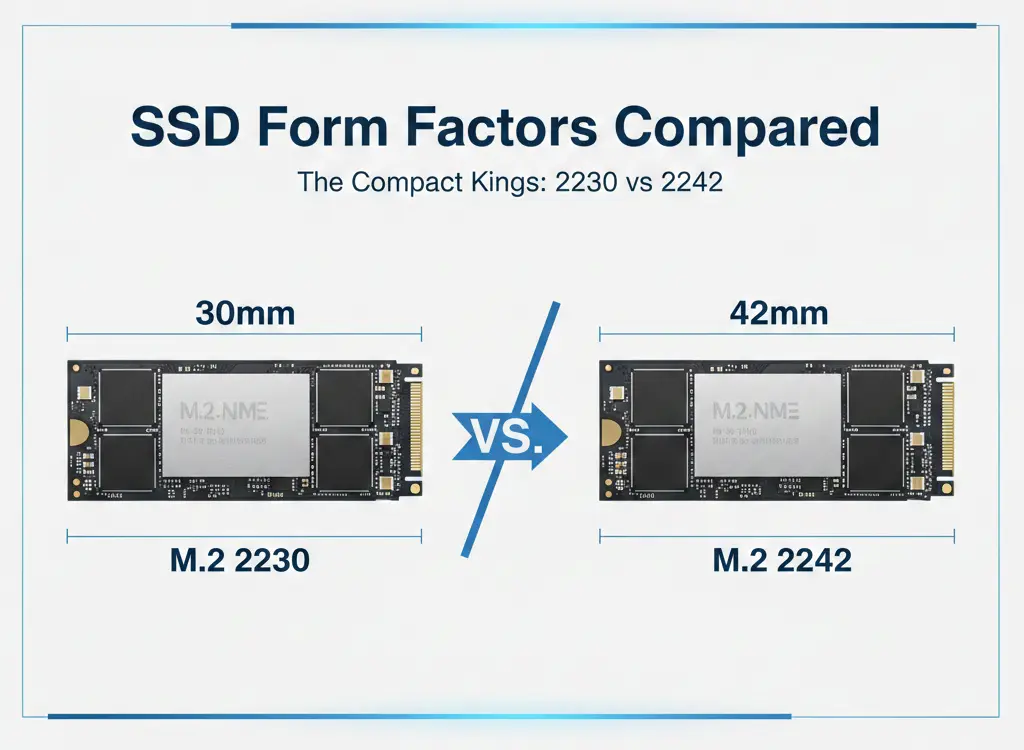
- 2230 = 22mm wide × 30mm long
- 2242 = 22mm wide × 42mm long
The 2242 vs 2230 debate usually comes down to device compatibility, capacity options, and upgrade flexibility. If you’re upgrading a handheld gaming device, ultrabook, mini PC, or embedded system, picking the correct size is critical — because an SSD that’s too long simply won’t fit.
Let’s break everything down clearly.
While both drives often utilize the same PCIe interfaces, their physical dimensions lead to differences in capacity ceilings and thermal management.
| Feature | M.2 2230 | M.2 2242 |
| Dimensions | 22mm x 30mm | 22mm x 42mm |
| Max Common Capacity | 2TB | 2TB (4TB is rare but possible) |
| Common Use Cases | Steam Deck, Surface Pro, ROG Ally | Lenovo Laptops, ThinkPads, Legion Go |
| Physical Footprint | Smallest available NVMe | Mid-range compact |
| Heat Management | Runs hotter due to density | Slightly better surface area |
| Availability | Growing (Handheld craze) | Moderate (OEM focused) |
💡 Important: Performance (PCIe Gen3/Gen4 speeds) depends on the SSD model and controller — not the physical length.
Quick Benchmark Highlights
When looking at raw performance, these drives are often surprisingly close, though the 2242 has a slight edge in sustained workloads.
| Metric | 2230 Performance | 2242 Performance |
| Sequential Read | Up to 5,000 MB/s (Gen4) | Up to 5,200+ MB/s (Gen4) |
| Sequential Write | Up to 4,000 MB/s | Up to 4,500 MB/s |
| Sustained Load | Higher Throttling Risk | Lower Throttling Risk |
Key Takeaways
If you’re in a hurry, here are the essential facts regarding the 2242 vs 2230 comparison:
- Handheld Dominance: The 2230 is the gold standard for the Steam Deck and ASUS ROG Ally.
- The “Extension” Rule: You can usually put a 2230 drive into a 2242 slot using a small physical extender/bracket, but you cannot put a 2242 into a 2230 slot.
- NAND Density: Because 2230 drives are so small, they often use single-sided chips, which can limit maximum capacity compared to the slightly more spacious 2242.
- Thermals: Both sizes are prone to heat under heavy load, but 2242 drives have more PCB surface area to dissipate that heat.
Devices That Commonly Use 2230 and 2242
This is where most buyers get confused.
2230 is Commonly Used In:
- Compact gaming handhelds
- Ultra-thin laptops
- Mini PCs with tight internal layouts
- Embedded systems
2242 is Commonly Used In:
- Business laptops
- Older thin notebooks
- Industrial systems
- Some mini PCs
⚠️ Always check your device manual before buying. If the mounting hole only supports 2230, a 2242 SSD will not fit.
Capacity & Future-Proofing
Because 2242 has more PCB space, manufacturers can:
- Fit more NAND chips
- Use better NAND configurations
- Potentially offer higher endurance ratings
- Improve sustained write performance
While differences are not huge, 2242 can offer slightly better long-term flexibility if your device supports it.
Installation Tip
Before buying:
✔ Open your device (if possible)
✔ Check M.2 screw mounting positions
✔ Confirm PCIe generation (Gen3 or Gen4)
✔ Ensure no battery or heatsink blocks the longer drive
Even a 12mm difference can prevent installation.
Pros & Cons
Every hardware choice involves trade-offs. Here is the breakdown for the 2242 vs 2230 form factors.
M.2 2230
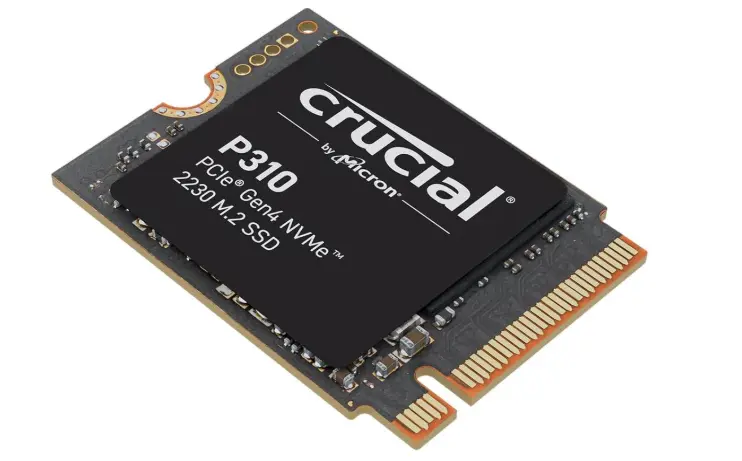
- Pros: Ultra-portable; fits in almost every modern handheld console; becoming easier to find.
- Cons: Often more expensive per GB; limited physical space for high-end controllers.
M.2 2242
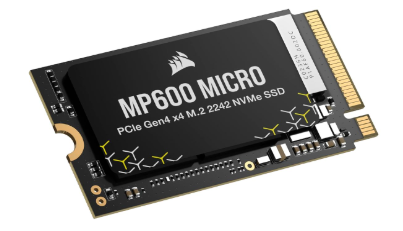
- Pros: Better cooling potential; often used as secondary drives in gaming laptops; slightly better price-to-performance ratio.
- Cons: Will not fit in devices designed strictly for the 30mm standard.
Buying Recommendations
- For Steam Deck/ROG Ally Owners: Buy the 2230. It is the native size and ensures you won’t have to mod the chassis or risk putting pressure on other internal components.
- For Lenovo Laptop/Legion Go Owners: The 2242 is your best bet. It fills the slot perfectly and offers a bit more breathing room for heat.
- For Surface Pro Users: Most modern Surface Pro models (Pro 7+ and later) require the 2230.
Final Verdict
The winner of the 2242 vs 2230 battle depends entirely on your screw hole. If your device supports the 42mm length, go with the 2242 for potentially better thermals and value. However, the 2230 is the undisputed king of the handheld revolution. When in doubt, check your device manual—putting a “too long” drive in a small space is a recipe for a broken motherboard.
In the 2242 vs 2230 comparison, there is no universal winner.
The right choice depends entirely on your device’s physical slot size. Performance differences are negligible — compatibility is what matters most.
- If your system supports both sizes, 2242 often provides better value and flexibility.
- If your device only supports 2230, then that’s your only viable option.
Size matters here — but only physically.
FAQ Section
Q1: Can I use a 2230 SSD in a 2242 slot?
Yes. Many manufacturers sell small copper or plastic extenders that allow the shorter 2230 drive to reach the screw mount of a 2242 slot.
Q2: Is a 2242 SSD faster than a 2230?
Not necessarily. Speed is determined by the PCIe generation (Gen3 vs Gen4) and the controller, not the length. However, 2242 drives may maintain top speeds longer before throttling.
Q3: Does the Steam Deck support 2242 drives?
Not natively. While some users have modded 2242 drives into the Deck, it is highly discouraged as it can interfere with the Wi-Fi chip and charging IC.
Q4: Are these drives compatible with standard desktop motherboards?
Yes, most desktop motherboards have adjustable mounting screws that support 2230, 2242, 2260, and 2280 sizes.
Q5: Why are 2230 drives more expensive?
The manufacturing process for high-density NAND chips that fit on such a small PCB is more specialized, and the “handheld tax” exists due to high demand.
Q6: Does a 2242 drive stay cooler than a 2230?
Generally, yes. The extra 12mm of PCB acts as a heatsink, allowing for slightly better heat distribution.
Q7: Can I cut a 2280 drive down to a 2242 or 2230?
Absolutely not. Modern SSDs have traces running through the entire PCB. Cutting the board will permanently destroy the drive.
Q8: Is 2242 faster than 2230?
Ans: No. Performance depends on the SSD controller and PCIe generation, not the physical length.
Q9: Can I use a 2242 SSD in a 2230 slot?
Ans: No. A 2242 SSD is physically longer and will not fit in a 2230-only slot.
Q10: Can I use a 2230 SSD in a 2242 slot?
Ans: Sometimes yes, if the motherboard has multiple screw positions to secure the shorter drive.
Q11: Is 2230 more expensive than 2242?
Ans: Often yes. 2230 drives can cost slightly more per GB due to their compact design.
Q12: Which SSD size is used in handheld gaming PCs?
Ans: Most handheld gaming PCs use 2230 SSDs due to space constraints.
Q13: Does 2242 run cooler than 2230?
Ans: Slightly. The longer PCB may allow marginally better heat distribution.
Q14: Do both support PCIe Gen4?
Ans: Yes, both sizes can support PCIe Gen4 if the SSD model and motherboard support it.
Short Conclusion
Choosing between the M.2 2242 and 2230 comes down to physical compatibility. While the 2230 offers maximum versatility for handhelds, the 2242 remains a sturdy choice for laptops and specific tablets. Measure twice, buy once.
The 2242 vs 2230 debate isn’t about speed — it’s about fit. Always confirm your device’s supported M.2 size before purchasing. If compatibility allows, 2242 may offer better value. Otherwise, 2230 remains the best solution for ultra-compact systems.
Choose based on your device — not just specs.
If you have any questions about this post, “2242 vs 2230 SSD: Which M.2 Size Should You Choose?,” please let us know by your valuable comment.


