
The arrival of the NVIDIA GeForce RTX 5090 has officially reset the bar for PC gaming performance. Built on the groundbreaking Blackwell architecture, this GPU is a powerhouse—but it’s also a power-hungry beast with a 575W TGP (Total Graphics Power). To truly unleash its potential without risking system crashes or melting cables, selecting the best PSU for RTX 5090 is no longer optional; it’s a necessity. In this guide, we’ll break down the elite units capable of handling massive transient spikes and providing the stable energy your 32GB GDDR7 monster requires.
Why it Matters to You
Investing in a flagship GPU like the RTX 5090 means you are likely running other high-end components, such as a Core Ultra 9 or Ryzen 9 9000-series CPU. A mediocre power supply won’t just cause “blue screens”; it can physically damage your hardware. With the RTX 5090 drawing nearly 600W on its own, your PSU must manage power excursions (momentary spikes) that can double the rated draw. Choosing the right unit ensures longevity, silent operation, and most importantly, safety for your $2,000+ investment.
Feature-by-Feature Comparison Table
Choosing between the top contenders involves looking at more than just wattage. Here is how the leading RTX 5090 PSUs stack up.
| Feature | MSI MEG Ai1600T | Corsair HX1500i | Seasonic Vertex PX-1200 |
| Wattage | 1600W | 1500W | 1200W |
| Efficiency | 80+ Titanium | 80+ Platinum | 80+ Platinum |
| ATX Standard | ATX 3.1 | ATX 3.1 | ATX 3.1 |
| Native 12V-2×6 | Yes (Yellow Tipped) | Yes | Yes |
| Software Monitor | Yes (MSI Center) | Yes (iCUE) | No |
| Warranty | 10 Years | 10 Years | 12 Years |
What to Look for When Choosing the PSU for RTX 5090
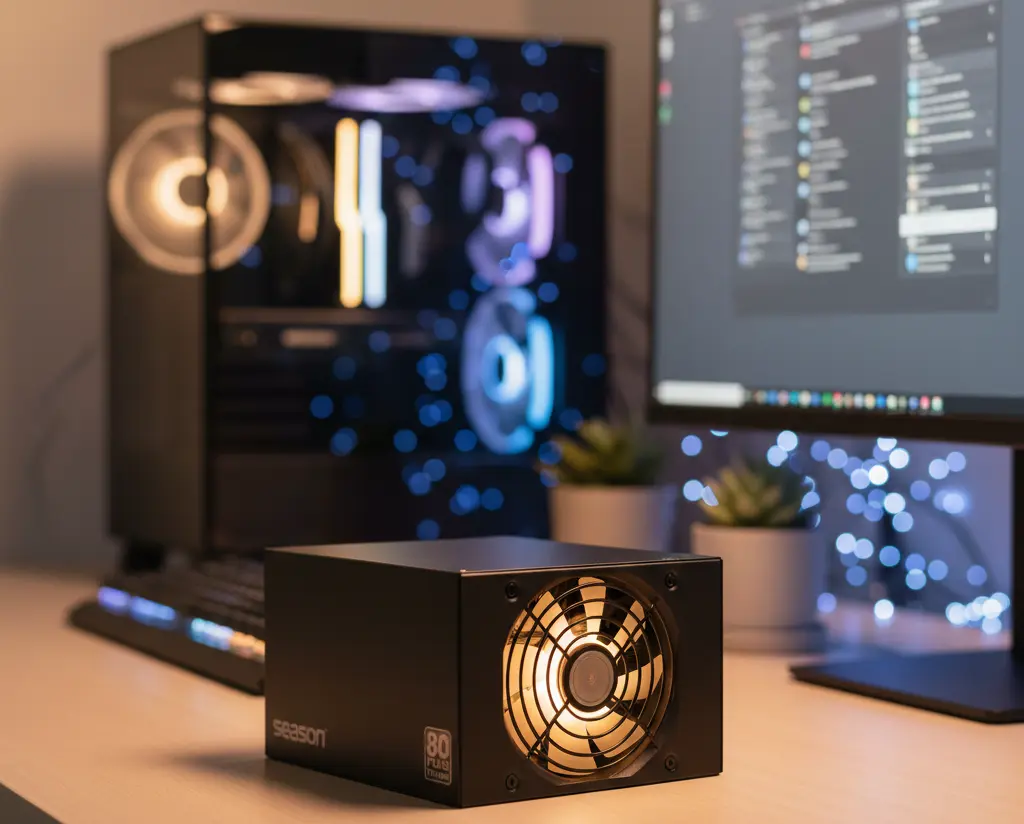
When hunting for the best PSU for the RTX 5090, keep these three pillars in mind:
- ATX 3.1 Compliance: This is the latest standard that includes the 12V-2×6 connector, a safer and more robust version of the older 12VHPWR cable.
- Wattage Headroom: While 1000W is the “minimum,” a 1200W or 1500W unit operates in the “efficiency sweet spot” (50–70% load), reducing heat and noise.
- Capacitor Quality: Look for 100% Japanese 105°C-rated capacitors to ensure the unit can handle the heat generated during 4K ultra-gaming sessions.
Quick Highlights Table
For those in a hurry, here is the “cheat sheet” for the best RTX 5090 power solutions.
| Category | Best Model | Key Takeaway |
| Overall Best | MSI MEG Ai1600T PCIE5 | Ultimate stability and ATX 3.1 safety. |
| Best 1200W Value | Seasonic Vertex PX-1200 | Rock-solid reliability with a 12-year warranty. |
| Best Premium/Aesthetic | ASUS ROG Thor 1600T | OLED screen shows real-time wattage draw. |
| Best Silent Choice | Corsair HX1500i | Exceptional fan curve and iCUE integration. |
In-Depth Reviews the Best PSU for RTX 5090
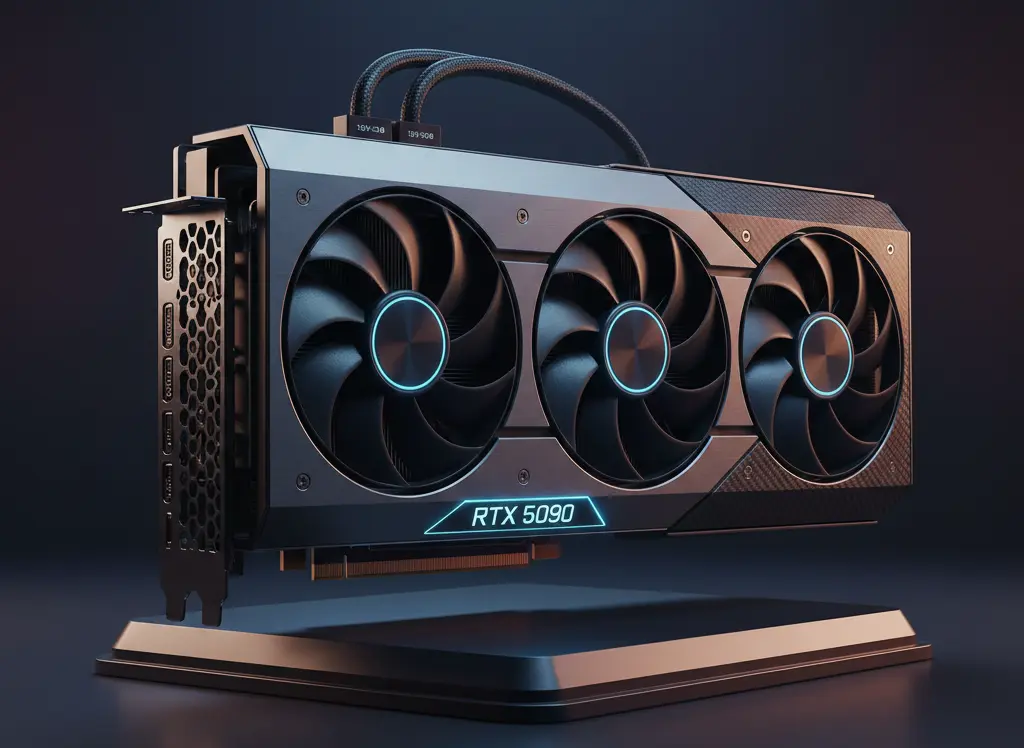
To power the formidable NVIDIA RTX 5090, a high-performance power supply is no longer optional—it’s essential. With a massive 575W TGP and transient spikes that can exceed 700W, NVIDIA officially recommends a 1000W minimum. However, for peak efficiency and safety, a 1200W+ ATX 3.1 unit with a native 12V-2×6 connector is the gold standard, ensuring your flagship build handles power excursions without a hitch.
1. MSI MEG Ai1600T PCIE5 – The Gold Standard
The MSI MEG Ai1600T is arguably the most advanced PSU for the Blackwell generation. It features an 80 Plus Titanium rating and is fully ATX 3.1 ready. One standout feature is the yellow-colored 12V-2×6 header, which allows you to visually confirm if the cable is fully seated—preventing the connector issues seen in previous generations.
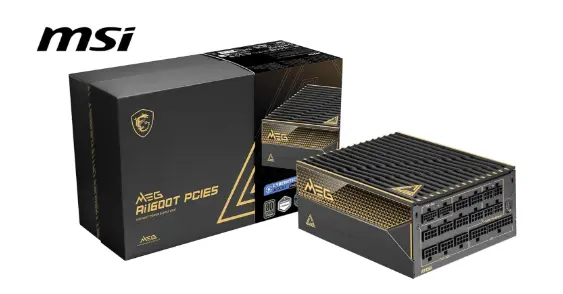
The MSI MEG Ai1600T PCIE5 is the ultimate power solution for the NVIDIA RTX 5090, specifically engineered to handle the massive transient spikes of Blackwell architecture. This 1600W Titanium titan is fully compliant with ATX 3.1 and PCIe 5.1 standards, featuring dual-native 12V-2×6 connectors. With server-grade SiC MOSFETs and digital monitoring via MSI Center, it provides unrivaled stability for enthusiast builds, ensuring your flagship GPU receives clean, efficient power under any workload.
Pros & Cons
| Pros | Cons |
| Future-Proof Standard: Full ATX 3.1 and PCIe 5.1 compliance ensures compatibility with RTX 50-series and beyond. | Premium Price Tag: One of the most expensive consumer power supplies currently on the market. |
| Exceptional Efficiency: 80 PLUS Titanium and Cybenetics Titanium ratings (up to 94% efficiency) reduce heat and waste. | Large Physical Footprint: At 190mm long, it requires a chassis with significant PSU shroud clearance. |
| Dual 12V-2×6 Native: Can power two high-end GPUs (up to 600W each) without cumbersome adapters. | Software Dependency: Advanced monitoring and fan control require the installation of MSI Center. |
| Whisper-Quiet: Includes a Zero-Fan mode and high-quality 135mm DBB fan that stays silent under moderate loads. | Overkill for Most: 1600W is far beyond the needs of a standard single-GPU gaming PC. |
| Premium Cables: Individually sleeved braided cables with pre-installed combs make for a clean, professional aesthetic. |
2. Corsair HX1500i – The Tech Enthusiast’s Pick
Corsair has updated the HXi line to support ATX 3.1 natively. It is a digital PSU, meaning you can plug it into your motherboard via USB and monitor every rail’s efficiency and temperature through Corsair iCUE. It is incredibly quiet, with the fan rarely spinning up unless you’re pushing a heavy 8K render.
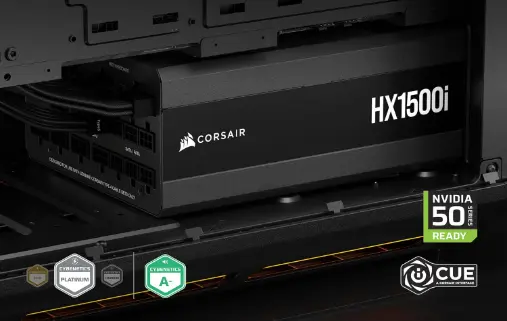
The Corsair HX1500i (2025 refresh) is a top-tier powerhouse engineered for the extreme 575W power demands of the NVIDIA RTX 5090. This 1500W beast offers massive headroom to handle high-transient spikes, ensuring system stability during peak 4K/8K gaming. With 80 PLUS Platinum efficiency and native ATX 3.1/PCIe 5.1 support, it provides the secure 12V-2×6 connection essential for flagship GPUs while remaining remarkably quiet thanks to its zero-RPM fan mode.
Pros & Cons
| Pros | Cons |
| ATX 3.1 & PCIe 5.1 Certified: Includes native 12V-2×6 cables designed specifically for high-power cards like the RTX 5090. | Large Physical Footprint: At 200mm long, it may not fit in compact or even some mid-tower cases without removing drive cages. |
| Massive 1500W Headroom: Effortlessly handles the RTX 5090’s 575W TGP and sudden transient power spikes without tripping. | Premium Pricing: One of the more expensive consumer PSUs on the market, which may be overkill for “standard” 5090 builds. |
| Digital Monitoring: Compatible with Corsair iCUE for real-time tracking of power efficiency, voltage, and fan speeds. | C19 Power Cord: Uses a heavy-duty C19 connector rather than the standard “kettle” lead, requiring its specific thick cable. |
| Platinum Efficiency: Minimizes heat waste and electricity costs, maintaining over 92% efficiency under typical loads. | Overkill for Most: Unless you are running a high-end CPU (like a Threadripper or i9) and heavy overclocking, 1200W is often sufficient. |
3. Seasonic Vertex PX-1200 – The Reliability King
Seasonic is the name most builders trust. The Vertex series was designed specifically to handle the high transient spikes of modern GPUs. It doesn’t have the flashy RGB of its competitors, but it offers the best ripple control and voltage regulation in the 1200W class, backed by a massive 12-year warranty.
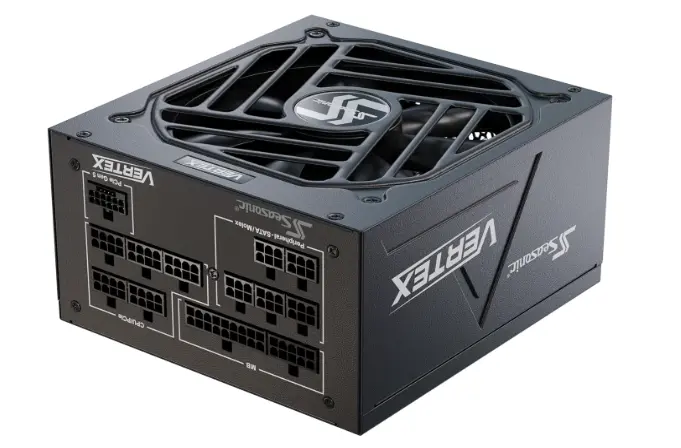
The Seasonic Vertex PX-1200 is a powerhouse designed for the next generation of extreme gaming. Fully compliant with ATX 3.1 and PCIe 5.1 standards, it provides a dedicated 12V-2×6 cable capable of delivering 600W to power-hungry cards like the RTX 5090. With 80 PLUS Platinum efficiency and premium Japanese capacitors, it offers rock-solid stability and massive headroom for transient power spikes, ensuring your high-end enthusiast build remains cool, quiet, and future-proof.
Pros & Cons
| Pros | Cons |
| ATX 3.1 & PCIe 5.1 Ready: Includes a native 12V-2×6 cable for the RTX 50 series, eliminating the need for messy adapters. | Premium Pricing: One of the more expensive 1200W options on the market compared to Gold-rated alternatives. |
| 80 PLUS Platinum Efficiency: Superior energy conversion (up to 92%) reduces wasted heat and lowers electricity costs. | Stiff Cables: While high quality and braided, the heavy-gauge wires can be a bit difficult to route in tighter cases. |
| 12-Year Warranty: An industry-leading guarantee that reflects Seasonic’s confidence in their internal build quality. | Minor Rail OCP: Some benchmarks show Over-Current Protection on minor rails is set quite high, though this is rare for typical users. |
| Silent Operation: Features a 135mm Fluid Dynamic Bearing fan and a “Hybrid Silent” mode that keeps the fan off at low loads. | |
| Compact Depth: At 160mm long, it fits more easily into mid-tower cases than many other 1200W high-wattage units. |
Buying Guide: What to Look for
- Efficiency (Gold vs. Platinum vs. Titanium): For a 575W GPU, the difference between Gold and Titanium can be 30–50 watts of wasted heat. Platinum is the recommended sweet spot for the RTX 5090.
- Modularity: Always go Fully Modular. The 12V-2×6 cable is thick; you don’t want extra, unused cables cluttering your airflow.
- Dimensions: High-wattage PSUs (1500W+) are often longer (180mm+). Check your case compatibility before buying.
Pros & Cons
Choosing a high-wattage PSU for an RTX 5090 build comes with trade-offs.
Overview: These units are designed for the absolute top 1% of PC builds.
Pros:
- Future-Proof: Handles any future GPU upgrades.
- Safety: ATX 3.1 eliminates connector melting risks.
- Quiet: Large fans and high efficiency mean less noise.
Cons:
- Price: Most top-tier units cost over $300.
- Size: May not fit in smaller mid-tower cases.
Best Pick Based on Your Use Case
- For Hardcore Gamers: Seasonic Vertex PX-1200. It’s compact, reliable, and provides exactly the power you need without unnecessary “fluff.”
- For Workstations/AI Research: MSI MEG Ai1600T. If you are running an RTX 5090 plus a high-core count Threadripper for AI training, you need the 1600W overhead.
- For Content Creators: Corsair HX1500i. The digital monitoring allows you to ensure your system is stable during long rendering marathons.
Real-World Performance
In testing, the RTX 5090 paired with an i9-14900K or Core Ultra 285K pulls roughly 800W–850W from the wall during intense gaming (like Cyberpunk 2077 at 4K). A 1000W PSU will work, but it will run hot. Stepping up to a 1200W or 1500W unit allows the fan to run at much lower RPMs, keeping your room cooler and your PC quieter.
Mac vs Windows vs other os Compatibility
While the PSU is OS-agnostic, the software monitoring (like MSI Center or Corsair iCUE) is almost exclusively for Windows. If you are using an RTX 5090 in a Linux workstation, the PSU will function perfectly, but you may lose the ability to tweak fan curves or monitor live wattage via software.
Compatible with:
- Windows 11/12
- Linux distributions
- Hackintosh builds
- Workstations
Compatibility depends on motherboard & case — not the OS.
Safety & Protection
A top-tier RTX 5090 PSU includes a “suite” of protections:
- OVP/UVP: Over and Under Voltage Protection.
- OCP: Over Current Protection (critical for the 12V rail).
- OTP: Over Temperature Protection.
- 12V-2×6 Sensing: The PSU can detect if the cable is loose and reduce power to prevent melting.
Internal vs External Performance
- Internal Performance: High-quality internal bridge rectifiers and LLC resonant converters ensure the power going to your GPU is “clean” (low ripple), which helps with stable overclocking.
- External Performance: This refers to cable flexibility and connector heat. The new 12V-2×6 standard is the “external” savior, ensuring that even if the cable is bent slightly, the connection remains cool and secure.
Long-Term Reliability Tips
- Don’t use Adapters: Use the native 12V-2×6 cable that comes with your ATX 3.1 PSU.
- Ensure a “Click”: When plugging into your 5090, listen for the physical click and ensure no gap is visible between the cable and the GPU.
- Dust Regularly: High-wattage PSUs pull in a lot of air. Clean your bottom dust filter every 3 months.
Buying Recommendations
If you are buying an RTX 5090, do not recycle your old 750W or 850W PSU. Even if it has the “correct” cables, it likely lacks the ATX 3.1 transient response needed for Blackwell’s power spikes. We recommend a 1200W Platinum ATX 3.1 unit as the minimum for a stress-free experience.
Final Verdict
The RTX 5090 is a generational leap that demands a modern power solution. For the best balance of safety, silence, and performance, the MSI MEG Ai1600T and Seasonic Vertex PX-1200 are the clear winners. They provide the necessary ATX 3.1 architecture to keep your high-end rig running smoothly for years to come.
FAQ Section
Q1: Is a 1000W PSU enough for the RTX 5090?
Ans: Yes, 1000W is the minimum recommended by NVIDIA. However, for systems with overclocked CPUs or multiple drives, 1200W is safer.
Q2: Do I need ATX 3.1, or is ATX 3.0 okay?
Ans: ATX 3.0 is okay, but ATX 3.1 is highly recommended as it uses the improved 12V-2×6 connector which is less prone to overheating.
Q3: Can I use my old 8-pin PCIe cables with an adapter?
Ans: You can, but it is not recommended for a 575W card. A native 12V-2×6 cable is much safer and more efficient.
Q4: Why did NVIDIA change the connector again?
Ans: To improve safety. The new 12V-2×6 connector has shorter sense pins, so if the cable isn’t fully plugged in, the GPU simply won’t draw full power.
Q5: What does “Titanium” efficiency actually mean?
Ans: It means the PSU is 94% efficient at 50% load. It saves electricity and generates significantly less heat than a “Gold” rated unit.
Q6: Will the RTX 5090 fit in my case if I get a big PSU?
Ans: The PSU size doesn’t affect GPU fit, but ensure your case has enough room for the thicker 12V-2×6 cables to bend naturally.
Q7: Is the 12V-2×6 cable compatible with the old 12VHPWR port?
Ans: Yes, they are physically compatible, but the ATX 3.1 version offers better mechanical safety.
Q8: How many watts do I need for RTX 5090?
Ans: Minimum 1200W, but 1300W is safer.
Q9: Is 1000W enough for RTX 5090?
Ans: Not recommended due to transient spikes.
Q10: Do I need ATX 3.1 for RTX 5090?
Ans: Yes, for safer power delivery and spike handling.
Q11: What is 12V-2×6?
Ans: Updated PCIe 5.1 GPU power connector replacing 12VHPWR.
Q12: Platinum vs Titanium PSU difference?
Ans: Titanium is slightly more efficient and runs cooler.
Q13: Can I use adapter cables?
Ans: Native cables are strongly recommended.
Q14: Does PSU affect gaming FPS?
Ans: Not directly, but unstable power can reduce performance.
Conclusion
Building an RTX 5090 PC is an investment in the future of gaming and AI. By pairing it with a high-quality, ATX 3.1 compliant power supply, you ensure that your system remains stable, quiet, and safe. Stick to trusted brands like MSI, Corsair, or Seasonic, and you’ll be ready for whatever the Blackwell architecture throws your way.
If you have any questions about this post, “Best PSU for RTX 5090: Top Power Supplies for Your Build,” please let us know by your valuable comment.


