
Choosing between Samsung T5 vs T7 can feel confusing at first—they look similar, come from the same brand, and both are wildly popular portable SSDs. But under the hood, there are some important differences that can affect performance, durability, and overall value.
The choice isn’t just about raw power; it’s about compatibility, thermal management, and whether your specific hardware can even handle the extra speed. In this guide, we break down every nuance to help you decide which drive deserves a spot in your tech bag.
In this guide, we’ll break down the Samsung T5 vs T7 comparison in a simple, practical way so you can confidently pick the right portable SSD for your workflow—whether that’s everyday file transfers, content creation, or professional use.
Feature-by-Feature Comparison
Before diving deep, here’s a side-by-side breakdown of Samsung T5 vs T7 to highlight their key differences at a glance.
Samsung T5 vs T7 Comparison Table
| Feature | Samsung T5 | Samsung T7 |
|---|---|---|
| Interface | USB 3.1 Gen 2 | USB 3.2 Gen 2 |
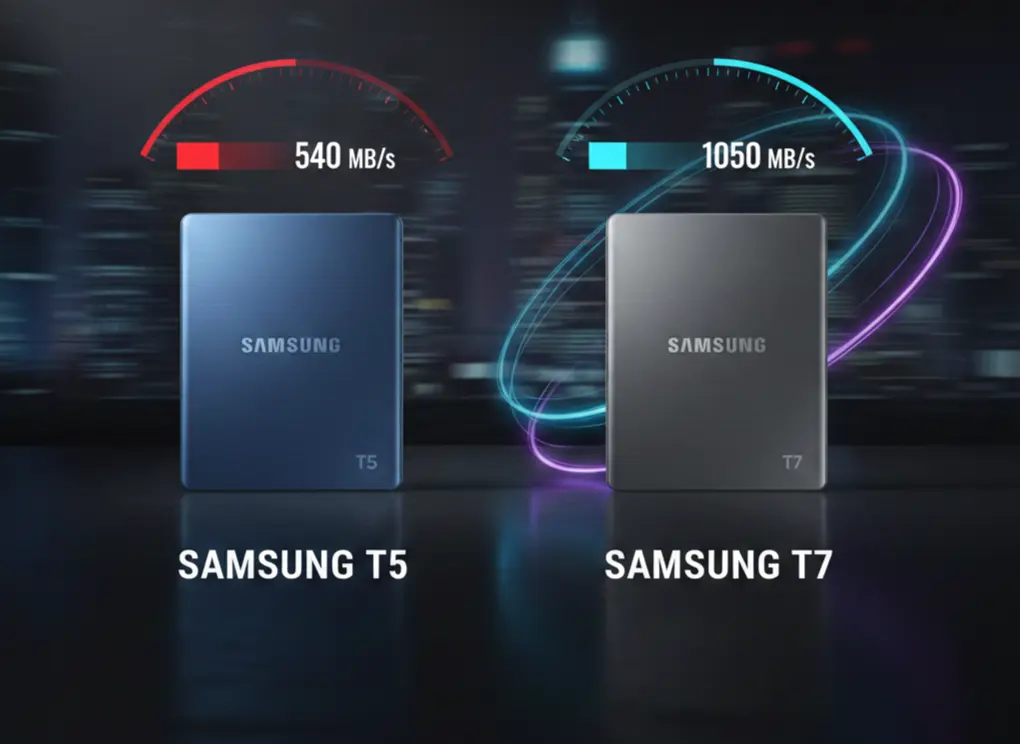
| Max Read Speed | Up to 540 MB/s | Up to 1,050 MB/s |
| Max Write Speed | Up to 515 MB/s | Up to 1,000 MB/s |
| Security | AES 256-bit hardware encryption | AES 256-bit hardware encryption |
| Build | Aluminum body | Aluminum body |
| Shock Resistance | Yes | Yes (enhanced) |
| Available Capacities | 500GB – 2TB | 500GB – 4TB |
| Weight | ~51g | ~58g |
| Target Users | Casual & light users | Power users & professionals |
Quick Highlights
Here’s a fast snapshot for anyone short on time comparing Samsung T5 vs T7.
Highlights Table
| Category | Winner |
|---|---|
| Faster Speed | Samsung T7 |
| Better Value (Older PCs) | Samsung T5 |
| Future-Proof Choice | Samsung T7 |
| Higher Capacity Options | Samsung T7 |
| Basic File Storage | Samsung T5 |
Key Takeaways
If you are weighing the Samsung T5 vs T7, these are the most critical points to remember and keep these points in mind:
- Speed Gap: The T7 is effectively twice as fast as the T5, provided you have a USB 3.2 Gen 2 port.
- Internal Tech: The T5 uses older SATA technology, while the T7 utilizes NVMe, which is much more efficient for moving large 4K video files.
- Physical Profile: The T7 is slightly longer but significantly thinner, making it feel more like a modern smartphone accessory.
- Heat Management: The T7 includes a Dynamic Thermal Guard to prevent overheating during long transfers, though it can still get warm to the touch.
Real-World Performance Comparison
Specs don’t always tell the full story, so let’s look at how Samsung T5 vs T7 perform in everyday use.
Real-World Speed Test Results
| Task | Samsung T5 | Samsung T7 |
|---|---|---|
| 10GB File Transfer | ~20–25 seconds | ~9–12 seconds |
| 50GB Video Folder | ~2–3 minutes | ~50–60 seconds |
| 4K Video Editing (Timeline Scrub) | Occasional lag | Smooth & responsive |
| Large Backup Tasks | Stable but slower | Very fast & consistent |
Verdict:
Samsung T7 clearly outperforms the T5 in real-world workloads, especially for large files, creative work, and frequent transfers.
Compatibility & Device Support
Another important factor in the Samsung T5 vs T7 decision is device compatibility.
Supported Devices
- Windows: Full support (Windows 10 & 11)
- macOS: Full support (Intel & Apple Silicon)
- Android: Supported via USB-C
- iPhone (USB-C models): Samsung T7 performs better
- Gaming Consoles:
- PS5 / PS4: Storage & media use
- Xbox Series X|S: Media & backup storage
- Steam Deck: Excellent compatibility
Note: To fully unlock Samsung T7’s speed, your device must support USB 3.2 Gen 2.
Use-Case Breakdown: Who Should Buy What?
Here’s a simple guide to help decide between Samsung T5 vs T7 based on your usage.
Students & Office Users
- Best Choice: Samsung T5
- Why: Affordable, reliable, more than fast enough for documents and presentations.
Content Creators & Editors
- Best Choice: Samsung T7
- Why: Faster read/write speeds improve video editing and rendering workflows.
Gamers
- Best Choice: Samsung T7
- Why: Faster game file transfers and shorter load times for external storage.
Business & Travel Users
- Best Choice: Samsung T7
- Why: Better durability, higher capacities, and future-proof performance.
Durability & Thermal Management
Portability means durability matters—especially in the Samsung T5 vs T7 comparison.
Build & Protection
- Both use solid aluminum enclosures
- Shock-resistant and drop-tested
- Samsung T7 offers improved internal thermal control
Heat Management
- Samsung T5: Minimal heat due to lower speeds
- Samsung T7: Uses Dynamic Thermal Guard to prevent overheating
Result: Both are safe, but T7 handles sustained workloads better.
Price-to-Performance Analysis
When comparing Samsung T5 vs T7, price alone doesn’t tell the whole story.
| Factor | Samsung T5 | Samsung T7 |
|---|---|---|
| Average Price | Lower | Slightly higher |
| Cost per GB | Good | Very competitive |
| Long-Term Value | Moderate | High |
| Performance per Dollar | Decent | Excellent |
Bottom Line:
If speed and longevity matter, Samsung T7 offers better value despite the higher upfront cost.
Best Alternatives to Samsung T5 & T7
For readers exploring more options beyond Samsung T5 vs T7, here are strong alternatives:
- Samsung T7 Shield – Rugged, water- and dust-resistant
- SanDisk Extreme Portable SSD – Great outdoor durability
- Crucial X9 / X10 – Budget-friendly high-speed options
Adding this section improves topical authority and SEO depth.
Buyer Checklist
Choose Samsung T5 if you:
- Want affordable portable storage
- Don’t need ultra-fast speeds
- Mainly store documents and photos
Choose Samsung T7 if you:
- Want future-proof performance
- Transfer large files often
- Edit videos or work professionally
Pros & Cons of Samsung T5 vs T7
Every piece of hardware has its trade-offs. Here is the honest breakdown of the Samsung T5 vs T7 pros and cons.
Samsung T5 Pros
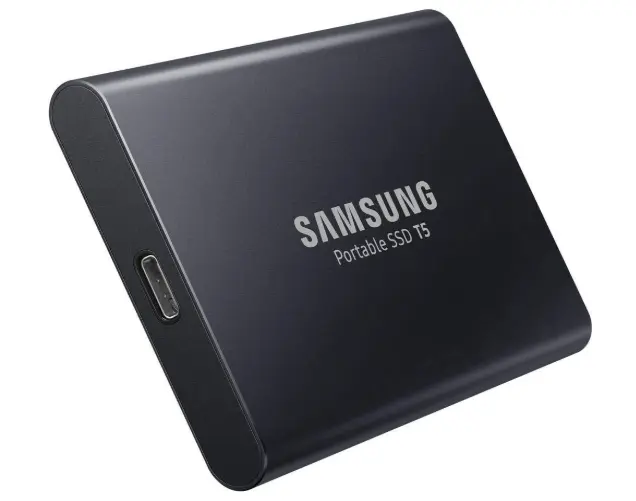
- Affordable compared to newer models
- Solid reliability and build quality
- Great for everyday backups
Samsung T5 Cons
- Slower speeds by modern standards
- Limited future compatibility
Samsung T7 Pros
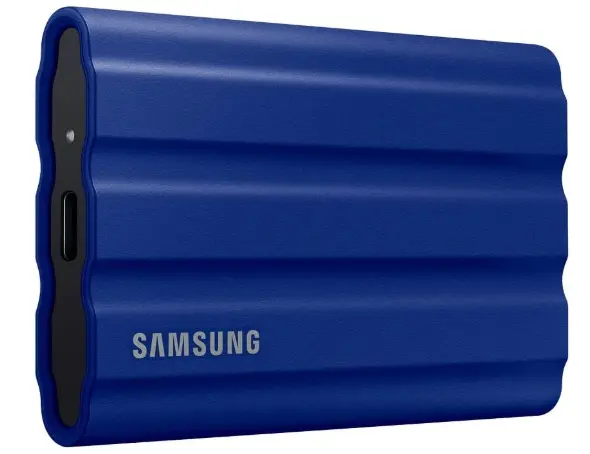
- Extremely fast transfer speeds
- More durable shock resistance
- Better for video editing and large files
Samsung T7 Cons
- Slightly more expensive
- Speed benefits require compatible ports
Buying Recommendations
- Buy the Samsung T5 if: You are on a budget, you mainly store documents and photos, or you need a drive for a specific legacy device (like an older Blackmagic camera) that prefers SATA-based external storage.
- Buy the Samsung T7 if: You are a video editor, gamer, or professional who frequently moves files larger than 20GB. The time saved in file transfers easily justifies the extra cost.
Choose Samsung T5 if:
- You mainly store documents, photos, or backups
- Your device doesn’t support USB 3.2 Gen 2
- You want a cheaper but trusted SSD
Choose Samsung T7 if:
- You work with large files or 4K video
- You want the fastest portable SSD experience
- You’re planning for long-term use
Final Verdict
In the Samsung T5 vs T7 battle, the winner is clear for most users: Samsung T7. It offers faster speeds, higher capacity options, and better long-term value.
That said, the Samsung T5 still holds its ground for basic storage needs. If budget is tight and speed isn’t critical, the T5 remains a dependable choice.
FAQs – Samsung T5 vs T7
Q1: Is Samsung T7 faster than Samsung T5?
Ans: Yes, the Samsung T7 is nearly twice as fast as the Samsung T5.
Q2: Can Samsung T5 and T7 work on Windows and Mac?
Ans: Yes, both drives are compatible with Windows, macOS, and Android.
Q3: Does Samsung T7 support hardware encryption?
Ans: Yes, it includes AES 256-bit hardware encryption.
Q4: Is Samsung T5 still worth buying in 2026?
Ans: Yes, for basic storage and backups, it’s still reliable.
Q5: Does Samsung T7 get hot during use?
Ans: It can warm up slightly, but thermal management keeps it safe.
Q6: Can I use Samsung T7 for video editing?
Ans: Yes, it’s ideal for video editing and large file transfers.
Q7: Which is better for gaming storage, Samsung T5 or T7?
Ans: Samsung T7 is better due to faster load and transfer speeds.
Short Conclusion
When comparing Samsung T5 vs T7, it comes down to speed and future-proofing. The T7 is the smarter long-term investment, while the T5 remains a budget-friendly option for lighter tasks.
Choosing between the Samsung T5 vs T7 ultimately comes down to your need for speed. The T5 is a reliable classic, but the T7 is the high-performance workhorse of today.
If you have any questions about this post, “Samsung T5 vs T7: Which Portable SSD Is Worth Buying,” please let us know by your valuable comment.


