
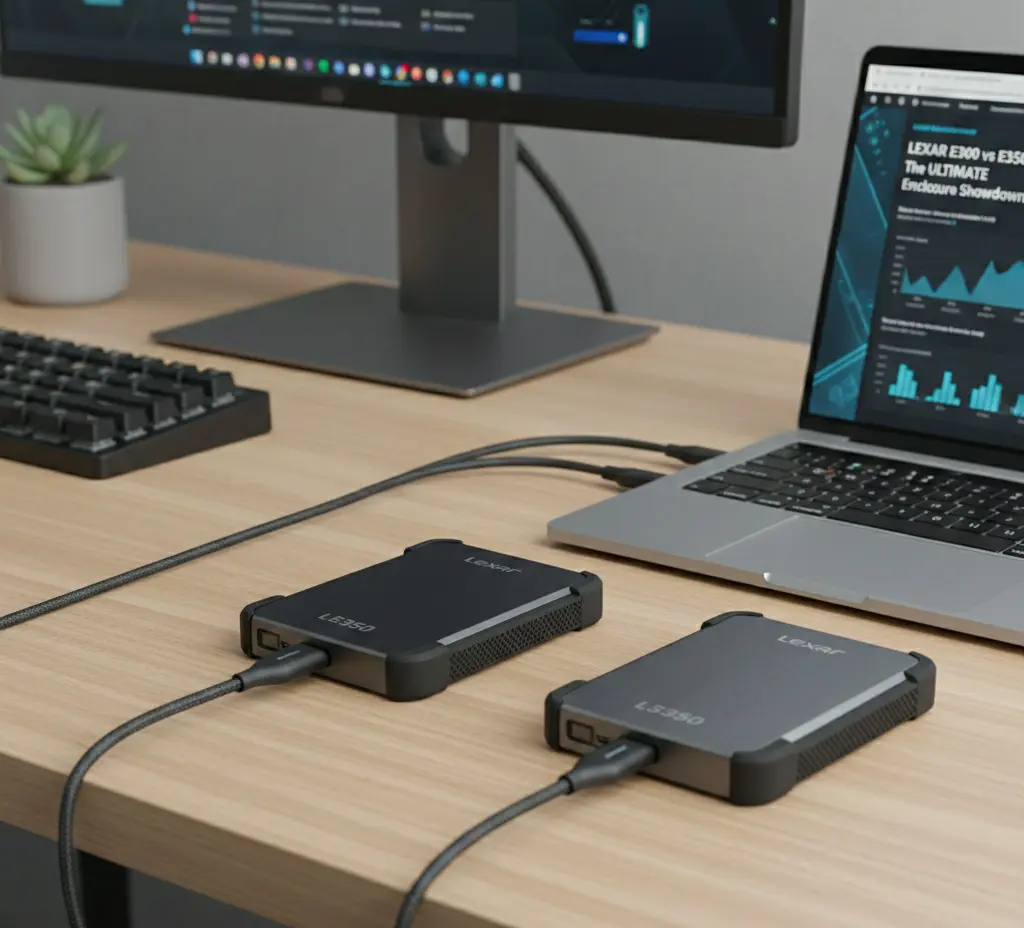
In an age where data portability and speed are paramount, turning an internal M.2 Solid State Drive (SSD) into a blazing-fast external portable drive is a smart, cost-effective solution. Lexar, a trusted name in digital storage, offers two popular M.2 SSD enclosures for this very purpose: the Lexar E300 and the Lexar E350.
Both enclosures transform an internal SSD into a rugged, high-speed external drive, leveraging the USB 3.2 Gen 2 (10Gbps) interface. However, a crucial difference in compatibility separates these two excellent options. This comprehensive comparison will break down the features, pros, and cons of the Lexar E300 vs E350 to help you make an informed decision and create the ultimate portable storage solution.
Feature-by-Feature Comparison Table
While both models share the same commitment to fast data transfer and durable design, the key difference lies in the supported SSD protocol. Here is a detailed breakdown:
| Feature | Lexar E300 Enclosure | Lexar E350 Enclosure |
| SSD Compatibility | M.2 NVMe (PCIe only) | M.2 NVMe (PCIe) AND M.2 SATA |
| Interface | USB 3.2 Gen 2 (10Gbps) | USB 3.2 Gen 2 (10Gbps) |
| Max Transfer Speed | Up to 10Gbps (Max 1050 MB/s Read/Write) | Up to 10Gbps (Max 1050 MB/s Read/Write) |
| Supported SSD Keys | M Key / B+M Key (NVMe drives) | M Key / B+M Key (NVMe & SATA drives) |
| Supported SSD Sizes | 2230, 2242, 2260, 2280 | 2230, 2242, 2260, 2280 |
| Max Capacity | Up to 4TB | Up to 4TB |
| Material | Aluminum Alloy, Silicone Bumper | Aluminum Alloy, Silicone Bumper |
| Primary Use Case | NVMe-only drive repurposing | Universal drive repurposing |
| Expected Price | Generally lower | Generally slightly higher |
| Heat Dissipation | Yes | Yes |
| Extras | Lanyard hole, rugged bumper | Lanyard hole, rugged bumper |
| Ideal For | NVMe-only users | Flexible NVMe & SATA use |
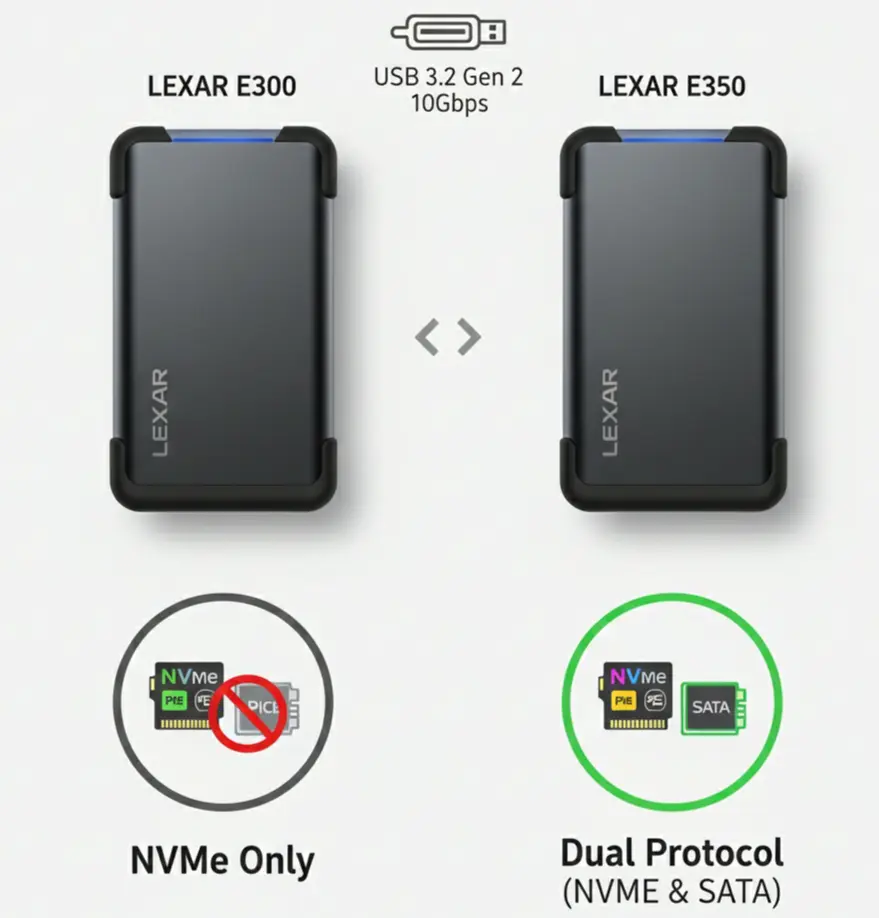
Both enclosures deliver 10 Gbps USB performance with durable builds, but the E350 supports both NVMe and SATA M.2 drives, making it more versatile.
Quick Highlights Table
For a swift decision based on the most critical factors, here are the core specifications summarized:
| Model | Primary Advantage | Primary Limitation |
| Lexar E300 | Budget-friendly option for NVMe drives. | Only supports NVMe SSDs. |
| Lexar E350 | Dual Protocol: Supports both NVMe and SATA SSDs. | Slightly higher price point than E300. |
Key Takeaways
The choice between the Lexar E300 vs E350 ultimately hinges on the type of M.2 drive you own or plan to use.
- E300 is for NVMe Only: If you are absolutely sure your M.2 SSD is an NVMe (PCIe) drive, the E300 is the more direct and potentially more budget-friendly choice.
- E350 is the Universal Solution: If you have an M.2 SATA drive, or if you want the flexibility to use either an NVMe or a SATA M.2 SSD now or in the future, the E350 is the clear winner due to its dual-protocol support.
Pros & Cons
Understanding the strengths and weaknesses of both Lexar enclosures is essential for your decision.
Lexar E300 (NVMe Only)
- Pros:
- Typically the more affordable option between the Lexar E300 vs E350.
- Full 10Gbps speed support for NVMe M.2 drives.
- Durable aluminum alloy body with shock-resistant bumper.
- Cons:
- Incompatible with M.2 SATA SSDs, limiting versatility.
Lexar E350 (NVMe & SATA Dual Protocol)
- Pros:
- Superior versatility with support for both NVMe and SATA M.2 SSDs.
- Full 10Gbps speed support for NVMe drives.
- Durable aluminum alloy body with shock-resistant bumper.
- Cons:
- Generally costs slightly more than the E300.
- SATA drive performance is limited to SATA max speed (~6Gbps/600 MB/s) when used in the enclosure.
Buying Recommendations
- If you only use M.2 NVMe SSDs (and want to save a little): Go for the Lexar E300. It offers the same top-tier NVMe performance and build quality as the E350, but typically at a lower cost, since it lacks the extra SATA controller.
- If you are unsure of your M.2 SSD type or want maximum flexibility: Buy the Lexar E350. The slight premium for the E350’s dual-protocol support is a worthwhile investment to ensure compatibility with any M.2 drive (SATA or NVMe) you might have now or in the future.
- If you plan to use an M.2 SATA drive: The Lexar E350 is your only option between these two models, as the E300 will not recognize M.2 SATA drives.
Real-World Use Cases: Lexar E300 vs E350
- Content creators & video editors:
Choose Lexar E300 if you exclusively use NVMe SSDs and want maximum, stable speed for 4K video transfers. - IT technicians & repair shops:
Lexar E350 is better due to dual NVMe + SATA compatibility when cloning or recovering drives. - Everyday portable storage users:
E350 offers flexibility if you upgrade or reuse older SATA M.2 SSDs.
Expected Transfer Speeds
- Sequential read/write speeds depend on the installed SSD
- With a high-end NVMe SSD:
- Up to 900–1,000 MB/s via USB 3.2 Gen 2
- SATA SSDs in E350:
- Around 500–550 MB/s (SATA limit)
Thermal & Sustained Performance Note
Great for power users and professionals.
Add briefly:
- Aluminum body helps passive cooling
- Better sustained speeds for long file transfers
- No active fan = silent operation
OS & Device Compatibility
- Operating Systems: Windows, macOS, Linux
- Devices: Laptops, desktops, tablets, PS5 (for storage transfer), routers with USB-C
- Plug-and-Play: No drivers required
Who Should Skip These Enclosures?
- Users needing Thunderbolt speeds
- Those using 2.5-inch SATA SSDs
- Users requiring hardware encryption
Final Verdict
The Lexar E350 is the overall superior and safer choice due to its dual-protocol (NVMe and SATA) support. While the Lexar E300 is an excellent, cost-effective option for users committed only to NVMe drives, the E350’s ability to handle both standards makes it a more future-proof and versatile tool for repurposing any spare M.2 SSD. For most users, the small extra cost for the E350’s flexibility is well justified.
FAQ Section
Q1: What is the main difference between the Lexar E300 and E350 enclosures?
Ans: The Lexar E300 supports M.2 NVMe (PCIe) SSDs only, while the Lexar E350 is a dual-protocol enclosure that supports both M.2 NVMe and M.2 SATA SSDs.
Q2: Do both the E300 and E350 support the same transfer speed?
Ans: Yes, both enclosures use the USB 3.2 Gen 2 interface, offering a theoretical maximum transfer rate of 10Gbps (around 1050 MB/s). The actual speed will depend on the SSD installed (NVMe is faster than SATA) and the host port.
Q3: Can I use an M.2 SATA SSD in the Lexar E300?
Ans: No, the Lexar E300 is designed exclusively for NVMe (PCIe) drives and is incompatible with M.2 SATA SSDs. You must use the dual-protocol Lexar E350 for M.2 SATA compatibility.
Q4: Do these enclosures require external power?
Ans: No, both the Lexar E300 and E350 enclosures are bus-powered, meaning they draw all the necessary power directly through the USB connection.
Q5: Are the E300 and E350 enclosures tool-less for installation?
Ans: Lexar enclosures are typically designed for easy, tool-free or minimal-tool installation, but it is best to check the product documentation for the latest release to confirm if a screwdriver is needed for the final closing mechanism.
Q6: Do these enclosures come with a thermal solution?
Ans: Both models feature an aluminum alloy casing, which acts as a heatsink, and usually include a thermal pad or heat dissipation sticker to help keep the internal M.2 SSD cool during intensive use.
Q7: Will my M.2 SSD fit in both enclosures?
Ans: Yes, both enclosures support the standard M.2 form factors: 2230, 2242, 2260, and 2280, covering virtually all common M.2 drive sizes.
Short Conclusion
For anyone looking to maximize the value of a spare M.2 SSD, both the Lexar E300 and E350 offer a high-quality, high-speed solution. The E300 is the specialized NVMe workhorse, while the E350 reigns supreme in versatility with its dual-protocol support. Choose the E350 for peace of mind and universal compatibility, or opt for the E300 if you know you’ll only be using NVMe drives. Either way, you’ll be enjoying blazing-fast, portable storage.
If you have any questions about this post, “Lexar E300 vs E350: Which Enclosure is the Right for You?,” please let us know by your valuable comment.


